



Multi-Godown Inventory Management in TallyPrime: Stock Tracking, Transfers & Reconciliation
Managing stock across multiple warehouses? Learn how to organize godowns, record stock transfers, investigate inventory differences and build a more reliable stock-management process in TallyPrime.
For a growing business, maintaining inventory at one location may be straightforward. But when stock is spread across a main warehouse, branch stores, retail outlets or manufacturing locations, inventory management becomes more complicated.
A product may be available in one warehouse but unavailable in another. Stock may be transferred without the right documentation. Physical quantities may differ from accounting records. Managers may also struggle to identify where inventory is stored and which items require attention.
TallyPrime can support inventory workflows for businesses that maintain stock across multiple godowns, subject to the relevant configuration and features available in their setup. However, accurate inventory management depends on more than software configuration. Businesses also need consistent transaction recording, clear transfer procedures and regular stock verification.
This guide explains how to approach multi-godown inventory management in TallyPrime, what to check before implementation and how to improve the reliability of stock records.
Quick Answer: What Is Multi-Godown Inventory Management?
Multi-godown inventory management means maintaining and tracking stock across multiple storage locations within an inventory system.
In TallyPrime, godown-related inventory configuration can help businesses record stock against the relevant locations, subject to the features enabled and the way transactions are entered.
A typical inventory workflow includes:
- Creating and organizing godown records
- Recording stock receipts and dispatches
- Transferring stock between locations
- Reviewing godown-wise stock balances
- Verifying physical stock
- Investigating stock differences
- Maintaining consistent item names, units and transaction records
For example, a distributor may store the same product in a central warehouse and two regional warehouses. Management needs to know not only the total stock available but also where the stock is recorded.
The purpose of multi-godown management is to maintain a more useful record of stock quantities and movements across locations.
Why Do Businesses Need Multi-Godown Inventory Management?
When inventory is spread across locations, a single total-stock figure may not answer the questions that warehouse and sales teams need to resolve.
1. Stock Is Available, but Not at the Required Location
A sales team may see that an item exists in the business's total inventory but later discover that it is stored at a different warehouse. Location-wise stock visibility helps teams distinguish total stock from stock recorded at a particular location.
2. Stock Transfers Are Difficult to Trace
When goods move between warehouses, both the sending and receiving locations need to be reflected correctly. If transfers are not recorded consistently, the source location may appear to have stock available even after dispatch, or the receiving location may not show the expected quantity.
3. Physical Stock Does Not Match the Records
Damage, misplaced goods, unrecorded movements, unit-conversion issues and transaction-entry mistakes can cause differences between physical counts and system records. Regular verification and documented investigation help identify the cause of these differences.
4. Replenishment Decisions Are Based on Incomplete Information
A business may order additional stock because one location appears to be short, even when excess stock is available elsewhere. Location-wise reporting can help the team review stock distribution before deciding whether to purchase more inventory or transfer existing stock.
5. Inventory Reporting Becomes More Complex as the Business Grows
As the number of stock items and locations increases, inconsistent item naming, units of measurement and transfer practices become harder to manage. A consistent inventory structure helps make recurring reporting and reconciliation more manageable.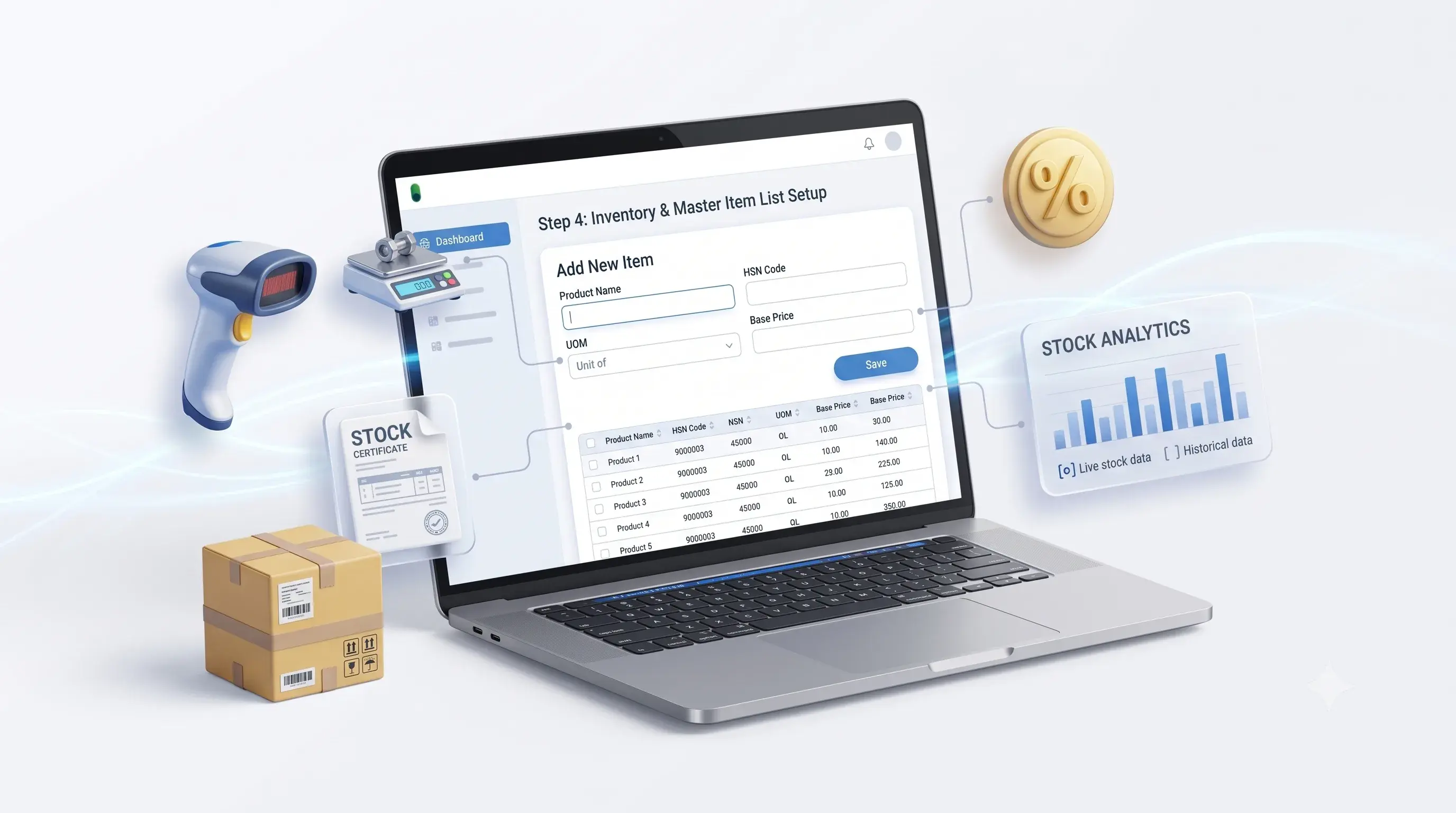
How to Organize Godowns in TallyPrime
Before creating godowns, decide how the physical storage structure should be represented in the accounting system.
A business might use a structure such as:
- Main Warehouse
- North Branch Warehouse
- South Branch Warehouse
- Retail Store
- Damaged Stock Location, if appropriate for the business's process
The exact structure should reflect the real operational needs of the business. Creating too many unnecessary locations can make transactions and reporting more complicated.
Step 1: Review the Physical Warehouse Structure
List the actual storage locations that require separate stock tracking.
For each location, clarify:
- What stock is stored there
- Who is responsible for recording movements
- Whether goods are transferred to other locations
- Whether the location is a warehouse, branch store or another storage area
- Whether separate reporting is required
Step 2: Define the Godown Naming Convention
Use names that employees can identify consistently. For example, a business might use:
| Godown Code | Example Location Name |
|---|---|
| WH-01 | Main Warehouse |
| WH-02 | North Warehouse |
| WH-03 | South Warehouse |
| ST-01 | Retail Store |
These are illustrative names, not a required TallyPrime naming format.
A consistent naming convention helps reduce confusion when employees select locations during transaction entry.
Step 3: Configure Godown Records
Configure the relevant godown records in TallyPrime according to the business's inventory setup and the options available in its software version.
Review the existing configuration before creating new records. Duplicate or unnecessary location entries can make stock reporting harder to interpret.
Step 4: Map Existing Inventory to the Correct Locations
If the business already maintains stock, review the current quantities and determine how they should be associated with each location.
Opening stock and migrated inventory should be checked against the agreed source records. Avoid assigning all stock to a single location if the actual stock is distributed across several warehouses.
Step 5: Test Location-Wise Reporting
After configuration, use representative stock items and transactions to verify that the expected quantities appear against the correct locations.
Check both individual godown balances and the total stock view where available.
How to Record Stock Transfers Between Godowns
A stock transfer is a movement of goods from one storage location to another.
For example, a distributor has 500 units of Product A at its main warehouse and transfers 100 units to a regional warehouse.
The intended stock movement is:
↓ Transfer 100 units
Main Warehouse: 400 units
Regional Warehouse: 100 units
Total business stock: 500 units
This example assumes no other stock movement or adjustment during the transfer.
The transfer changes where the stock is recorded; it does not, by itself, mean the business has sold the goods.
A Practical Stock Transfer Workflow
- Confirm the item, quantity and source location.
- Confirm the destination location.
- Record the transfer using the appropriate inventory transaction process in the configured system.
- Verify that the source location reflects the expected reduction.
- Verify that the destination location reflects the expected increase.
- Review the transaction reference and supporting documentation.
- Investigate any difference between the expected and recorded quantities.
The exact entry method depends on the TallyPrime configuration and the nature of the movement. Businesses should follow the applicable inventory workflow and validate it in their own environment.
Common Stock Transfer Mistakes
Wrong source or destination
The transfer is recorded against the wrong location.
Incorrect quantity
The quantity entered differs from the actual movement.
Duplicate entry
The same transfer is recorded more than once.
Unrecorded movement
Goods physically move but the system is not updated.
Timing difference
The sending and receiving teams record the movement at different times without a clear process.
A documented transfer procedure helps prevent these issues and makes discrepancies easier to investigate.
How to Review Godown-Wise Stock Balances
A useful inventory review should answer three questions:
- Which items are available?
- How much stock is recorded at each location?
- Which quantities require investigation or replenishment?
Depending on the reports available in the configured TallyPrime environment, businesses may review stock balances and relevant inventory summaries by location.
A regular review can include:
- Item-wise quantity by godown
- Total quantity across locations
- Stock movements during a selected period
- Items with low available quantities
- Differences identified during physical verification
- Transfers awaiting completion or review
The reporting requirements should be defined before building additional reports or spreadsheets. Standard reports may already provide the required information; custom reporting should be considered only when a specific reporting gap exists.
Physical Stock Verification and Inventory Reconciliation
A system balance is not automatically proof that the same quantity is physically present in the warehouse.
Physical verification compares actual stock with recorded inventory and helps identify differences that need investigation.
Step 1: Plan the Stock Count
Choose the items and locations to verify. Decide whether the count will cover all inventory or a selected group of products.
The process should also define how stock movements will be handled while counting takes place.
Step 2: Count Physical Stock
Record the quantity found at the location using a consistent unit of measurement.
Where products have variants, batches or different units, make sure the count refers to the correct item and unit.
Step 3: Compare Physical Quantities with Recorded Balances
Compare the count with the inventory record for the same item and location, using an appropriate cutoff time.
| Item | Recorded Quantity | Physical Count | Difference |
|---|---|---|---|
| Product A | 120 | 118 | −2 |
| Product B | 75 | 75 | 0 |
| Product C | 40 | 43 | +3 |
These figures are illustrative. A difference should be investigated before any adjustment is recorded.
Step 4: Investigate the Difference
Possible causes include:
- Missing or duplicate transaction entries
- Unrecorded receipts or dispatches
- Incorrect stock transfer quantities
- Damaged or missing goods
- Unit-of-measure conversion mistakes
- Incorrect item mapping
- Counting errors
- Transactions recorded against the wrong godown
The investigation should establish the likely cause and identify any required corrective action.
Step 5: Record Approved Adjustments
If an adjustment is required, follow the business's inventory control and approval procedure.
Do not change quantities merely to make the system match a physical count without understanding the difference. Where stock valuation or financial balances are affected, the responsible accounting team should review the treatment.
Step 6: Document the Outcome
Maintain a record of the count, identified differences, investigation and approved action.
This creates a more consistent process for future stock reviews.
Inventory Reconciliation Example
Suppose the system records 250 units of a product at a warehouse, but the physical count identifies 244 units.
The difference is:
244 − 250 = −6 units
The six-unit shortage should be investigated before an adjustment is posted.
The team might discover an unrecorded dispatch, a duplicate receipt or an actual shortage. Each situation requires a different response.
The objective of reconciliation is not simply to remove the difference. It is to understand why the difference occurred and reduce the likelihood of the same issue recurring.
How to Manage Stock Across Multiple Locations More Consistently
1. Standardize Stock Item Masters
Use consistent item codes, names and units of measurement. Avoid creating duplicate items for the same product without a valid business reason. Where products have variants, ensure that each variant is represented and mapped appropriately.
2. Record Movements Promptly
Set clear expectations for recording receipts, dispatches, transfers, returns and other inventory movements. Delayed recording can make stock availability reports less reliable.
3. Assign Responsibilities
Define who can create transactions, approve adjustments and review inventory differences. The exact permissions should follow the business's internal control requirements and available system controls.
4. Review High-Priority Items Regularly
Businesses may choose to verify fast-moving, high-value or operationally important items more frequently than other inventory. The review schedule should reflect the business's stock risk, transaction volume and resources.
5. Investigate Repeated Variances
If the same item or location repeatedly shows differences, examine the process behind the variance. The cause may be a recurring entry mistake, a unit-conversion problem, delayed documentation or an operational issue.
6. Maintain Clear Transfer Documentation
Use a consistent process for authorizing, recording and confirming stock movements. This is particularly important when the sending and receiving locations are managed by different employees or teams.
7. Review Inventory Valuation Separately from Quantity
Quantity and value are related but different measures. A stock quantity difference may also affect inventory valuation and accounting records. The applicable valuation method and accounting treatment should be reviewed by the responsible finance professional.
Can Inventory Reporting Be Customized in TallyPrime?
Sometimes the standard inventory reports are sufficient. Other businesses may need specific columns, filters or location-based reporting views.
Depending on the data and technical setup, reporting requirements may include:
- Item-wise stock by location
- Selected-period stock movement
- Custom report columns
- Location-specific filters
- Stock transfer summaries
- Additional views for inventory review
- Export workflows for supporting analysis
Before commissioning custom development, document the exact question the report should answer and check whether an existing report already meets the need.
For a broader discussion of business-specific reporting, see our Custom TallyPrime Reports service.
When Should You Consider Inventory Integration or Automation?
Some businesses need more than godown configuration. They may maintain inventory information across an online store, warehouse application, ERP system or other operational software.
In these cases, integration may be worth evaluating.
Possible requirements include:
- Transferring order information into the accounting workflow
- Mapping product identifiers between systems
- Synchronizing selected inventory data
- Processing stock-related updates
- Logging failed synchronization attempts
- Handling duplicate events
- Reviewing differences between systems
The correct design depends on which system controls inventory, what information each system maintains and how updates should be processed.
If the primary requirement is to connect TallyPrime with e-commerce or other business applications, explore our Tally Integration Services page.
Multi-Godown Inventory Management Checklist
Use this checklist when reviewing your current inventory process.
Not every business needs the same level of inventory control. The checklist should be adapted to the number of locations, the nature of the stock and the business's operational requirements.
Frequently Asked Questions
1. What is a godown in TallyPrime?
A godown is a storage location used to organize and track inventory. Businesses can use location-based inventory records where supported by their TallyPrime configuration.
2. Can TallyPrime manage multiple warehouses?
TallyPrime supports godown-related inventory management. The appropriate configuration depends on the business's storage structure, reporting requirements and software setup.
3. How do I track stock at different locations?
Configure the relevant godown records, maintain inventory transactions against the appropriate locations and review the available location-wise stock reports.
4. How do I transfer stock between godowns?
Use the appropriate inventory transaction workflow to record the source location, destination location and quantity. Verify that the resulting balances reflect the movement correctly.
5. Why does physical stock differ from TallyPrime records?
Differences can arise from unrecorded movements, duplicate entries, counting mistakes, incorrect units, wrong location selection or other operational issues. Investigate the cause before recording an adjustment.
6. Can I generate a godown-wise stock report?
The available inventory reports and filters depend on the TallyPrime version and configuration. Review standard reporting options first, then assess customization if a specific requirement remains unmet.
7. Can stock be tracked across multiple branches?
Location-wise inventory tracking can be planned where the configuration and business process support it. Branch-level reporting requirements should be defined separately from the physical storage structure.
8. Can e-commerce orders affect warehouse inventory?
They can affect inventory workflows when the online store and inventory system are connected appropriately. The business must define which events trigger stock updates and how failed updates are handled.
9. Should every stock difference be adjusted immediately?
No. The difference should be investigated first. Adjustments should follow the business's approval process and applicable accounting treatment.
10. Can inventory reports be customized?
Custom report requirements can be assessed when standard reports do not provide the required fields, filters or presentation. Feasibility depends on the data and technical setup.
11. How often should physical stock be verified?
The appropriate schedule depends on stock value, movement frequency, business risk and available resources. Some businesses verify selected high-priority items more frequently and conduct broader counts periodically.
12. Can Pragyantra help with inventory reporting and TallyPrime configuration?
Pragyantra can assess the required TallyPrime configuration, reporting needs and integration options. The final scope should be based on the actual setup and confirmed technical capabilities.
Improve Inventory Visibility Across Your Business
Managing multiple godowns requires more than recording stock quantities. Businesses need consistent location records, accurate transfer entries, regular verification and a clear process for investigating differences.
A well-planned TallyPrime inventory workflow can help teams review stock across locations and make more informed operational decisions.
Pragyantra can help assess your inventory setup, identify reporting gaps and evaluate suitable TallyPrime customization or integration options.