

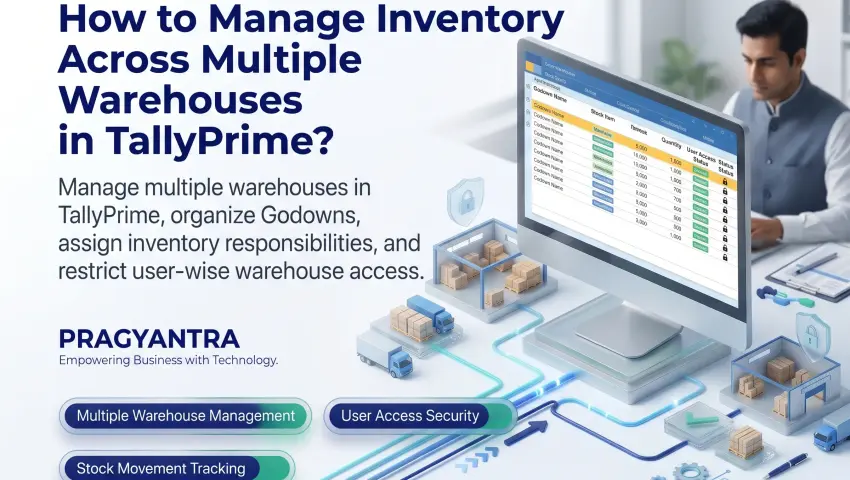

How to Manage Inventory Across Multiple Warehouses in TallyPrime?
Managing inventory across multiple warehouses is an important responsibility for businesses dealing with distribution, manufacturing, wholesale, and retail operations.
As a business expands, maintaining stock records across different branches and storage locations becomes more challenging. Employees need access to the inventory locations relevant to their responsibilities, while management needs control over the overall stock operations.
TallyPrime provides inventory management capabilities to maintain stock records across different Godowns. However, businesses managing multiple locations may also need user-wise access restrictions to control which employees can work with specific Godowns.
In this guide, we will explore practical ways to manage inventory across multiple warehouses in TallyPrime and understand how user-wise Godown security can improve inventory access control.
What Is Multi-Warehouse Inventory Management?
Multi-warehouse inventory management refers to maintaining and managing stock across multiple storage locations within a business.
In TallyPrime, these storage locations can be maintained using the Godown feature.
For example, a distribution company may maintain the following Godowns:
| Godown | Purpose |
|---|---|
| Main Warehouse | Central inventory storage |
| Delhi Branch | Regional stock distribution |
| Mumbai Warehouse | West India operations |
| Raw Material Store | Manufacturing materials |
| Finished Goods Store | Ready-to-sell products |
Maintaining separate Godowns helps businesses organize stock according to their storage and operational requirements.
Common Challenges of Managing Multiple Warehouses
When multiple employees handle inventory across different locations, businesses may face several operational challenges.
Common Multi-Warehouse Inventory Challenges
- 1. Incorrect Godown Selection: Employees may accidentally select the wrong Godown while entering Sales, Purchase, or Stock Journal transactions. This can affect the accuracy of location-wise inventory records.
- 2. Unrestricted Inventory Access: In some businesses, employees responsible for one warehouse do not need access to inventory information from every other location. Providing unnecessary access can make internal inventory control more difficult.
- 3. Difficulty Managing Stock Transfers: Businesses regularly move stock between warehouses. Without clearly defined responsibilities, employees may attempt transfers involving locations outside their assigned work areas.
- 4. Limited Control Over Stock Reports: Warehouse managers may only need information about their assigned locations. Businesses may therefore require restrictions on access to reports containing stock information from other Godowns.
- 5. Lack of Clear User Responsibilities: When several employees can work across multiple inventory locations, assigning responsibility for specific warehouse operations becomes more complicated.
7 Practical Ways to Improve Multi-Warehouse Inventory Management in TallyPrime
Businesses can improve their inventory management process by combining organized Godown structures with appropriate user access controls.
1. Create a Proper Godown Structure
Start by organizing your warehouse locations according to your business operations.
For example:
- Main Warehouse
- Regional Warehouse
- Branch Warehouse
- Raw Material Store
- Finished Goods Store
A well-organized structure makes it easier to maintain stock records and identify inventory locations.
2. Assign Inventory Responsibilities to Employees
Define which employees are responsible for each warehouse.
For example:
| Employee Role | Inventory Responsibility |
|---|---|
| Warehouse Manager | Main Warehouse |
| Branch Manager | Branch Warehouse |
| Storekeeper | Raw Material Store |
| Dispatch Operator | Finished Goods Store |
Clearly defined responsibilities help businesses organize their daily inventory operations.
3. Maintain Accurate Stock Entries
Employees should select the correct Godown while recording supported inventory transactions.
Businesses should establish consistent procedures for Sales, Purchase, Stock Journal, Delivery Note, and Receipt Note entries.
4. Monitor Inventory Reports
Regularly review stock information to understand inventory levels across different locations.
Relevant inventory reports, including Godown Summary and Stock Category reports, can help management review stock information.
5. Establish Stock Transfer Procedures
Define who can transfer inventory between different warehouses.
For example, a branch employee may handle stock within their assigned location, while transfers involving other warehouses may require approval from an authorized administrator.
6. Implement User-wise Godown Access Control
Not every employee needs access to every warehouse.
Businesses can assign specific Godowns to individual Tally users and restrict access to unauthorized locations.
Pragyantra's User-wise Godown Security Control Add-on helps implement this type of access restriction.
7. Review User Permissions Regularly
Employee responsibilities may change when businesses expand, open new branches, or reorganize warehouse operations.
Review assigned Godown permissions periodically to ensure that users have access according to their current responsibilities.
How Does User-wise Godown Security Help in TallyPrime?
TallyPrime users can manage inventory across different Godowns, but businesses with multiple employees may also need additional control over which locations each user can access.
Pragyantra's Enable User-wise Godown Security Control Add-on is designed to provide user-wise Godown access restrictions.
Its key capabilities include:
Key Capabilities
- User-wise Godown Assignment: Assign one or multiple authorized Godowns to individual Tally users according to their responsibilities.
- Automatic Godown Selection Filtering: During supported voucher entries, users see the Godowns authorized for their accounts. This helps control Godown selection in Sales, Purchase, and Stock Journal entries.
- Restricted Inventory Reports: The add-on restricts access to supported stock reports for unauthorized Godowns, including Godown Summary and Stock Category reports.
- Inventory Voucher Support: The add-on supports:
- Sales Voucher
- Purchase Voucher
- Stock Journal
- Delivery Note
- Receipt Note
- Stock Transfer Restrictions: Users can select authorized source and destination Godowns according to their permissions. Transfers between restricted Godowns require Admin access.
- Full Administrative Access: The Administrator or Owner retains access to all Godowns and reports.
Example: Multi-Warehouse Inventory Access in a Distribution Business
Consider a distribution company operating three warehouses:
- Main Warehouse
- North Region Warehouse
- South Region Warehouse
The company has three employees responsible for these locations.
Without user-wise Godown restrictions, employees may have access to inventory locations beyond their responsibilities.
With Pragyantra's User-wise Godown Security Control Add-on, the company can configure access as follows:
| User | Authorized Godown |
|---|---|
| Admin | All Godowns |
| North Manager | North Region Warehouse |
| South Manager | South Region Warehouse |
| Main Warehouse Manager | Main Warehouse |
This arrangement helps employees work with their assigned inventory locations while management retains overall access.
Who Needs Multi-Warehouse Inventory Access Control?
User-wise Godown security can be useful for:
Wholesale and Distribution Companies
Businesses operating multiple stock points and regional warehouses.
Manufacturing Businesses
Companies maintaining separate raw material and finished goods storage locations.
Retail Chains
Businesses managing inventory across multiple stores and branches.
Trading Companies
Organizations where different employees handle inventory for different locations.
Growing Businesses
Companies that need a structured approach to inventory responsibilities as they expand.
Why Choose Pragyantra for TallyPrime Solutions?
Managing multiple warehouses requires an organized inventory structure and appropriate access controls.
Pragyantra provides TallyPrime solutions to help businesses adapt their accounting and operational workflows.
Relevant Service:
- TallyPrime Customization: Business-specific Tally customization to support operational requirements and workflows. Explore TallyPrime Customization
For businesses that need additional control over warehouse access, Pragyantra also offers its dedicated User-wise Godown Security Control Add-on.
Frequently Asked Questions (FAQs)
1. Can TallyPrime manage multiple warehouses?
TallyPrime provides the Godown feature to maintain inventory records across different storage locations. Businesses can organize stock according to their warehouse structure.
2. What is a Godown in TallyPrime?
A Godown represents a storage location or warehouse where inventory is maintained. Businesses can create multiple Godowns to organize their stock records.
3. How can I restrict warehouse access for individual users in TallyPrime?
You can use Pragyantra's User-wise Godown Security Control Add-on to assign specific Godowns to individual users and restrict access to unauthorized locations.
4. Can different employees access different Godowns?
Yes. With user-wise Godown security, administrators can assign different Godowns to different Tally users according to their job responsibilities.
5. Can I restrict stock reports for specific Godowns?
Pragyantra's add-on restricts access to supported stock reports for unauthorized Godowns, including Godown Summary and Stock Category reports.
6. Does the add-on support stock transfers between warehouses?
The add-on provides restrictions for supported Stock Journal operations. Transfers between restricted Godowns require Admin access.
7. Can the Administrator access all warehouses?
Yes. The Administrator or Owner retains full access to all Godowns and reports.
Manage Multiple Warehouses with Better Access Control
Managing inventory across multiple warehouses requires organized stock records, clearly assigned employee responsibilities, and appropriate access restrictions.
TallyPrime helps businesses maintain inventory across different Godowns. For businesses that need additional user-wise warehouse access control, Pragyantra's Enable User-wise Godown Security Control Add-on provides a dedicated solution.
Take better control of warehouse access and organize inventory responsibilities across your business.
Contact Pragyantra for a Product Demo
🏢 Pragyantra Solutions | Phone: +91 77280 57558 | Web: www.pragyantra.com
TallyPrime Multi-Warehouse Inventory Management | User-wise Godown Security Control | Tally Customisation