



Create Professional PDF Invoices with Company Seal and Signature.
In today's digital business environment, sending invoices through email and WhatsApp has become a regular part of business operations. Customers expect clear, properly formatted invoices that contain all the necessary business details.
However, some businesses still follow a manual process to prepare professional PDF invoices. They generate an invoice in TallyPrime, print it, apply the company stamp, get it signed, and scan the document before sharing it with customers.
This process takes additional time and creates unnecessary work for the accounts team.
A better approach is to configure your invoice layout so that the company seal and authorized signature are automatically included when the invoice is printed or exported as a PDF.
With Pragyantra's Company Seal & Signature Print Add-on for TallyPrime, businesses can simplify this process and prepare consistently formatted invoices for digital sharing.
Why Do Professional PDF Invoices Need a Company Seal and Signature?
A PDF invoice is often the first official billing document a customer receives after a transaction. Its presentation can influence how professionally your business communicates.
Here are some reasons businesses include their company seal and authorized signature.
1. Professional Document Presentation
A company seal and authorized signature help make an invoice look complete and professionally formatted.
They also help maintain a consistent appearance across invoices shared with different customers.
2. Convenient Digital Invoice Sharing
Businesses regularly share PDF invoices through email and WhatsApp.
When the stamp and signature are already included in the invoice layout, employees do not need to print and scan every document before sharing it.
3. Consistent Business Documentation
When multiple employees prepare invoices, maintaining a uniform format can become difficult.
A standardized invoice layout helps ensure that the company seal and signature appear in their designated positions on supported documents.
4. Less Manual Work
Manual stamping, signing, and scanning can slow down the billing process.
Automating these repetitive steps allows the accounts team to focus more on billing and other important activities.
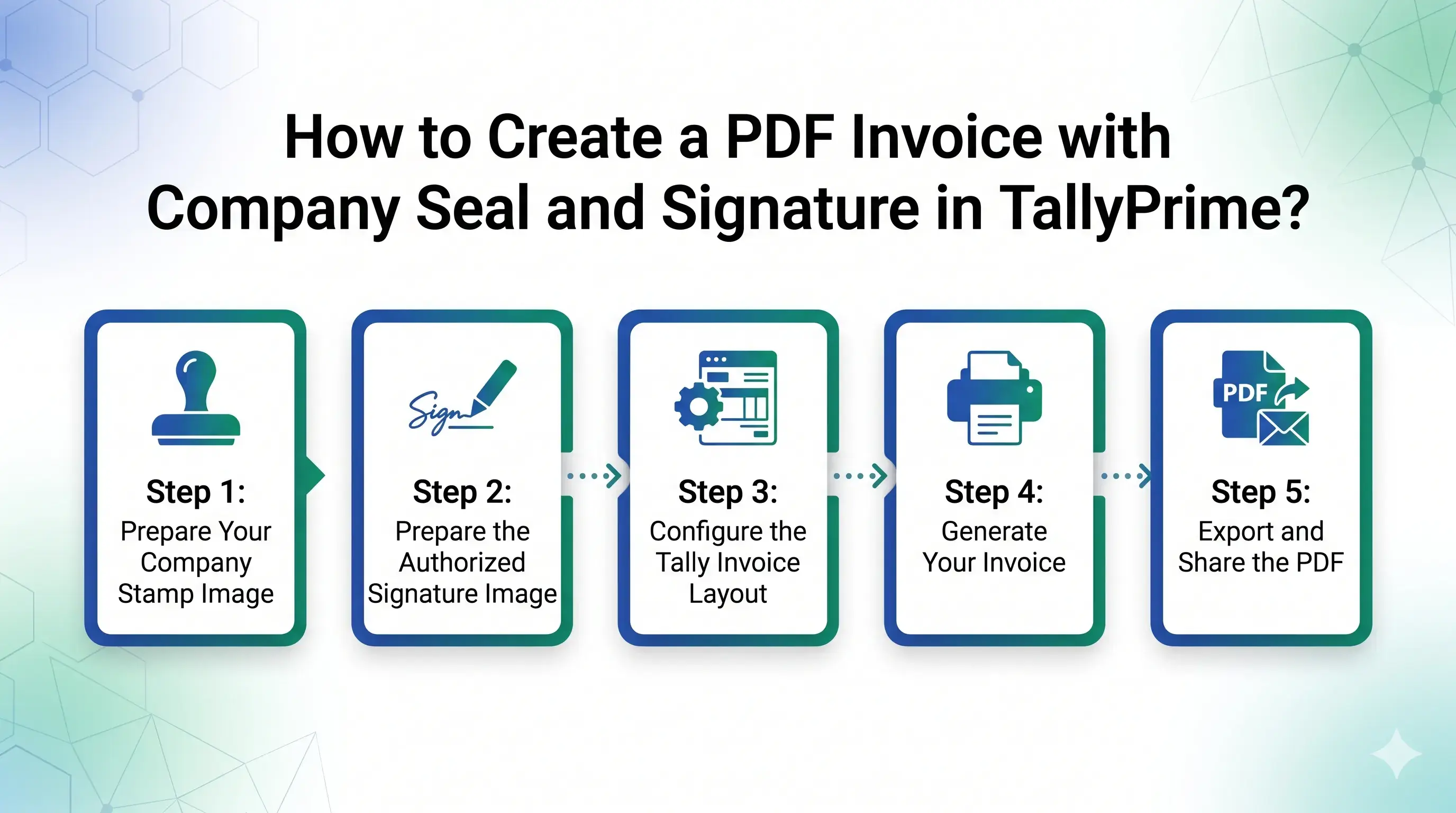
How to Create a PDF Invoice with Company Seal and Signature in TallyPrime?
To create a professionally formatted PDF invoice with a company seal and signature, businesses can use a customized Tally invoice layout.
Pragyantra provides a Company Seal & Signature Print Add-on that integrates scanned images of the company stamp and authorized signature into the invoice format.
The general process is as follows:
Step 1: Prepare Your Company Stamp Image
Get a clear scanned image of your official company stamp.
The product setup accepts JPG or PNG images on a white background.
Step 2: Prepare the Authorized Signature Image
Provide a clear scanned image of the proprietor's, partner's, or authorized signatory's signature.
Make sure the image is readable and suitable for placement on your invoice.
Step 3: Configure the Tally Invoice Layout
The stamp and signature images are integrated into the customized invoice layout through the add-on.
Their height, width, and position can be adjusted according to your preferred invoice design.
Step 4: Generate Your Invoice
Create your invoice using the configured TallyPrime setup.
The company seal and authorized signature can appear automatically in the designated areas of supported invoice documents.
Step 5: Export and Share the PDF
Export the invoice as a PDF.
The configured stamp and signature remain visible in the exported document, making it convenient to share through email or WhatsApp.
Key Features for Professional PDF Invoice Creation
Pragyantra's Company Seal & Signature Print Add-on is designed to make invoice preparation easier and more consistent.
Automatic Company Seal Placement
The configured company stamp image is automatically placed in the designated invoice area.
This reduces the need for employees to stamp every document manually.
Authorized Signature Integration
The scanned signature of the proprietor, partner, or authorized signatory can be included in the invoice layout.
Customizable Invoice Layout
Businesses can adjust the height, width, and placement of the seal and signature to match their preferred invoice design.
High-Resolution PDF Output
The add-on uses optimized TDL architecture to maintain clear stamp and signature images in PDF exports.
Multiple Document Types
The product supports the following document types:
- Sales Invoices
- Purchase Orders
- Debit Notes
- Credit Notes
- Delivery Challans
The exact layout and configuration can be discussed with Pragyantra's technical team.
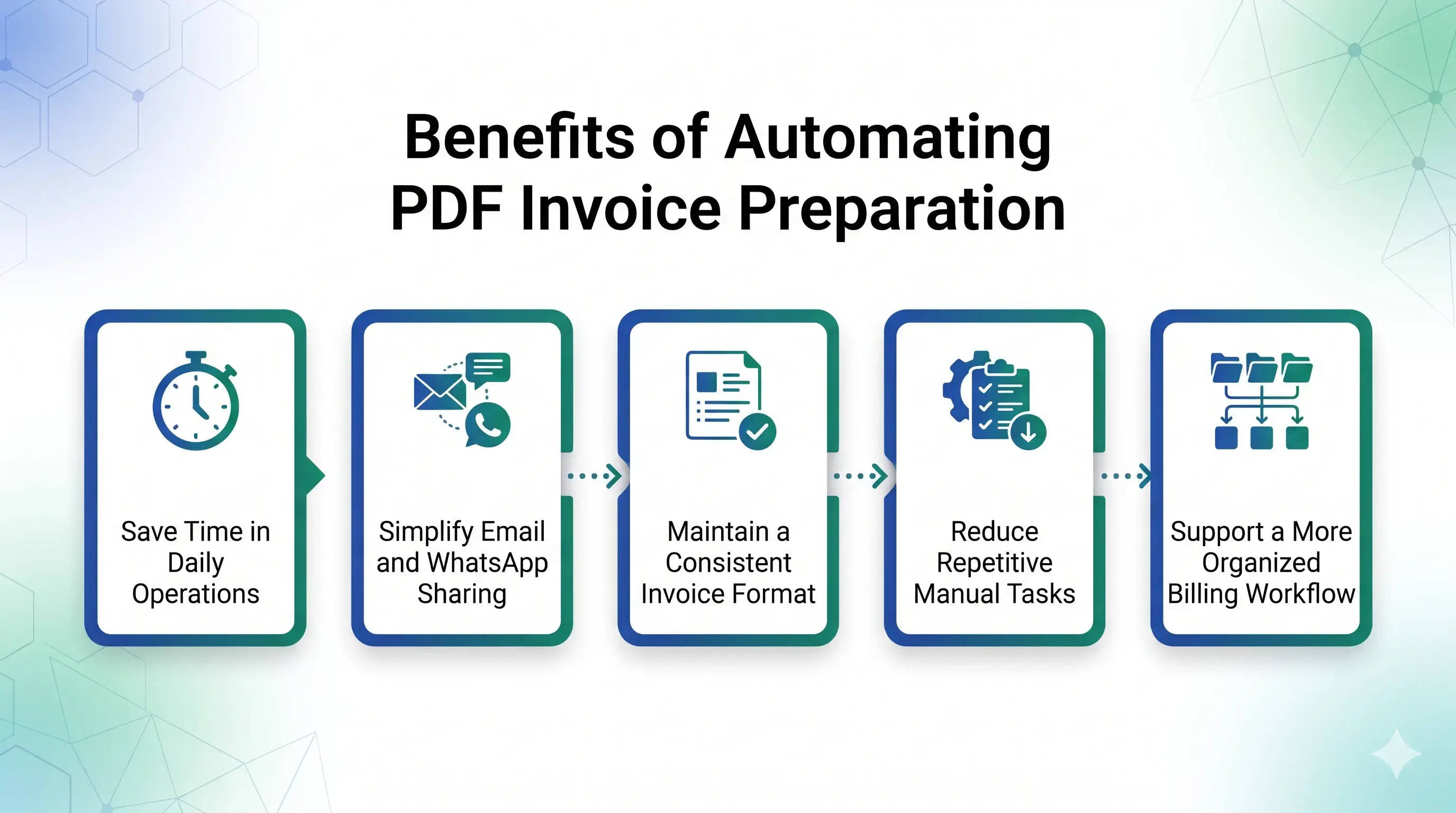
Benefits of Automating PDF Invoice Preparation
Save Time in Daily Operations
Employees do not need to repeatedly print, stamp, sign, and scan invoices before sharing them digitally.
Simplify Email and WhatsApp Sharing
Generate the invoice with its configured seal and signature, export it as a PDF, and share it with customers.
Maintain a Consistent Invoice Format
A standardized layout helps maintain uniform placement of the company stamp and authorized signature across supported documents.
Reduce Repetitive Manual Tasks
Automating stamp and signature placement can help reduce routine work for accounting and billing teams.
Support a More Organized Billing Workflow
A consistent invoice format makes it easier for businesses to follow the same document preparation process across their operations.
Who Should Use This PDF Invoice Automation Solution?
Traders and Wholesalers
Businesses generating a large number of invoices can reduce repetitive manual stamping and signing tasks.
Manufacturing Companies
Manufacturers can maintain consistent invoice and delivery-related document formats when sharing documents with distributors and business partners.
Service-Based Businesses
Consultants, agencies, and professional service providers can prepare professionally formatted PDF invoices for their customers.
Businesses Using Digital Billing
Companies that regularly send invoices through email or WhatsApp can benefit from having the company seal and signature included automatically.
What Do You Need Before Setting Up the Add-on?
Before configuring the add-on, keep the following information ready:
Setup Requirements Checklist
- Clear scanned company stamp image in JPG or PNG format.
- Clear scanned authorized signature image.
- Preferred invoice design and placement requirements.
- TallyPrime or Tally ERP 9 version details.
- List of document types where the stamp and signature are required.
Pragyantra's team can help configure the images and integrate them into the required invoice layout.
Frequently Asked Questions
1. How can I create a PDF invoice with a company stamp in TallyPrime?
You can use Pragyantra's Company Seal & Signature Print Add-on to integrate your scanned company stamp into the customized Tally invoice layout. The stamp can then appear in the exported PDF.
2. Can I add an authorized signature to a TallyPrime PDF invoice?
Yes. The add-on supports adding a scanned signature image of the proprietor, partner, or authorized signatory to the invoice layout.
3. Will the stamp and signature appear automatically in PDF exports?
Yes. Once configured, the company seal and signature appear in the PDF export in the same designated positions as the invoice print layout.
4. Can I customize the position of the company seal and signature?
Yes. The height, width, and position of both images can be adjusted according to your invoice design.
5. Which image formats are supported?
The product setup accepts clear scanned JPG or PNG images of the company stamp and authorized signature on a white background.
6. Can I change the signature if the authorized person changes?
Yes. The signature image can be replaced in the designated folder so that future invoices use the updated image.
7. Is this add-on compatible with TallyPrime?
Yes. The product page lists compatibility with TallyPrime and Tally ERP 9. Confirm your specific setup and requirements with Pragyantra's technical team.
8. Does this add-on create a legally verified digital signature?
The add-on places scanned or configured signature images in the invoice layout. This should not be confused with a cryptographically verified digital signature or digital-signature certificate. Businesses requiring legally compliant digital signing should evaluate that requirement separately.
Create Professional PDF Invoices with Pragyantra
Your invoice represents your business every time you share it with a customer.
Instead of spending time manually printing, stamping, signing, and scanning documents, simplify your billing workflow with Pragyantra's Company Seal & Signature Print Add-on for TallyPrime.
Automate stamp and signature placement, maintain a consistent invoice format, and prepare PDF invoices that are ready for digital sharing.
Want to automate your PDF invoice formatting?
Explore the Pragyantra add-on and discuss your customization requirements with our team.
🏢 Pragyantra Solutions | Phone: +91 77280 57558 | Web: www.pragyantra.com
TallyPrime Company Seal & Signature Print Add-on | Tally Customisation | PDF Invoice Solutions
Contact Pragyantra to request a demo and confirm compatibility with your Tally setup.