

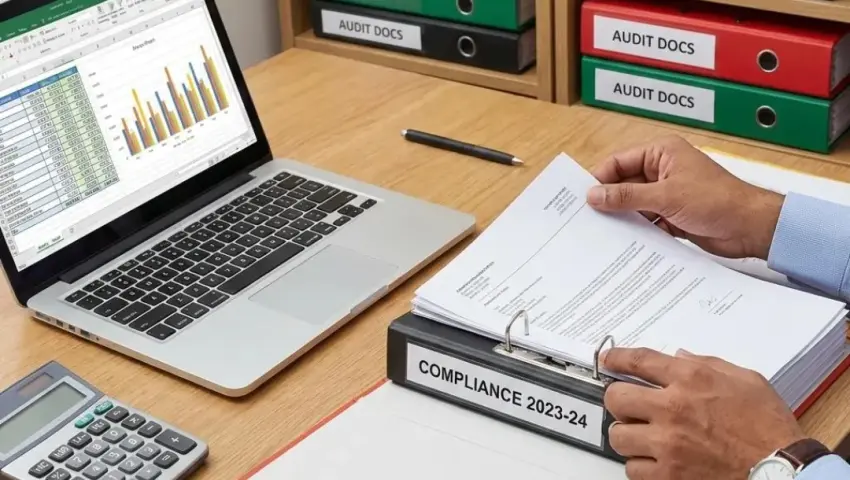

TallyPrime Document Management: How to Organize Voucher Attachments and Prepare for Audits
Keep invoices, receipts and supporting documents organized so your accounting team can retrieve the right records when they need them.
A business transaction rarely consists of an accounting entry alone. A purchase may have a supplier invoice, purchase order and delivery challan. A payment may have a bank reference or receipt. A sales transaction may require an invoice, order details and delivery documentation.
When these records are stored in separate folders, emails, messaging apps and physical files, locating the correct document can become time-consuming.
The challenge becomes more noticeable during internal reviews, reconciliations and audits. Employees may have to search multiple locations to establish which document supports a particular accounting entry.
A structured document management process helps businesses organize supporting records and connect them with the transactions they relate to. Depending on the TallyPrime setup and the solution implemented, documents may be linked to vouchers or made accessible through a supporting document management workflow.
In this guide, we explain how to organize accounting documents, build a repeatable retrieval process and assess document management options for TallyPrime.
Quick Answer: What Is Document Management in TallyPrime?
Document management in a TallyPrime environment means organizing, linking, storing and retrieving documents associated with accounting and business transactions.
Examples include:
- Supplier invoices
- Customer invoices
- Purchase orders
- Sales orders
- Payment receipts
- Delivery challans
- Expense bills
- Bank-related supporting records
- Approved business documents
- Other records required for transaction review
The exact method of linking or retrieving these documents depends on the TallyPrime configuration and any supporting add-on or document management solution in use.
A well-designed process should help employees answer three questions:
- Which document supports this transaction?
- Where is the document stored or linked?
- Who is authorized to view, add or manage it?
Important: Document management does not, by itself, guarantee that the accounting entry is correct or that every legal retention requirement has been met.
Why Do Businesses Struggle with Accounting Documents?
1. Documents Are Stored in Different Places
Supplier invoices may arrive by email, receipts may be saved on a local computer, and delivery documents may be stored in a shared folder. When records are spread across multiple locations, employees need a consistent method to find the right document.
2. Documents Are Difficult to Match with Transactions
A folder may contain several invoices from the same supplier. Without a reliable reference, an employee may struggle to determine which invoice supports a particular voucher. Connecting documents with clear transaction identifiers can make this relationship easier to establish.
3. Audit Preparation Becomes a Search Exercise
When reviewers request supporting evidence, the accounts team may need to search emails, paper files and spreadsheets before providing the requested record. A structured document retrieval process can reduce this repeated searching and make it easier to respond to review requests.
4. Employees Use Different Naming Conventions
One employee may save a file as Invoice.pdf, while another uses the supplier name and invoice number. Inconsistent naming makes it harder to search and distinguish between documents.
5. Important Records Are Missing
Sometimes a voucher is recorded before the supporting document is received or linked. In other cases, documents are saved but not connected to the correct transaction. A defined process should identify missing documents and assign responsibility for resolving them.
6. Access to Sensitive Documents Is Not Clearly Controlled
Accounting documents may contain customer details, supplier information, pricing and other confidential business data. Businesses should define who can access, add, modify or remove records, using appropriate application permissions and storage controls.
Which Documents Should Be Linked to Accounting Transactions?
The required supporting documents depend on the transaction type, business process and applicable record-keeping requirements.
| Transaction Type | Possible Supporting Documents |
|---|---|
| Purchase | Supplier invoice, purchase order, delivery challan |
| Sales | Sales order, invoice, delivery documentation |
| Payment | Payment confirmation, receipt or supporting approval |
| Receipt | Customer remittance details or receipt documentation |
| Expense | Expense bill, receipt or approval |
| Journal Entry | Supporting calculation, reconciliation or approval |
| Stock Movement | Transfer documentation or relevant movement records |
| Credit Note or Return | Return documentation and relevant supporting evidence |
This is an illustrative checklist, not a universal legal requirement. The business's accountant or compliance adviser should confirm which documents must be retained for each transaction category.
How to Organize Documents Around TallyPrime Vouchers
A reliable process starts with clear rules for identifying and linking supporting records.
Step 1: Define the Document Categories
List the documents that the business regularly receives or creates.
For example:
- Sales invoices
- Purchase invoices
- Expense receipts
- Payment records
- Delivery documents
- Purchase orders
- Credit notes
- Supporting calculations
Define which categories are required for each relevant transaction type.
Step 2: Establish a Naming Convention
Use a consistent file naming structure so documents can be identified even when employees need to access the original storage location.
For example:
SupplierName_InvoiceNumber_Date.pdf
A sample filename might be:
ABC-Traders_INV-1042_2026-10-15.pdf
Use actual supplier names, invoice references and dates according to the business's approved process. Avoid putting unnecessary confidential information in filenames.
Step 3: Link Documents to the Correct Transaction
Where the configured TallyPrime environment or supporting solution allows it, associate the document with the relevant voucher or transaction record.
The association should be clear enough for an authorized employee to identify the correct document without relying only on memory or informal messages.
If direct attachment is not available in the current setup, a controlled reference or document management workflow may be required.
Step 4: Verify the Link
After linking a document, confirm that:
- The correct file has been selected
- The file opens or can be retrieved
- The document relates to the intended transaction
- The filename and transaction reference are consistent
- The document is stored in the intended location
This small verification step can help identify incorrect links before the records are needed for review.
Step 5: Handle Missing Documents
Some transactions may be entered before all supporting documents are available.
Define how these cases should be flagged and followed up. A missing-document list can help the accounts team identify unresolved records and assign responsibility for obtaining the required evidence.
Step 6: Review Access and Storage
Determine where documents are stored and who can access them.
Consider the storage location, access permissions, backup arrangements, retention requirements and process for handling obsolete or duplicate files.
The right design depends on the business's infrastructure, security requirements and document management solution.
Example: Organizing a Purchase Voucher
Suppose a business records a purchase from a supplier.
The accounting record may be associated with:
- Supplier invoice number
- Purchase date
- Supplier name
- Relevant purchase voucher
- Purchase order, if applicable
- Delivery documentation, if applicable
- Supporting approval, where required
A document management workflow can connect the relevant supporting files to the transaction or provide a consistent method for retrieving them.
When the accounts team reviews the purchase later, it should be able to locate the relevant invoice and supporting records without searching unrelated folders.
This example illustrates a record organization process. The precise fields, attachment functionality and approval workflow depend on the implementation.
How Document Management Helps During Audits and Internal Reviews
Audit readiness begins with consistent record keeping throughout the year, not only when an audit request arrives.
Faster Document Retrieval
If supporting records are linked or indexed consistently, employees can search for documents using the relevant transaction or reference information.
Clearer Transaction Evidence
The reviewer can examine the accounting record alongside the available supporting documentation.
Better Identification of Missing Records
A defined process helps the team identify transactions that require additional documents or clarification.
More Consistent Review Procedures
Employees can follow the same method for locating and presenting documents rather than relying on individual filing habits.
Easier Follow-Up on Exceptions
Where a record is missing, incorrect or unreadable, the issue can be assigned for investigation.
Important: Document availability does not prove that a transaction is valid, correctly classified or compliant. The supporting evidence and accounting treatment must still be reviewed by the responsible professionals.
Common Document Management Mistakes
1. Using Generic Filenames
Names such as Scan1.pdf or NewInvoice.pdf provide little context. Better approach: Use a consistent naming convention based on relevant identifiers, while maintaining appropriate privacy and security controls.
2. Linking the Wrong Document
A file may be attached to a transaction simply because its name looks similar. Better approach: Verify the supplier or customer, document reference, date and relevant transaction before completing the link.
3. Saving Duplicate Copies Without Control
Multiple versions of the same document can create confusion about which record is authoritative. Better approach: Define where the official copy is stored and how duplicate or superseded files are handled.
4. Ignoring Missing Documents
A transaction may remain without the required supporting record for weeks or months. Better approach: Establish a follow-up process and review unresolved items regularly.
5. Assuming Backup Equals Document Management
A backup protects a copy of stored information against certain types of loss. It does not automatically make individual documents easier to find. Better approach: Treat backup, document indexing, transaction linking and access control as related but distinct parts of the process.
6. Giving Everyone the Same Access
Not every employee needs permission to view, download, delete or manage all documents. Better approach: Assign access according to job responsibilities and review permissions periodically.
7. Keeping Documents Only on One Employee's Computer
If files are stored in a personal folder, others may struggle to retrieve them when that employee is unavailable. Better approach: Use an approved shared or managed storage arrangement with suitable access and backup controls.
Document Management vs Data Backup
Document management and backup serve different purposes.
| Area | Document Management | Data Backup |
|---|---|---|
| Primary Purpose | Organize, link and retrieve documents | Recover information after data loss or damage |
| Typical Task | Find the invoice supporting a voucher | Restore a usable copy of backed-up data |
| Organization | Uses categories, references and document relationships | Uses backup sets, dates and storage locations |
| Access Control | Determines who can view or manage documents | Helps protect backup and restore operations |
| Verification | Check that documents are correct and retrievable | Check that backups are complete and can be restored |
| Audit Support | Helps locate supporting evidence | Helps recover data if the original is unavailable |
A business may need both capabilities. The specific controls should be chosen according to the data, risk and operating environment.
What Should You Check Before Choosing a TallyPrime Document Management Solution?
Before selecting an add-on or designing a workflow, review the following questions.
1. Which Document Types Are Supported?
Confirm whether the solution supports the file formats and document categories used by the business.
2. How Are Documents Linked to Transactions?
Understand whether the solution supports direct voucher attachments, document references or another retrieval method.
3. Where Are Documents Stored?
Identify whether files are stored locally, in a shared location or in a cloud-based environment. Review access and backup responsibilities for that arrangement.
4. How Is Access Controlled?
Check how users are authorized to view, add, modify or remove documents and how those permissions are managed.
5. What Happens When a Document Is Replaced or Removed?
Define how revised files, duplicate documents and obsolete records are handled so that the correct supporting record remains identifiable.
6. How Are Backups and Recovery Tested?
Determine whether the document storage arrangement is included in the backup process and how restoration is verified.
7. What Is Required for Your Accounting Workflow?
Document the expected process for purchases, sales, payments, expenses and other relevant transaction types.
A solution should be evaluated against these requirements rather than selected solely on the number of features it advertises.
Can Pragyantra Help with TallyPrime Document Management?
Pragyantra offers a Document Management + Secure Backup add-on for businesses looking to organize supporting records and improve their document and backup workflow.
Depending on the confirmed implementation scope, relevant requirements may include:
- Organizing supporting documents around accounting transactions
- Improving document retrieval for authorized users
- Reviewing access permissions
- Assessing backup and recovery procedures
- Integrating document management into the existing TallyPrime workflow
The specific functionality, supported file formats, access controls and backup behaviour should be confirmed with the Pragyantra team before implementation.
Explore the Document Management + Secure Backup for TallyPrime add-on to review the solution and discuss your requirements.
Document Management Implementation Checklist
Use this checklist to assess your current process.
Frequently Asked Questions
1. What is document management in TallyPrime?
It is the process of organizing and retrieving documents associated with accounting and business transactions. The available methods depend on the TallyPrime setup and any supporting document management solution.
2. Can I attach invoices to TallyPrime vouchers?
The available attachment functionality depends on the configured environment and supporting tools. Confirm whether your current setup supports direct attachments or requires a separate document management workflow.
3. Which documents should businesses retain for accounting transactions?
This depends on the transaction, business process and applicable legal or regulatory requirements. Common examples include invoices, receipts, purchase orders and delivery documentation where relevant.
4. How can I find supporting documents during an audit?
Use consistent transaction references, document categories and naming conventions. If documents are linked to or indexed against transactions, authorized employees can follow the defined retrieval process.
5. Does document management guarantee audit compliance?
No. It can support record organization and retrieval, but compliance depends on the completeness and validity of records, applicable requirements and appropriate professional review.
6. Is document management the same as backup?
No. Document management focuses on organizing and retrieving records. Backup focuses on preserving recoverable copies of information. Businesses may need both.
7. Can document access be restricted by user?
That depends on the capabilities of the application, storage system and supporting solution. Access controls should be verified and configured according to the business's requirements.
8. What happens if a supporting document is missing?
The transaction should be flagged for follow-up. The responsible employee should obtain or identify the appropriate evidence and follow the business's approved process for resolving the gap.
9. Can document management reduce manual searching?
A consistent document linking and retrieval process can reduce the need to search across unrelated folders and email conversations. Results depend on the quality of the implementation and how consistently employees use it.
10. Can the document management process be customized?
Customization may be possible depending on the required workflow, available technical capabilities and the supporting solution. Requirements should be reviewed before confirming feasibility.
11. Does document management replace accounting review?
No. It helps organize supporting records but does not replace the review of transaction accuracy, classification, approval or accounting treatment.
12. How can I discuss document management for my business?
Identify your current document storage method, transaction types, retrieval challenges and access requirements. Share those details with Pragyantra to evaluate a suitable approach.
Organize Your Accounting Documents with Pragyantra
Searching for invoices, receipts and supporting records should not become a separate challenge every time your team reviews a transaction.
A structured document management workflow can help organize accounting evidence, improve retrieval and support more consistent internal review.
Pragyantra can discuss your existing TallyPrime setup, document management requirements and suitable options for organizing supporting records.
Confirm the final feature scope with Pragyantra before promising any specific attachment, permission, backup or recovery functionality.
| Phone: +91 77280 57558 | Web: www.pragyantra.com
Explore the related solution: