Customer address printing in TallyPrime

By Pragyantra
Revolutionize Your Business Strategy with Our Expertise.
Elevate Your Business with Our Comprehensive Consulting Services.
Introducing Our New Business Consulting Solutions!


AI-Powered Business Intelligence Dashboard delivers real-time insights, automation, and seamless integration with Tally, Zoho, Oracle, and SAP—all in one clean platform.
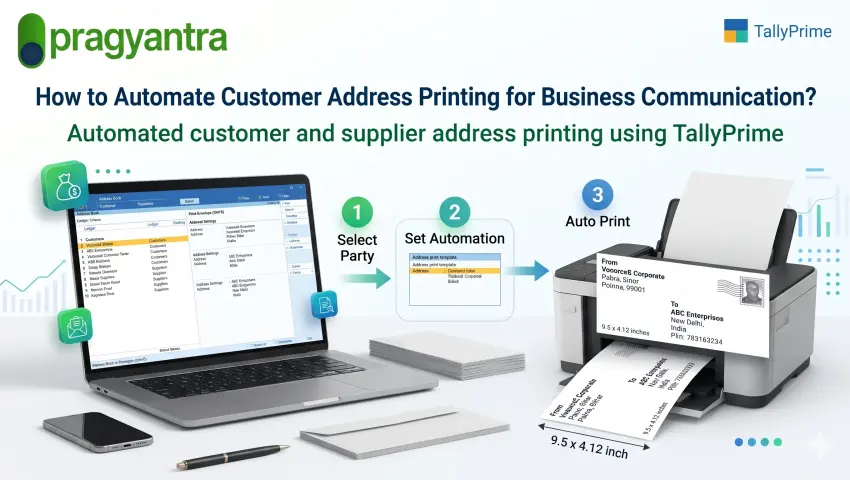
Businesses regularly communicate with customers, suppliers and business partners through invoices, account statements, payment reminders, official letters and other important documents.
For companies that handle a large number of customer and supplier accounts, preparing envelopes for physical communication can become a repetitive administrative task.
Employees often need to find party details, copy addresses, prepare envelope layouts and print them separately. This process can take additional time, especially when multiple envelopes need to be prepared together. A more organised approach is to use customer and supplier information already maintained in accounting software. With TallyPrime and a suitable envelope printing add-on, businesses can simplify address printing and make their physical correspondence process more efficient. In this guide, we will explore common address printing challenges, ways to organise customer information and how TallyPrime envelope printing can support business communication.
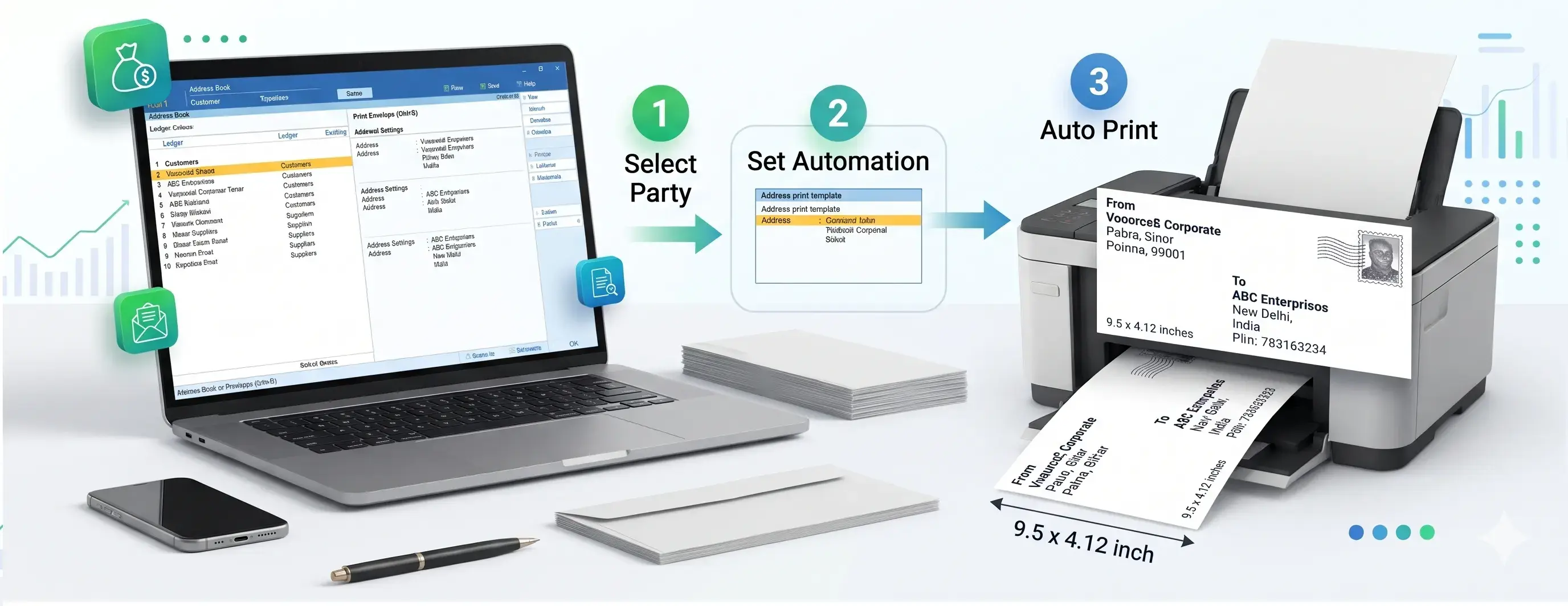
Many businesses maintain hundreds or thousands of customer and supplier records. Their accounting teams regularly use these details for business communication.
However, maintaining an address in accounting software and preparing a physical envelope are often treated as two separate activities. This creates unnecessary repetitive work.
Automating parts of this process can help businesses reduce repeated work and improve their dispatch workflow.
TallyPrime allows businesses to maintain party information through Ledger Masters. For an organised envelope printing workflow, businesses should maintain accurate and updated address details. Consider the following practices:
Ensure that the relevant customer and supplier ledgers contain the required address details. These may include:
When a customer or supplier changes its business address, update the corresponding ledger information. This helps reduce the possibility of using outdated details during correspondence.
Maintain customer and supplier records under appropriate groups, such as Sundry Debtors and Sundry Creditors. Proper grouping can also help when selecting parties for group-based envelope printing.
TallyPrime maintains party details that businesses already use for accounting activities. A suitable customization or add-on can use these details to support additional business workflows, including envelope printing.
Instead of preparing every address separately, businesses can use information maintained in Ledger Masters. For example:
This approach connects existing accounting information with the physical correspondence process.
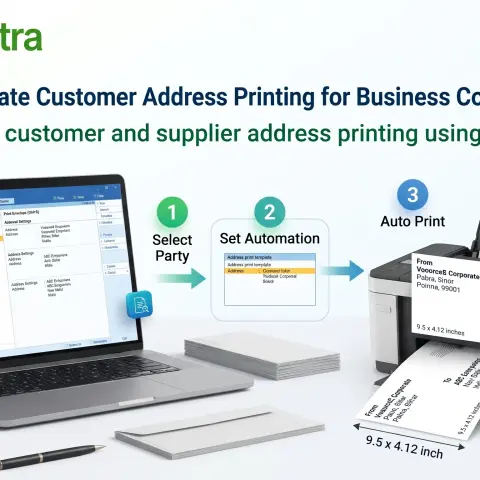
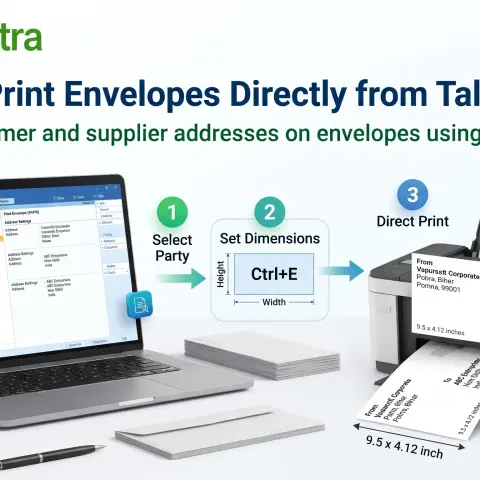
Pragyantra provides a Tally Envelope Printing Add-on designed to simplify the preparation of business envelopes using party information maintained in Tally.
The add-on helps businesses use existing ledger details rather than repeatedly entering recipient information manually.
Automated address printing can support different types of business communication.
Businesses can prepare envelopes for sending account statements to customers.
Companies can use physical correspondence for outstanding payment reminders and other account-related communication.
Purchase-related letters, account confirmations and other supplier communication may require printed envelopes.
Accounting professionals can use organised envelope preparation for client letters, notices and other business documents.
Organisations with large customer or supplier databases can benefit from a more structured approach to preparing multiple envelopes.
| Manual Address Preparation | TallyPrime with Envelope Add-on |
|---|---|
| Address copied manually | Uses available ledger details |
| Separate document preparation | Envelope printing through add-on |
| Repetitive data entry | Reduces repeated address entry |
| Manual layout formatting | Configurable envelope layout |
| Individual preparation can take time | Supports group-based printing |
The actual improvement depends on ledger data quality, envelope volume, printer setup and the business workflow.
Before implementing an envelope printing solution, businesses should evaluate a few practical requirements.
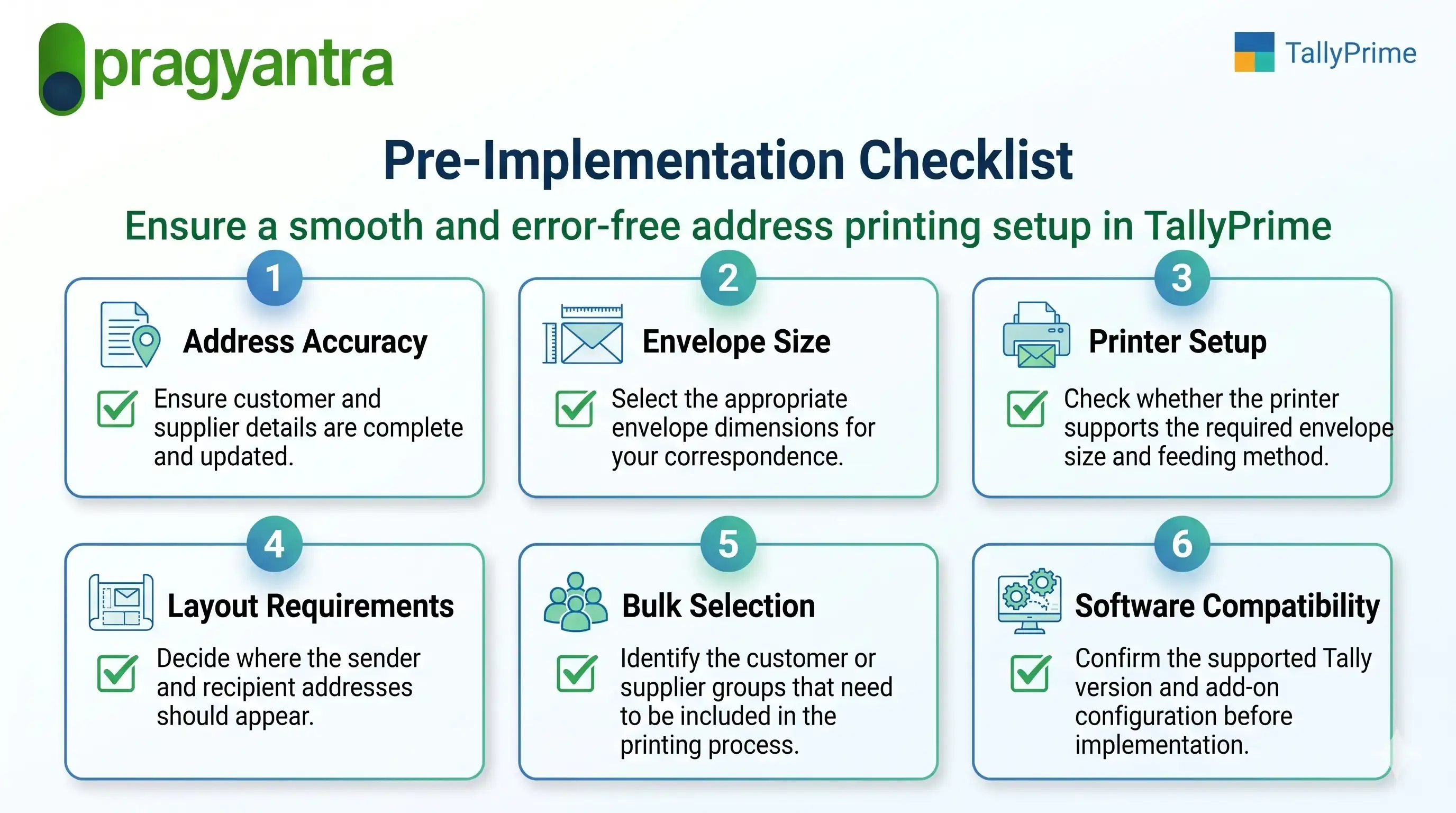
These checks can help businesses prepare a more reliable envelope printing workflow.
Every business has different requirements for customer communication and document dispatch.
Pragyantra develops Tally customization and add-on solutions that help businesses adapt their accounting software to practical operational needs.
The Envelope Printing Add-on is designed to help businesses print customer and supplier addresses using information maintained in Tally.
Whether you need to prepare customer statement envelopes, supplier correspondence or group-based envelope printing, the Pragyantra team can help you understand the available configuration options.
1. How can I print customer addresses from TallyPrime?
You can use a suitable envelope printing add-on to fetch customer address details maintained in TallyPrime Ledger Masters and prepare envelopes for printing.
2. Can TallyPrime be used for bulk customer address printing?
With a suitable add-on, businesses can use group-based selection to prepare envelopes for multiple parties. The exact selection workflow depends on the add-on configuration.
3. Can I print supplier addresses from Tally?
Yes. Pragyantra's Envelope Printing Add-on supports supplier ledgers under Sundry Creditors, as well as customer ledgers under Sundry Debtors.
4. Which envelope sizes are supported?
The Pragyantra product page lists DL, C5 and C6 envelope formats. Other layout requirements can be discussed with the technical team.
5. Can I print my company's return address?
Yes. The add-on supports a configurable From Address for displaying sender information.
6. Can I add a company logo to printed envelopes?
Company logo printing can be discussed as a customization requirement, depending on the desired layout.
7. Does envelope printing require separate customer address entry?
The add-on is designed to use party details maintained in Tally Ledger Masters, reducing the need for repeated manual address entry.
8. Is the Pragyantra Envelope Printing Add-on compatible with TallyPrime?
The product page lists TallyPrime and Tally ERP 9 compatibility. Contact Pragyantra to confirm support for your specific version and setup.
Managing customer and supplier communication should not require unnecessary repetitive work.
By using party information already maintained in Tally, businesses can simplify envelope preparation and organise their physical dispatch activities.
Explore Pragyantra's Tally Envelope Printing Add-on and find out how it can support your business communication workflow.
🏢 Pragyantra Solutions | Phone: +91 77280 57558 | Web: www.pragyantra.com
Tally Envelope Printing Add-on | TallyPrime Customisation | Tally Add-ons
Your email address will not be published. Required fields are marked *