

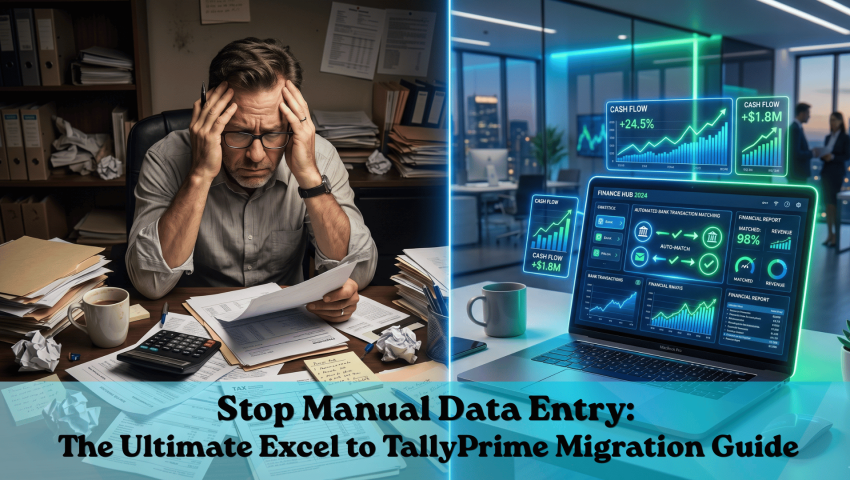

Stop Manual Data Entry: The Ultimate Excel to TallyPrime Migration Guide
💡 30-Second Summary
Moving from manual Excel sheets to TallyPrime doesn't mean starting your accounting from scratch. With the right data preparation and Pragyantra’s custom integration expertise, Indian SMEs can smoothly import existing ledgers, stock items, and opening balances without disrupting a single day of business operations.
Switching from Excel to a robust system like TallyPrime is the most practical upgrade for growing businesses. It allows you to move your years of historical data—ledgers, inventory, party details, and tax structures—directly into a secure, automated environment.

The biggest fear business owners face is data loss and setup delays. At Pragyantra, we eliminate this friction. We ensure that traders, manufacturers, and service businesses transition seamlessly, keeping your books continuous, 100% accurate, and fully GST-compliant from day one.
What You Can Bring From Excel into TallyPrime
Before executing the migration, it is crucial to map your existing spreadsheet records to TallyPrime’s architecture. This eliminates data gaps and ensures a flawless setup. Yahan dekhiye Pragyantra aapke daily Excel data ko TallyPrime mein kaise map karta hai:
| Data Type | Where It Lives in Excel | Where It Goes in TallyPrime |
|---|---|---|
| Stock Items & Groups | Product Master Sheet | Stock Items (Inventory Masters) |
| Ledgers (Parties, Expenses) | Contact List / Account Master | Ledgers (Accounts Masters) |
| Opening Stock Quantities | Stock Register | Opening Stock (Inventory) |
| Opening Balances | Trial Balance | Opening Balances (Accounts) |
| GST Rates Per Item | Rate Column | Tax Details (Stock Item Level) |
The 4-Step Migration Process for SMEs
To guarantee a zero-error transition and keep your financial records intact, follow this structured execution plan:
Step 1: Clean and Organize Your Excel Data
Your automation is only as good as your raw data. Before any XML conversion, clean your files by checking the following parameters:
- Remove Duplicates: TallyPrime strictly rejects multiple masters with the exact same name.
- Standardize Formats: Ensure all GSTINs and PANs are formatted correctly to prevent ledger import failures.
- Assign Units: Every inventory item must have a designated Unit of Measurement (UOM) like Pcs, Kgs, or Nos.
- Balance Check: Verify that your Excel account balances perfectly match your last reconciled trial balance.
Step 2: Map Your Data to TallyPrime's Architecture
Data mapping is where most DIY migrations fail. Matching Excel columns to Tally fields requires technical precision across different business verticals:
🛒 For Traders
Purchase parties become Sundry Creditors, and customers become Sundry Debtors. GST rates must be linked at the item level for automated billing.
🏭 For Manufacturers
Raw materials and finished goods must be separated using stock categories. Work-in-progress (WIP) requires dedicated stock groups.
💼 For Service Businesses
Focus shifts entirely to mapping client ledgers, service expense charge accounts, and precise SAC (Services Accounting Codes).
Step 3: Import Masters and Opening Balances
Once your data is cleaned and structured into an XML/Excel template, the actual import process inside TallyPrime begins:
Execution Workflow:
Review the import summary. TallyPrime flags rejected records (usually due to missing UOMs or invalid GSTINs) so they can be fixed. Finalize by entering opening stock and account balances via Alter > Opening Balances.
Step 4: Post-Import Data Validation
Never start live digital billing without running these final critical balance checks:
- Generate a Trial Balance in TallyPrime and cross-check it with your final Excel sheet.
- Spot-check at least 10 random stock items for exact quantity and rate accuracy.
- Verify GST ledger balances, specifically carried-forward Input Tax Credit (ITC).
- Run outstanding debtor/creditor reports to ensure individual client balances are flawless.
The Hidden ROI: Why You Can’t Afford to Wait
Staying on Excel isn't free; it costs your team hundreds of hours in manual data entry and exposes your business to severe compliance risks. By migrating to TallyPrime with Pragyantra’s expert framework, businesses typically experience a complete operational shift:
🔄 Zero Double Entry
Enter data just once. Let the system automatically update all relevant ledgers, stock registers, and GST reports simultaneously.
🛡️ 100% Audit-Ready
Automatic GST data reconciliation ensures you never have to pay heavy penalties for formatting errors or mismatched invoices.
⚡ Instant Decision Making
Stop waiting for end-of-month Excel reports. Get immediate, real-time views of your cash flow, outstanding payments, and stock levels.

Beyond Basic Migration: The Pragyantra Advantage
We don't just stop at moving your static Excel data. Pragyantra specializes in building a fully automated, connected business ecosystem. Once your base database is securely set up in TallyPrime, we help you scale your operations with advanced tech solutions:
🔥 Zoho to Tally Integration
Automatically sync your front-end CRM sales pipeline and deal data directly into your back-end Tally accounting books without any manual intervention.
⚙️ Custom API Solutions
Connect your e-commerce platforms, third-party apps, or custom legacy billing software directly to TallyPrime for automated data posting.
📊 Advanced Business Dashboards
Get high-level visual reports, ledger aging analyses, and data-driven cash flow insights extracted smoothly right from your core Tally data.
Why Choose Pragyantra for Your Migration?
Migrating data is just step one. Unlike standard software vendors, Pragyantra delivers comprehensive digital transformation.
We don't just dump your Excel data into Tally; we build intelligent automation. Whether you need seamless data sync between Zoho and Tally, custom API integrations, or advanced business dashboards, our team ensures your software works exactly the way your business logic dictates.
Furthermore, our experts provide hands-on training for your staff, ensuring a smooth transition from manual spreadsheet entry to fast, voucher-based accounting.
Frequently Asked Questions (FAQs)
Q. How long does the Excel to TallyPrime migration take?
With clean data and Pragyantra’s technical support, standard migrations are typically completed within 48 to 72 hours without halting your daily billing operations.
Q. Will I lose my GST filing history during this transition?
No. Your opening balances and Input Tax Credit (ITC) are securely carried forward, keeping you 100% compliant for the current financial year.
Q. What happens if some of my Excel records are rejected?
TallyPrime identifies exactly which rows failed and why. Our technical team quickly corrects these specific edge cases (like duplicate names or missing units) and re-imports them immediately.
Q. Can service businesses use TallyPrime effectively without inventory tracking?
Absolutely. TallyPrime is highly customizable. We can configure a clean, accounts-only interface specifically designed for service providers, consultants, and agencies.
🚀 Ready to Automate Your Accounting?
Stop wasting time on manual data entry and start focusing on scaling your operations. Let Pragyantra’s integration experts handle your Excel to Tally migration seamlessly, with zero downtime and zero data loss.