Through Pragyantra, TallyPrime's banking automation empowers SMEs to eliminate manual discrepancies, streamline operations, and bolster financial oversight. Discover sophisticated accounting strategies today.
1. Problem: Banking is Still Manual and Slow for SMEs
Most SMEs in India use Tally for accounting. However, their banking processes are still largely manual:
Bank statements handled separately
Accounting entries done manually
Reconciliation done in Excel or manually
Errors are difficult to detect
👉 What’s the result?
Duplicate entries
Missed transactions
GST mismatch risks
Delayed cash flow visibility
This is not just an accounting issue — it directly slows down business decision-making.
2. TallyPrime Banking Automation: From Manual to Smart Systems
TallyPrime’s latest banking automation update addresses this gap. This represents a critical shift:
Manual Accounting ➔Semi-Automated Financial System
Now the system can:
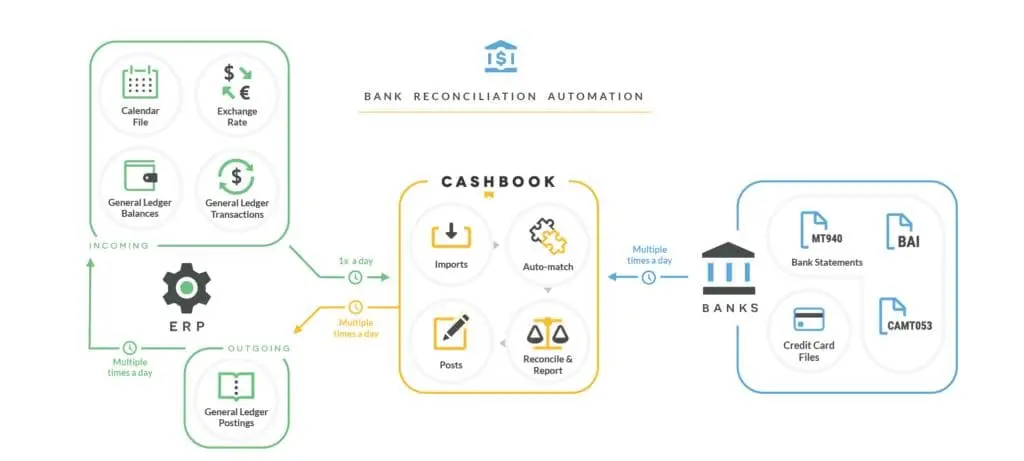
Automatically match bank data
Generate entries seamlessly
Reduce human errors
Improve financial visibility in real-time
3. Bank Reconciliation is No Longer a Headache
🔴 Real Problem
Time-consuming process
Human errors
Risk of missing entries
✅ Solution: Smart Engine
Exact Match: Instrument number + amount matching.
Smart Match: Advanced logic for rounding off and charges.
How Smart Match Works:
The system intelligently identifies:
Same amount transactions
Bank charges or rounding differences
Instrument number variations
Flexible date matching
💡 Business Impact:
Saves accountant time
Drastically reduces errors
Provides real-time bank vs books clarity
👉 Result: Reconciliation shifts from a monthly task to a daily control tool.
4. Automatic Accounting via Bank Statements (Almost Zero Data Entry)
Pragyantra's High-volume transactions mein manual data entry audit complications paida karti hai. TallyPrime isse "Import → Process → Record" ke zariye solve karta hai:
Direct Bank Statement Import: Supports 145+ banks without manual formatting.
Auto Ledger Mapping: Smart classification based on transaction type.
Bulk Voucher Creation: One-click multiple entries with auto-filled UTR and Cheque numbers.
Impact: 70–90% reduction in data entry time and improved accuracy.
5. Real Efficiency Comes from Connected Systems
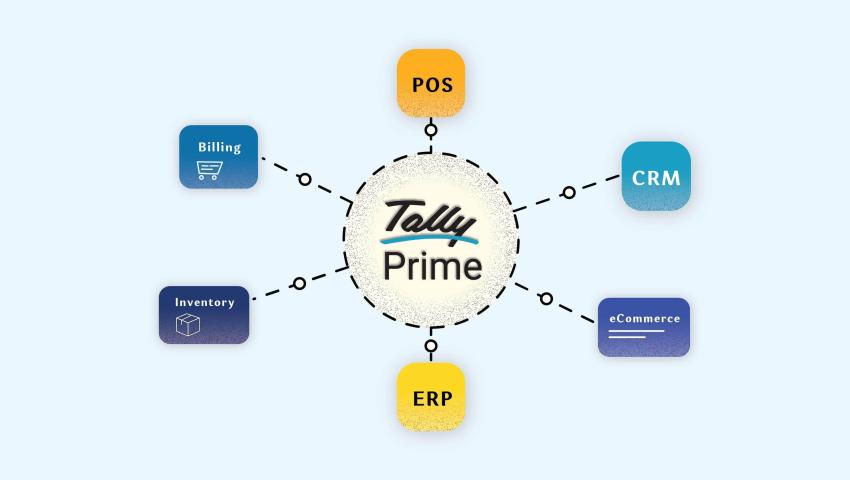
Sirf accounting automation kafi nahi hai. Asli taaqat tab aati hai jab Sales, Inventory, aur CRM sab ek saath jude hon.
🔥 Integrated Approach (Pragyantra Thinking)
Tally + CRM + Operations integration
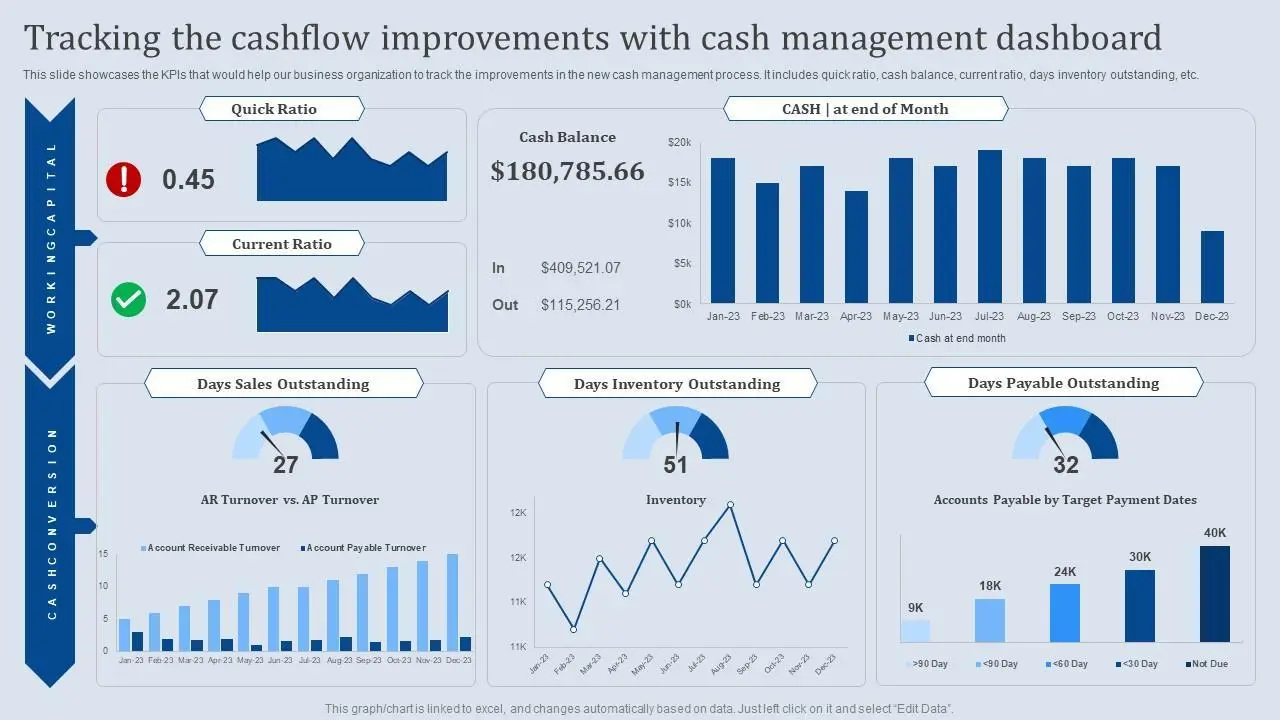
Real-time dashboards
Zero duplicate entries
Result: Business moves from a manual workflow to an automated ecosystem.
6. Real SME Scenario: The Transformation
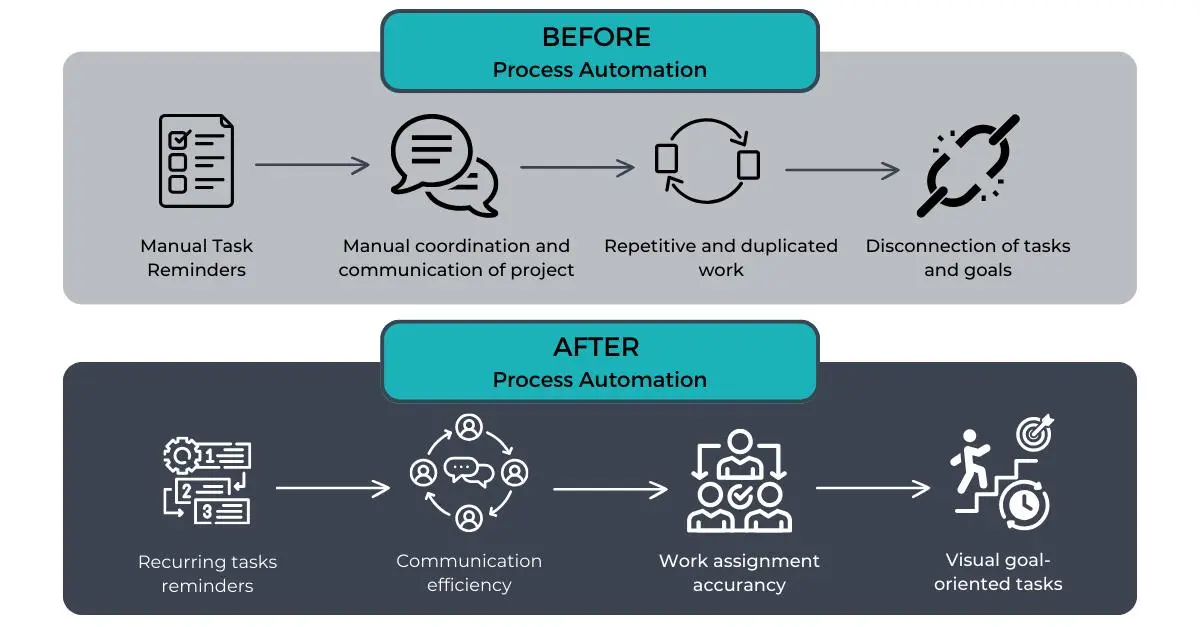
🟥 Before
🟩 After (TallyPrime + Integration)
Manual bank checking
Excel reconciliation
Separate Tally entries
Delayed reporting
Bank import → auto entries
Smart reconciliation
Real-time books ready
Live Dashboards: Sales, Cash flow, Outstanding
👉 No need to wait for reports. Move to a smarter financial system today.
7. Who Should Use This?
✅ Best Fit:
CA firms
Traders & distributors
Manufacturing SMEs
High transaction businesses
❌ Not Ideal:
Very small businesses with minimal transactions
8. Final Insight: The Future = Automation + Visibility
Pragyantra's TallyPrime has taken a strong step by reducing manual work and improving banking automation. But the next level comes when:
Data is connected
Reports are real-time
Decisions are instant
This is what makes SMEs truly competitive in today's market.
Frequently Asked Questions (FAQs)
Q1. Is TallyPrime banking automation secure for my financial data?
Yes, it is highly secure. TallyPrime uses advanced encryption and follows standard banking security protocols. Your data remains within your controlled environment, ensuring that sensitive financial information is never compromised.
Q2. Do I need to manually format bank statements before importing?
No. TallyPrime supports direct import for over 145+ banks in their native formats (PDF, CSV, or Excel). The system automatically recognizes the columns, saving you the hassle of manual data cleaning.
Q3. What happens if there is a slight mismatch in the transaction amount?
Tally’s Smart Match engine is designed to handle this. It identifies potential matches even if there are minor rounding differences or bank charges, allowing you to review and reconcile them with a single click.
Q4. Can I reconcile multiple bank accounts at the same time?
Yes. You can manage and reconcile multiple bank accounts within TallyPrime. The automation works across all your integrated accounts, providing a consolidated view of your company’s cash flow.
Q5. How does Pragyantra's integration enhance standard Tally automation?
While Tally handles the accounting entries, Pragyantra bridges the gap between your accounts and operations. We connect Tally with your CRM and Sales data to provide real-time visual dashboards, so you can see your "Real-Time Outstanding" and "Cash Flow Trends" without running manual reports.
🚀 Ready to Upgrade Your Business?
If you are still doing manual reconciliation, relying on Excel reports, or managing disconnected systems, it’s time to move forward.
Pragyantra's Smart Tally automation with integrated dashboards can make your business faster, more accurate, and scalable.