

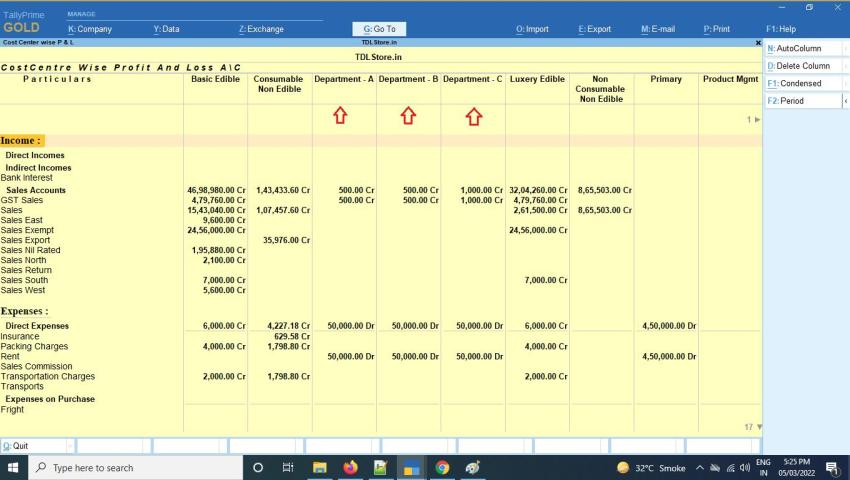
Custom TallyPrime Reports for Your Business Requirements
Custom TallyPrime Reports for Your Business Requirements
Get the reports your business needs—built around your workflows, reporting fields and decision-making requirements.
Standard reports are useful for everyday accounting. But when your business needs a specific combination of fields, filters, calculations or report formats, a customized reporting solution may be more suitable.
Pragyantra helps businesses evaluate and develop custom TallyPrime reports according to their reporting requirements. Depending on the scope and technical feasibility, this may involve TDL-based report development, tailored report layouts, additional fields, filtering options and business-specific report views.
Request a Custom Report Consultation
Discuss Your TallyPrime Reporting Requirements
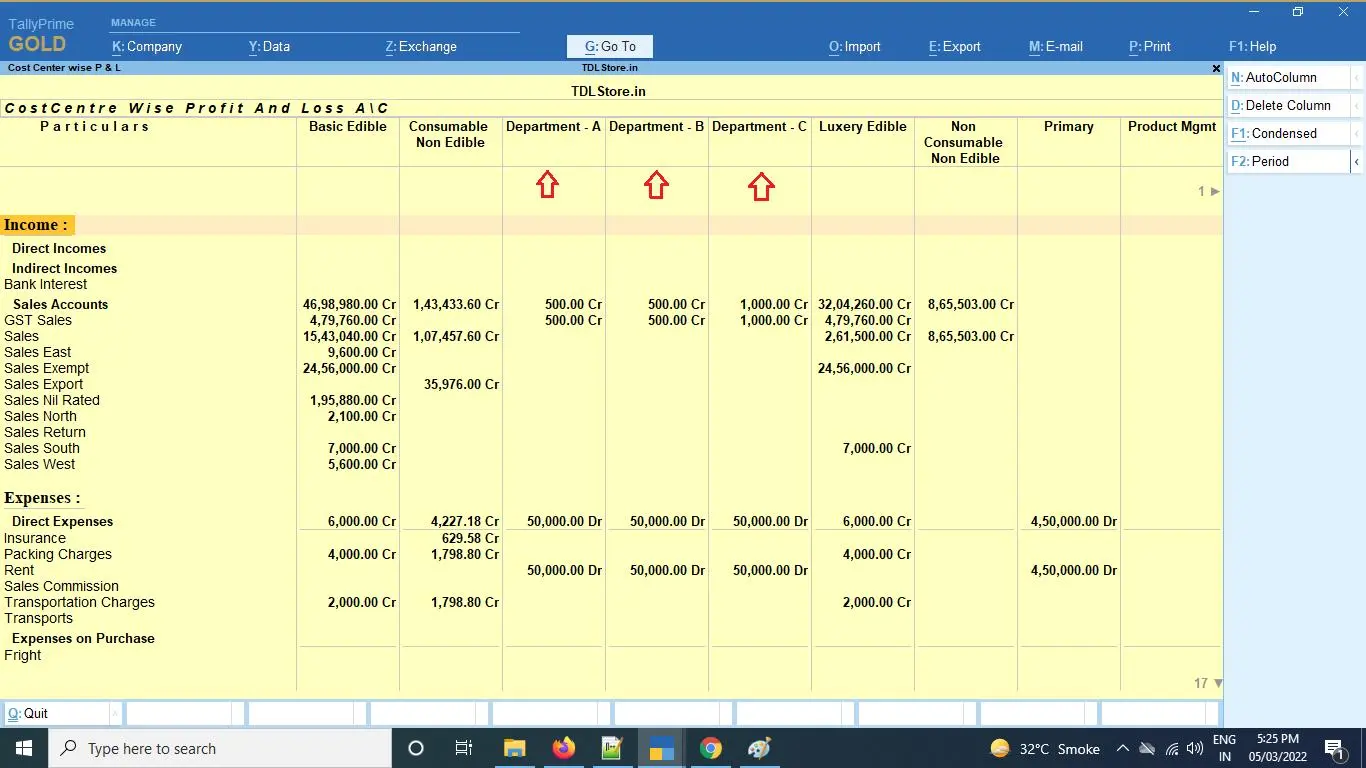
Get More Relevant Information from Your TallyPrime Data
Your accounting data contains information about sales, purchases, inventory, ledgers, vouchers and other business transactions. The challenge is often presenting the required information in a format that supports your team's daily work.
For example, a business may need to review sales by salesperson, outstanding balances by ageing category, stock movements by godown, or selected transactions using specific filters. If the existing report does not provide the required view, employees may need to export information and prepare additional spreadsheets.
Custom TallyPrime reporting can help address these requirements by defining how relevant information should be displayed, filtered and organized.
At Pragyantra, the process starts with understanding the report you need, identifying the available data and determining the most suitable implementation approach.
The objective is straightforward: make the required information easier to access within the reporting workflow, while preserving appropriate accounting controls and validation.
What Are Custom TallyPrime Reports?
Custom TallyPrime reports are business-specific report formats or reporting views designed to meet requirements that are not adequately covered by the existing report configuration.
Depending on the requirement, customization may involve:
- Additional report fields where supported
- Business-specific columns and layouts
- Filters based on available transaction or master data
- Grouping and sorting options
- Selected-period comparisons
- Ledger, voucher or inventory summaries
- Report views based on relevant business dimensions
- TDL-based report development
- Supporting export or integration requirements where technically feasible
Not every requirement needs custom development. Standard TallyPrime reports may already provide the information you need. A proper assessment helps determine whether configuration, a reusable spreadsheet workflow or a custom TDL solution is appropriate.
Common Reporting Problems We Help Address
1. Important Information Is Missing from the Existing Report
Your team may need a specific field or combination of information that is not visible in the current report.
Our approach: Identify the required fields, verify where the information is maintained and assess whether they can be displayed in a customized report.
2. Employees Prepare the Same Reports Manually
Repeated exports, filtering and spreadsheet formatting can make routine reporting unnecessarily time-consuming.
Our approach: Evaluate whether a repeatable report format or supported reporting workflow can reduce repetitive preparation work.
3. Teams Need Business-Specific Filters
Different teams may need to review transactions by period, ledger, salesperson, item, location or another relevant dimension.
Our approach: Define the required filters and confirm that the necessary data is available and can be used in the proposed report.
4. Reports Are Difficult to Review
A report may contain useful information but still be difficult to interpret because of its layout, grouping or sorting.
Our approach: Design the report structure around the user's workflow, the information hierarchy and the questions the report needs to answer.
5. Multiple Spreadsheets Are Used for One Reporting Task
When employees repeatedly combine information from separate reports, inconsistencies can arise from manual handling or different calculation methods.
Our approach: Determine whether the required information can be presented in one suitable report or whether a separate reporting workflow is more appropriate.
6. Management Needs a Specific Operational View
A standard accounting report may not directly answer a business-specific question, such as which transactions meet a particular condition or which items require follow-up.
Our approach: Translate the reporting question into clear fields, conditions, filters and calculations before proposing development.
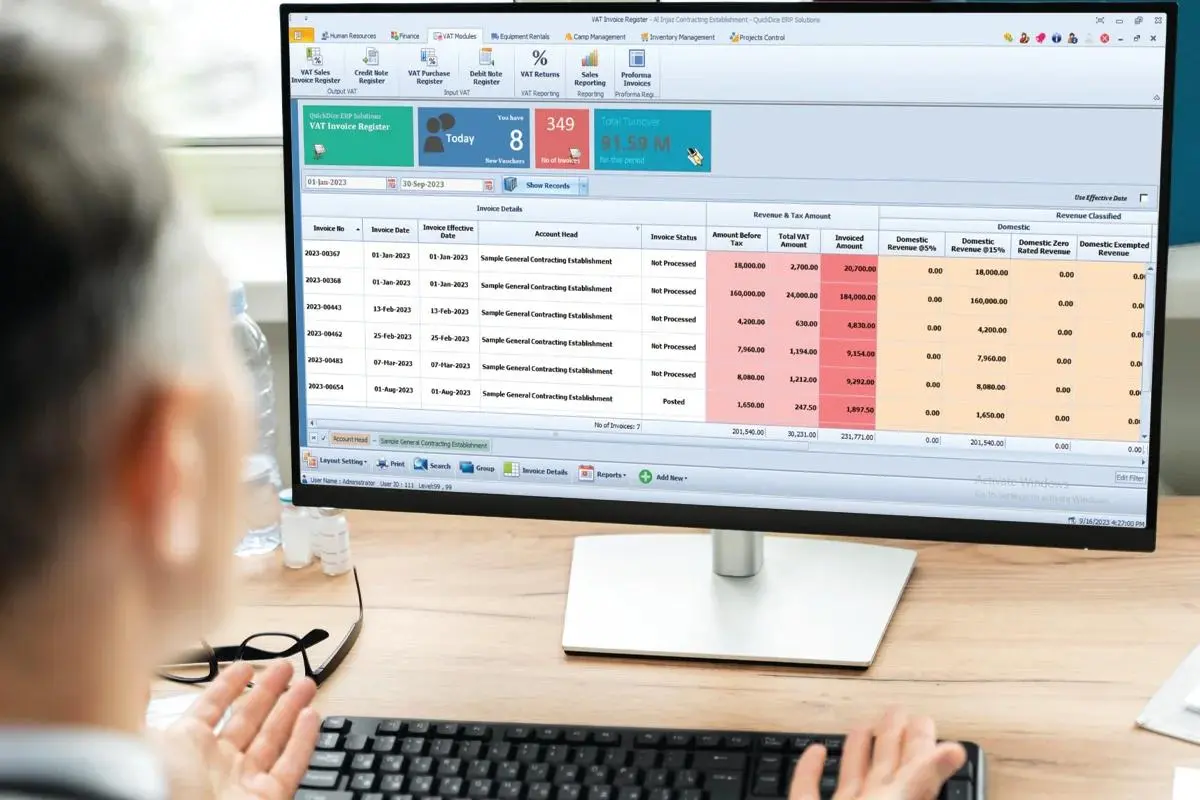
Our Custom TallyPrime Reporting Services
1. TDL-Based Custom Report Development
Tally Definition Language (TDL) can be used to customize supported aspects of TallyPrime, including report presentation and selected functionality.
Depending on the requirement, custom development may cover:
- Business-specific report layouts
- Additional report fields where supported
- Custom report columns and information grouping
- Filters and selection conditions
- Report navigation and usability improvements
- Reusable reporting views
- Supporting calculations based on defined business rules
Each requirement is assessed against the available data, TDL capabilities, software environment and expected output.
2. Custom Sales Reports
Businesses often need sales information organized in ways that support their own review processes.
Possible requirements include:
- Sales summaries by selected period
- Customer-wise sales analysis
- Item-wise or product-category sales reports
- Salesperson-wise summaries where the data is recorded
- Voucher-level sales details
- Selected transaction filters
- Comparisons between defined periods
The report design should make clear whether the figures represent sales value, quantity, returns, discounts or another agreed measure.
3. Custom Purchase Reports
Purchase reporting requirements vary by industry, supplier workflow and inventory structure.
Possible report requirements include:
- Supplier-wise purchase summaries
- Item-wise purchase details
- Purchase voucher listings
- Period-wise purchase comparisons
- Selected transaction fields
- Additional sorting and filtering
- Views based on available inventory or accounting dimensions
The final report depends on the fields maintained in the underlying records and the definitions agreed with the business.
4. Custom Inventory Reports
Businesses managing many stock items, warehouses or product categories may need specific inventory views.
Depending on the setup, a custom report may be assessed for:
- Item-wise stock summaries
- Godown-wise inventory views
- Stock movement details
- Batch-related information where maintained
- Selected stock item filters
- Quantity-based summaries
- Reorder-related views where the required data and rules are available
Inventory reports should distinguish between quantities, stock values and other measures. The business should confirm which valuation method and reporting period apply to each requirement.
5. Custom Outstanding and Ledger Reports
Finance teams may need more specific views of customer balances, supplier balances or ledger transactions.
Potential reporting requirements include:
- Customer-wise outstanding summaries
- Supplier-wise outstanding summaries
- Selected ledger transaction details
- Bill-wise outstanding information where maintained
- Due-date and ageing views where supported by the available data
- Filters for selected parties or periods
- Additional columns for internal review
These reports can help teams identify records that require investigation or follow-up. They do not replace the need to verify balances and reconcile discrepancies.
6. Custom Voucher Reports
Businesses may need to inspect transactions based on particular voucher types, dates, references or other fields.
Depending on the data available, custom voucher reports may include:
- Selected voucher types
- Period-based transaction lists
- Additional voucher details
- Reference or narration fields where available
- Sorting by relevant transaction attributes
- Filters for selected records
- Report layouts designed around the review process
Any custom calculation or selection rule should be documented and tested against representative transactions.
7. Custom Expense and Cost-Centre Reports
Where the accounting configuration records the required information, reports may be organized by expense category, cost centre, department or other relevant dimensions.
Potential requirements include:
- Expense category summaries
- Cost-centre-wise views
- Period comparisons
- Selected ledger details
- Department-based reporting where configured
- Filters for defined business units
If the source data does not capture a required dimension consistently, the reporting design may need to be preceded by a change to the underlying data-entry or accounting process.
8. Custom Report Filters, Columns and Layouts
A useful report should display relevant information without making users work through unnecessary fields.
Depending on technical feasibility, the reporting solution may be designed around:
- Required and optional columns
- Business-specific filters
- Sorting and grouping
- Clear column labels
- Selected date ranges
- Consistent number and date formats
- Readable report layouts
- Navigation suited to the intended users
The final design should be reviewed by the employees who will use the report in daily operations.
9. Report Export and Supporting Workflows
Some businesses need to transfer report information into Excel or another reporting environment for additional analysis.
We can assess the available options based on the required output, TallyPrime setup and integration requirements.
This may involve supported export options, a structured spreadsheet workflow or a separate integration project where necessary.
Custom TallyPrime reports and external business dashboards serve different purposes. If the primary requirement is to combine data from several software platforms into visual KPI dashboards, a business intelligence solution may be more suitable.
Examples of Custom Reporting Use Cases
Trading and Distribution
A distributor may need item-wise sales, customer balances and selected stock information organized for its regular review process.
Manufacturing
A manufacturer may require reports grouped around available inventory, production-related records, cost centres or defined business units.
Retail
A retailer may need product-wise transaction summaries, stock movement details and selected period comparisons.
Service Businesses
A service company may need customer-wise accounting summaries or reporting views organized around available project or cost-centre information.
Accounting and Finance Teams
Finance teams may need consistent report formats that help review transactions, outstanding balances and recurring accounting information.
Multi-Location Businesses
Businesses with multiple locations may need location-wise reporting where the accounting configuration captures the relevant information and supports the required reporting view.
These are examples of potential use cases, not a claim that every report is available by default. Feasibility is confirmed during the requirements assessment.

How Our Custom TallyPrime Report Development Process Works
Step 1: Understand the Reporting Requirement
We begin with the business question the report needs to answer.
We identify:
- Who will use the report
- What information is required
- Which decisions or reviews it supports
- How often it will be used
- Which existing report or spreadsheet is currently used
Step 2: Map the Required Data
We review the available source fields, voucher types, ledger structure and relevant business dimensions.
This helps identify missing information and prevents development based on fields that are not actually maintained.
Step 3: Define Report Logic
We agree on the required columns, filters, grouping, sorting, calculations and reporting period.
Where a calculation could be interpreted in different ways, its definition should be agreed before development.
Step 4: Select the Implementation Approach
Depending on the requirements, the solution may use standard report configuration, TDL-based customization, an export workflow or a separate integration.
Custom development is recommended only when it provides a clear benefit over a simpler alternative.
Step 5: Develop and Test
The report is developed according to the agreed specification and tested against representative records.
Testing should cover expected outputs, filters, date ranges, boundary conditions and relevant transaction scenarios.
Step 6: Validate the Output
We review the report with the business or finance team to check that fields, calculations and selected records match the agreed requirements.
Differences should be investigated before the report is accepted.
Step 7: Handover and Documentation
The completed report is demonstrated to the intended users. Relevant usage instructions, report definitions and any agreed maintenance requirements are documented.
Custom Reports vs Standard TallyPrime Reports
| Requirement | Standard reports | Custom reports |
|---|---|---|
| Common accounting information | Often suitable | May not be necessary |
| Existing fields and filters | Use available options | Add or adjust supported views where feasible |
| Business-specific layout | Use standard presentation | Tailored presentation may be possible |
| Specialized selection conditions | Use available filters | Custom logic may be assessed |
| Repeated business-specific reporting | May require extra handling | Reusable custom report may help |
| Unique calculation requirements | Depends on existing functionality | Requires agreed rules and validation |
The best option depends on the reporting need. Standard reports should be preferred when they already meet the requirement; custom development should address a clearly identified gap.
Benefits of Custom TallyPrime Reports
Reports That Match Your Workflow
Organize information around the reporting questions your team needs to answer.
Less Repetitive Report Preparation
Where feasible, reduce recurring manual filtering, formatting and consolidation.
More Consistent Report Formats
Use agreed field definitions, filters and calculation rules across recurring reporting tasks.
Easier Review of Relevant Information
Present the required information in a format suited to the intended users.
Better Support for Business-Specific Requirements
Assess report layouts and views that reflect the information maintained in your accounting system.
More Structured Validation
Use agreed test cases and source records to check the report output before acceptance.
A Clearer Path for Future Enhancements
Documented requirements make it easier to evaluate additional fields, filters or reporting changes later.
Why Choose Pragyantra for Custom TallyPrime Reports?
Requirements-First Approach
We start by understanding the business question rather than assuming that every requirement needs custom code.
TallyPrime and TDL Context
We assess the suitability of TDL-based development and other reporting options according to the requested functionality.
Defined Report Logic
Fields, filters and calculations should be agreed before implementation so the intended output is clear.
Testing and Validation
The reporting workflow includes checking representative outputs against agreed source data and business rules.
Scope Based on Technical Feasibility
The proposed solution is based on the available data, TallyPrime setup, technical constraints and project requirements.
Connected Services When Needed
If the requirement extends beyond custom reports, we can also assess relevant TallyPrime customization, integration or business intelligence options.
What Determines the Cost of Custom TallyPrime Reports?
The cost depends on the complexity and scope of the requested report.
Factors may include:
- Number of reports and report variants
- Number of custom fields or columns
- Complexity of filters and calculations
- Data availability and quality
- TDL development requirements
- Testing and validation needs
- Export or integration requirements
- Documentation and support expectations
A report that requires a small layout change is different from one that needs complex business rules or data from multiple systems. The scope should be reviewed before a quotation is prepared.
Frequently Asked Questions
1. What are custom TallyPrime reports?
They are reporting views or formats designed around specific business requirements that are not adequately met by the existing report configuration.
2. Can TallyPrime reports be customized?
Selected reporting features can be customized depending on the requirement, available data, TDL capabilities and software setup.
3. What is TDL report development?
TDL, or Tally Definition Language, is used to customize supported aspects of TallyPrime. It can be used for suitable report layouts, fields and reporting functionality, depending on technical feasibility.
4. Can you create custom sales reports in TallyPrime?
Custom sales reporting can be assessed for requirements such as customer-wise, item-wise, period-wise or salesperson-wise views, provided the relevant data is available.
5. Can you create custom inventory reports?
Inventory reporting requirements can be evaluated for item, location, movement or other relevant views based on the existing inventory configuration and available data.
6. Can a report include additional columns?
Additional columns may be possible where the required information is available and the report can be customized to display it.
7. Can I filter reports by date, ledger or item?
The available filters depend on the report and the data structure. Additional filtering requirements can be assessed during planning.
8. Can custom reports reduce Excel work?
They may reduce repetitive exports and spreadsheet preparation when the required information can be presented directly in a suitable TallyPrime report. Some workflows may still require Excel or an external reporting tool.
9. Will custom reports change my accounting entries?
A reporting-only solution should be scoped separately from transaction-changing functionality. Any requirement that modifies accounting entries must be explicitly specified and tested with appropriate controls.
10. Can custom reports be exported to Excel?
The export options depend on the report and the software setup. A structured export workflow can be assessed if Excel is part of the reporting process.
11. Can you modify an existing TallyPrime report instead of building a new one?
That may be possible depending on the report, customization scope and technical constraints. The existing report should be reviewed before deciding whether to modify it or develop a separate report.
12. How long does custom report development take?
The timeline depends on report complexity, field availability, calculations, testing and the number of reports. A realistic estimate can be provided after the requirements are defined.
13. How much do custom TallyPrime reports cost?
Pricing depends on the number of reports, development complexity, validation requirements and any supporting integration work. A quotation should follow a review of the requested scope.
14. Do I need a business dashboard for custom reports?
Not necessarily. If you need a specific report inside TallyPrime, a custom report may be sufficient. If you need visual KPIs or data from several applications in one place, a separate dashboard may be more appropriate.
15. Can a report show information that is not recorded in TallyPrime?
A report cannot reliably display source information that does not exist in the available data. The business may need to capture additional fields or connect another source before the required report can be produced.
Get a Custom TallyPrime Report Designed for Your Business
If your team repeatedly exports data, prepares specialized spreadsheets or struggles to find the right information in existing reports, it may be time to review your reporting requirements.
Pragyantra can help assess the report you need, identify the relevant data and determine whether standard configuration, TDL customization or another reporting approach is suitable.
Request a Custom TallyPrime Report Consultation
Share an example of your current report, the fields you need and the business question you want it to answer.
Explore related services:
- Tally Customization
- Tally API Integration Services
- AI Business Dashboard for TallyPrime
- Financial Statements & Reporting
Related URLs should be verified before publishing. Use only links that resolve to the intended live pages.