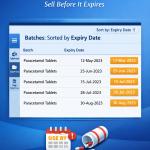
Enable Sorting of Item Batches by Expiry Date
Automatically sort pending bills by due date in TallyPrime with Pragyantra’s add‑on. Improve cash flow, track overdue payments, and manage receivables efficiently.
Introducing Our New Business Consulting Solutions!
Revolutionize Your Business Strategy with Our Expertise.
Elevate Your Business with Our Comprehensive Consulting Services.

For businesses dealing with batch-wise inventory such as pharmaceuticals, FMCG, food, and chemicals, managing expiry dates is the most critical task. Without a structured way to view batches, businesses often face severe operational hurdles:
The Enable Sorting of Item Batches by Expiry Date Add‑on by Pragyantra solves this by automatically organizing your batches, putting the nearest expiry items right at the top during voucher entry.
This add‑on is a custom Tally module that re-orders the batch selection table logically. With this add‑on installed, Tally can:
In a fast-paced warehouse or retail counter, an operator doesn't have time to compare expiry dates of 10 different batches. If the system doesn't guide them, they will pick the easiest one—often the newest stock. The Pragyantra Batch Expiry Sorting Add‑on ensures automated stock discipline, protecting your business from inventory deadweight and wastage.
Automatic Expiry Sorting
Organizes the batch selection list from the earliest expiry date to the latest by default.
FEFO (First Expiry First Out) Support
Designed specifically to support industries that must move near-expiry stock first.
Universal Voucher Integration
Works perfectly across Sales Vouchers, Stock Journals, Delivery Notes, and Material Transfers.
Visual Batch Clarity
Provides a clear, organized view of batch-wise quantity along with dates for better decision making.
Lightweight & High Performance
Advanced TDL architecture that sorts hundreds of batches instantly without affecting Tally's speed.
This add‑on works with:
✔ TallyPrime
✔ Tally ERP 9
1. Does it show expired batches at the top or the bottom?
The add-on sorts by date (earliest first). This means expired or near-expiry batches appear at the very top so they can be identified and dealt with immediately.
2. Can I still select a newer batch if I want to?
Yes. The add-on only changes the sorting order for your convenience. You still have full control to select any batch from the list as per your requirement.
3. Does it work with manufacturing dates as well?
This version is optimized for Expiry Dates. However, if your business requires sorting by 'Manufacturing Date' (FIFO), Pragyantra can provide a customized version for that.
4. Will this affect my Batch Summary reports?
No. It enhances the selection process during entry and can be integrated into reports to show you an organized view of what's expiring soon.
Stop losing money on expired stock. Organize your batches by expiry date and implement perfect FEFO inventory control with Pragyantra.
👉 Contact Pragyantra today to eliminate inventory wastage and streamline your batch operations.
Your email address will not be published. Required fields are marked *
Please login to write review!
Looks like there are no reviews yet.