
Enable Control on Date for Vouchers Creation in TallyPrime
Restrict Backdated & Future-Dated Entries for Superior Accounting Control
Introduction
Maintaining accurate voucher dates is the backbone of reliable accounting and tax compliance. In standard TallyPrime, users often have the freedom to enter vouchers in any backdated or future period, which leads to significant business risks:
- Data Manipulation: Users changing old entries to hide cash shortages or tax liabilities.
- GST Mismatches: Adding or altering vouchers in a month for which GST returns are already filed.
- Inconsistent Reports: Audited Balance Sheets and P&L accounts changing unexpectedly due to back-dated entries.
- Audit Red Flags: Frequent backdated entries raise suspicion during statutory audits and tax assessments.
The Enable Control on Date for Vouchers Creation Add‑on by Pragyantra enforces strict date validation rules, ensuring your accounting remains disciplined and tamper-proof.
What is “Voucher Date Control”?
This add‑on is a custom Tally module that acts as a "Time-Lock" for your transactions. With this add‑on installed, Tally can:
- Block Backdated Entries: Prevent users from recording any transaction before a specific "Cut-off" date.
- Prevent Future Dates: Stop accidental entries in future dates that don't belong to the current working day.
- Define Working Windows: Allow voucher entry only within a specific range (e.g., +/- 2 days from the current date).
- User-Level Permissions: Give the Admin full flexibility while restricting standard operators to the current date only.
Why Businesses Need This Add‑on
Once a month is closed and taxes are paid, that period should be locked. If your staff can still go back and add a "Payment" or "Sales" entry in a closed month, your financial integrity is at risk. The Pragyantra Date Control Add‑on ensures structured accounting timelines, making your records 100% reliable for management and auditors.
Key Features of the Add‑on
Strict Backdated Entry Restriction
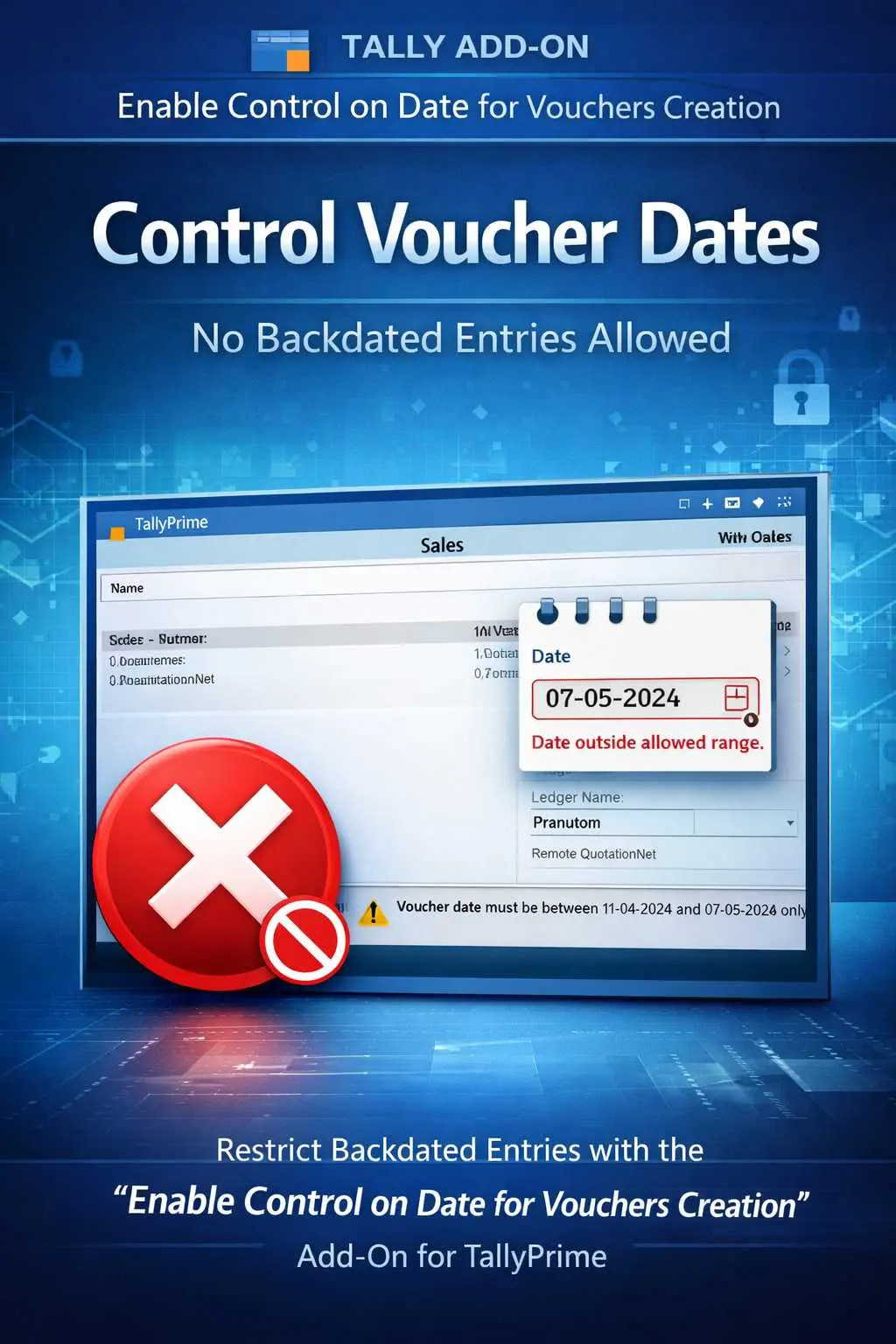
Users cannot save a voucher if the date is earlier than the allowed limit set by the Admin.
Future-Date Blocking
Prevents errors where users enter a wrong year or a future month by mistake.
Customizable Date Range
Define a "Safe Window" (e.g., current date only or last 7 days) within which entries can be made.
User-Wise Policy
Apply different date controls for different roles—strict for data entry clerks and flexible for senior accountants.
Universal Protection
Applicable across all voucher types, including Sales, Purchase, Payment, Receipt, Journal, and Contra.
Business Benefits
- Guaranteed Data Integrity: Your past financial statements remain fixed and accurate.
- Flawless GST Compliance: Stop entries from being added to periods where returns are already finalized.
- Improved Discipline: Staff is forced to complete daily entries on time, increasing operational efficiency.
- Reduced Audit Risk: Clean, chronologically accurate records that pass any scrutiny with ease.
Use Cases
- Retailers: Ensuring all sales are recorded on the same day they occur.
- Enterprises: Locking the previous month's data as soon as the internal audit is complete.
- Accounting Firms: Protecting client data from accidental back-dated entries by junior staff.
Compatibility
This add‑on works with:
✔ TallyPrime
✔ Tally ERP 9
Frequently Asked Questions (FAQ)
1. Can the Admin still make backdated entries?
Yes. The Administrator or Owner profile usually retains full rights. This add-on is primarily used to control and restrict 'Standard' users or 'Operators'.
2. What happens if a user tries to enter an unauthorized date?
Tally will display a clear error message stating that the date is outside the allowed range, and the user will not be able to save the voucher.
3. Can I change the allowed date range daily?
Yes, the Admin can easily update the 'Allowed Date Range' in the TDL configuration menu whenever a specific back-dated entry needs to be authorized.
4. Does this affect existing old vouchers?
No. It only restricts the creation or alteration of vouchers moving forward based on the rules you set.
Lock Your Timeline. Secure Your Accounts.
Stop unauthorized backdated entries and ensure 100% data accuracy. Take total control of your accounting period with Pragyantra’s Date Control Add-on.
👉 Contact Pragyantra today to safeguard your TallyPrime records and enforce professional accounting discipline.
Add your review
Your email address will not be published. Required fields are marked *
Please login to write review!
Looks like there are no reviews yet.
It is a Tally add‑on that restricts voucher entry based on date rules.
Yes. It can prevent users from entering vouchers before a defined date.
Yes. It can block future date entries as well.
Yes. It works with both TallyPrime and Tally ERP 9.