Export File Name with Voucher Type & Number
Automatically name exported files in TallyPrime using voucher type and number with Pragyantra’s add‑on. Improve file management, save time, and organize documents efficiently.
Introducing Our New Business Consulting Solutions!
Elevate Your Business with Our Comprehensive Consulting Services.
Revolutionize Your Business Strategy with Our Expertise.


AI-Powered Business Intelligence Dashboard delivers real-time insights, automation, and seamless integration with Tally, Zoho, Oracle, and SAP—all in one clean platform.
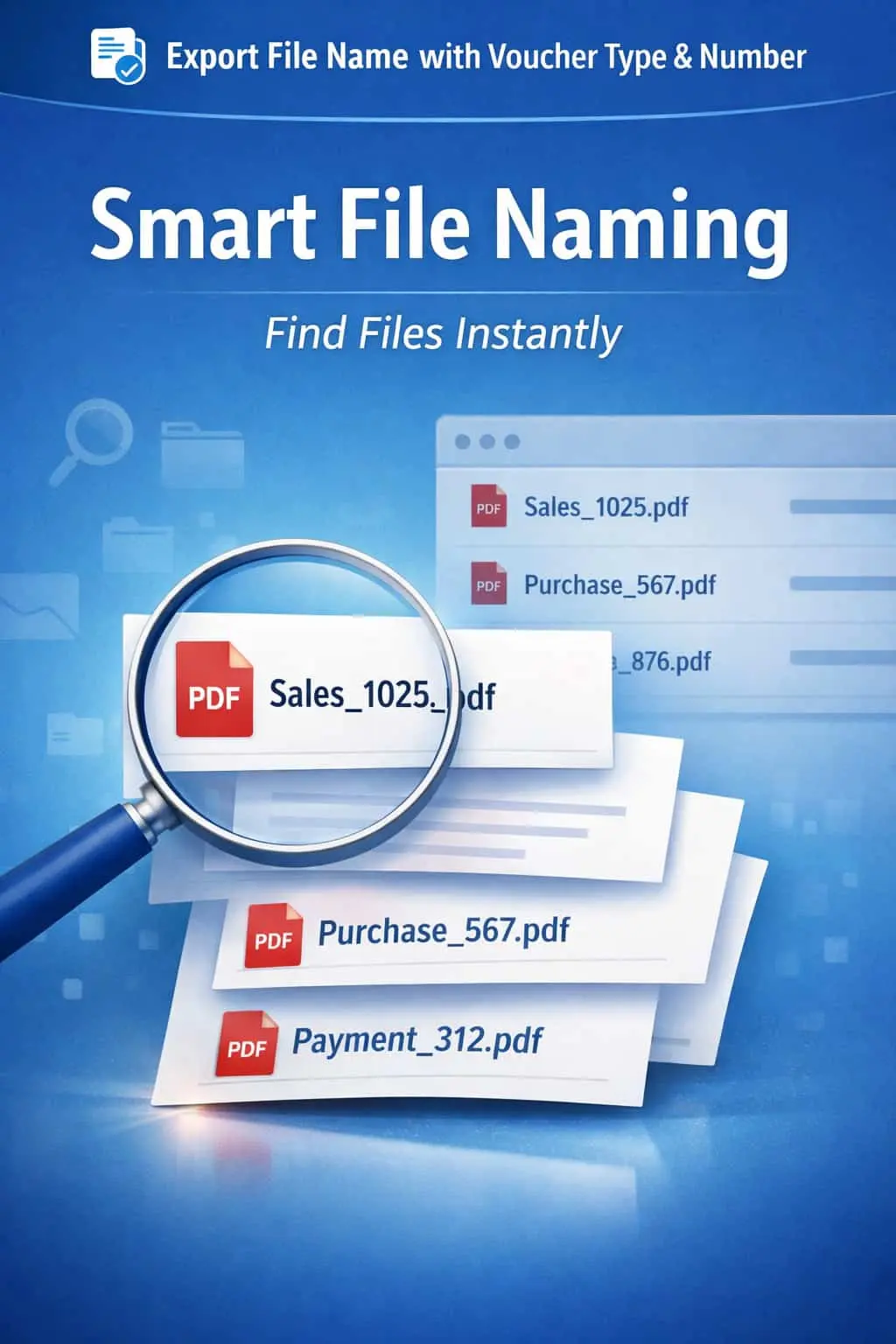

Automatically name exported files in TallyPrime using voucher type and number with Pragyantra’s add‑on. Improve file management, save time, and organize documents efficiently.
Exporting invoices and vouchers as PDFs or Excel sheets is a daily task for most businesses. However, TallyPrime’s default export naming is often generic (e.g., sales.pdf), which leads to significant document management issues:
The Export File Name with Voucher Type & Number Add‑on by Pragyantra automates this entire process, ensuring every exported file is uniquely and intelligently named.
This add‑on is a custom Tally module that overrides the default naming logic of the export function. With this add‑on installed, Tally can:
Sales_Invoice_1025.pdf or Payment_58.xlsx.In a digital office, organized documentation is a necessity, not a luxury. If your accounting team exports hundreds of vouchers for the Auditor or for client communication, manual renaming is a massive waste of productive time. The Pragyantra Export Naming Add‑on provides speed and structure, making your digital archives easy to search and audit.
Automated File Naming
Eliminates the prompt for file names by generating them based on the transaction details.
Voucher Type & Number Prefix
Every file is prefixed with its category and unique serial number for perfect chronological storage.
Multi-Format Support
Works seamlessly whether you are exporting to PDF, Excel, JPEG, or XML.
Prevent Duplicate Overwrites
Since every voucher number is unique, your exported files will never overwrite each other in the same folder.
Lightweight TDL Architecture
Highly optimized code that works instantly during the export command (Ctrl+E) without any lag.
This add‑on works with:
✔ TallyPrime
✔ Tally ERP 9
1. Can I customize the format of the file name (e.g., Number first, then Type)?
Yes. The add-on is flexible. We can customize the sequence (Type_Number, Number_Type, or even add a Date) as per your preference.
2. Does it work with Bulk Export (Multi-Voucher Export)?
Absolutely. When you export multiple vouchers at once, each file will be saved individually with its own unique Voucher Type and Number.
3. Will it include the Party Name in the file name?
By default, it uses Type and Number. However, Pragyantra can provide an extended version that includes the Party/Ledger name for even easier identification.
4. Does it work for Reports like Balance Sheet or Ledger?
This specific add-on is optimized for Vouchers. For reports, Tally uses standard names, but we can customize report-export naming as well if required.
Stop wasting time on manual renaming. Automate your digital documentation and keep your records professional with Pragyantra.
👉 Contact Pragyantra today to simplify your TallyPrime export workflow and professionalize your file management.
Your email address will not be published. Required fields are marked *
Please login to write review!
Looks like there are no reviews yet.