Stop Print/Export/Mailing of Vouchers Before Voucher Save
Prevent printing, exporting, or emailing unsaved vouchers in TallyPrime with Pragyantra’s add‑on. Ensure accuracy, reduce errors, and improve workflow control.
Elevate Your Business with Our Comprehensive Consulting Services.
Revolutionize Your Business Strategy with Our Expertise.
Introducing Our New Business Consulting Solutions!


AI-Powered Business Intelligence Dashboard delivers real-time insights, automation, and seamless integration with Tally, Zoho, Oracle, and SAP—all in one clean platform.
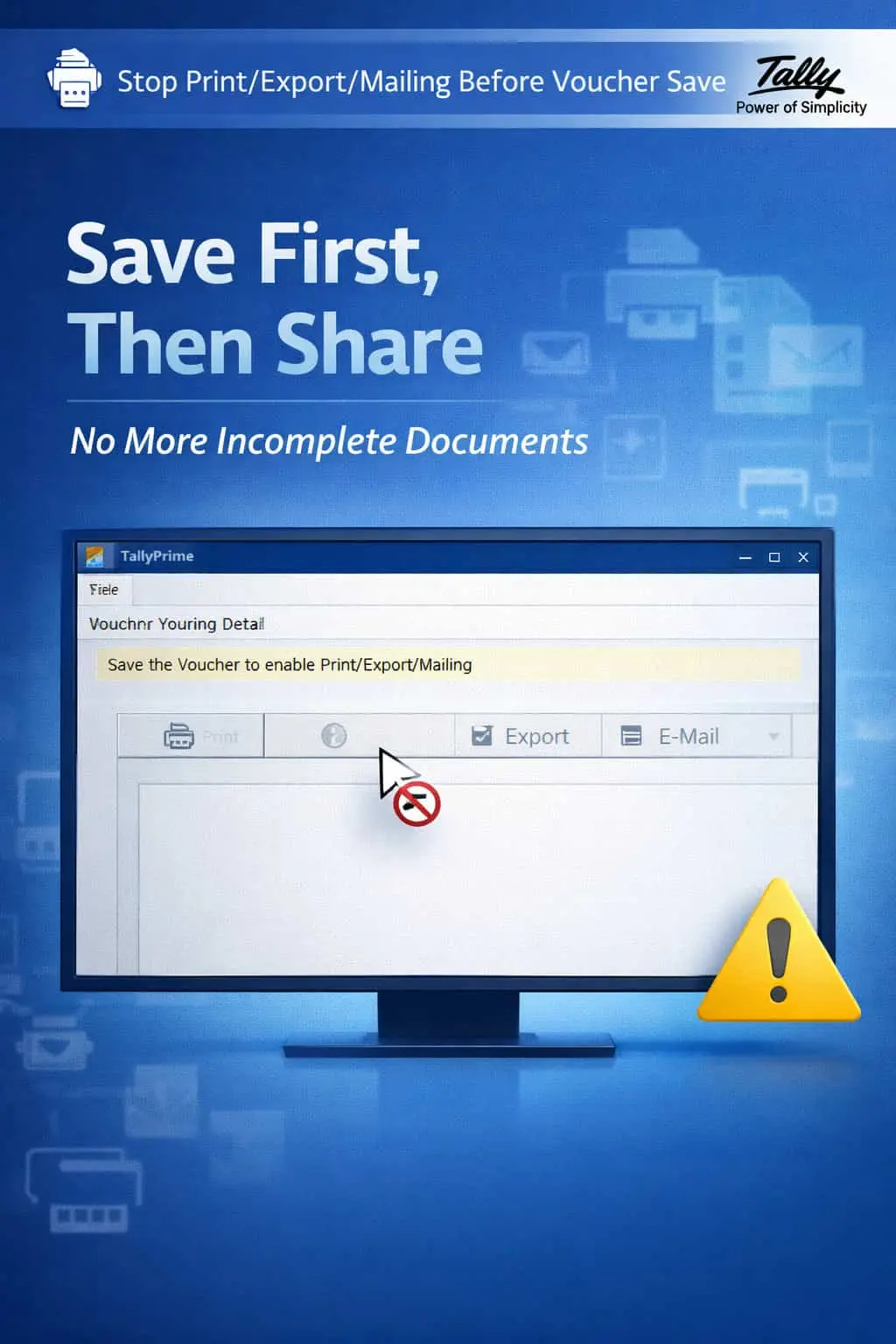

Prevent printing, exporting, or emailing unsaved vouchers in TallyPrime with Pragyantra’s add‑on. Ensure accuracy, reduce errors, and improve workflow control.
In a fast-paced accounting environment, accuracy is more important than speed. A common error in TallyPrime is users attempting to print or share a voucher before it is officially Saved (Accepted). This habit leads to serious professional and financial risks:
The Stop Print/Export/Mailing of Vouchers Before Voucher Save Add‑on by Pragyantra ensures that no output action is allowed unless the voucher is properly committed to the database first.
This add‑on is a custom Tally module that acts as a "Validation Gate" for all your outgoing documents. With this add‑on installed, Tally can:
Your professional image depends on the accuracy of your invoices and reports. Sending a "Draft" or "Unsaved" invoice to a client not only looks unprofessional but can also lead to GST and tax mismatches. The Pragyantra Output Control Add‑on enforces strict workflow discipline, making your business communication reliable and error-free.
Strict Output Blocking
Completely restricts Print, Export, and E-mail actions on the voucher entry screen before the 'Save' operation.
Accurate Data Guarantee
Ensures that any PDF, Excel, or Printed document generated is based only on finalized and confirmed data.
Workflow Standardization
Enforces a "Maker-Checker" mindset where users must finalize their entry before sharing it externally.
Works Across All Vouchers
Full compatibility with Sales, Purchase, Payment, Receipt, Journal, and Contra vouchers.
Lightweight & Instant
Optimized TDL architecture that monitors the voucher state in real-time without slowing down data entry.
This add‑on works with:
✔ TallyPrime
✔ Tally ERP 9
1. Will this add-on slow down my billing speed?
Not at all. It only takes a fraction of a second to save (Accept) a voucher. By enforcing this, you save much more time that would otherwise be wasted in correcting and re-sending wrong invoices.
2. Can I still see the print preview before saving?
Standard Tally allows previews, but this add-on is designed to ensure the final output (Print/Export/Email) is only triggered once the record is safely committed to your database.
3. What happens if I try to press Ctrl+P before saving?
Tally will display a gentle reminder or a block message stating that the voucher must be saved first before it can be printed or shared.
4. Does it work on modified (Altered) vouchers too?
Yes. If you are altering a voucher, the add-on ensures that the new changes are saved before you can print the updated version.
Protect your professional image and ensure 100% data consistency. Stop unsaved document sharing and switch to a Save-First workflow with Pragyantra.
👉 Contact Pragyantra today to safeguard your business communication and enforce professional TallyPrime discipline.
Your email address will not be published. Required fields are marked *
Please login to write review!
Looks like there are no reviews yet.