Enable User-wise Multi Account Printing Control
Restrict multi-account report printing user-wise in TallyPrime with Pragyantra’s add‑on. Protect financial data, prevent leakage, and control report access securely.
Elevate Your Business with Our Comprehensive Consulting Services.
Revolutionize Your Business Strategy with Our Expertise.
Introducing Our New Business Consulting Solutions!


AI-Powered Business Intelligence Dashboard delivers real-time insights, automation, and seamless integration with Tally, Zoho, Oracle, and SAP—all in one clean platform.
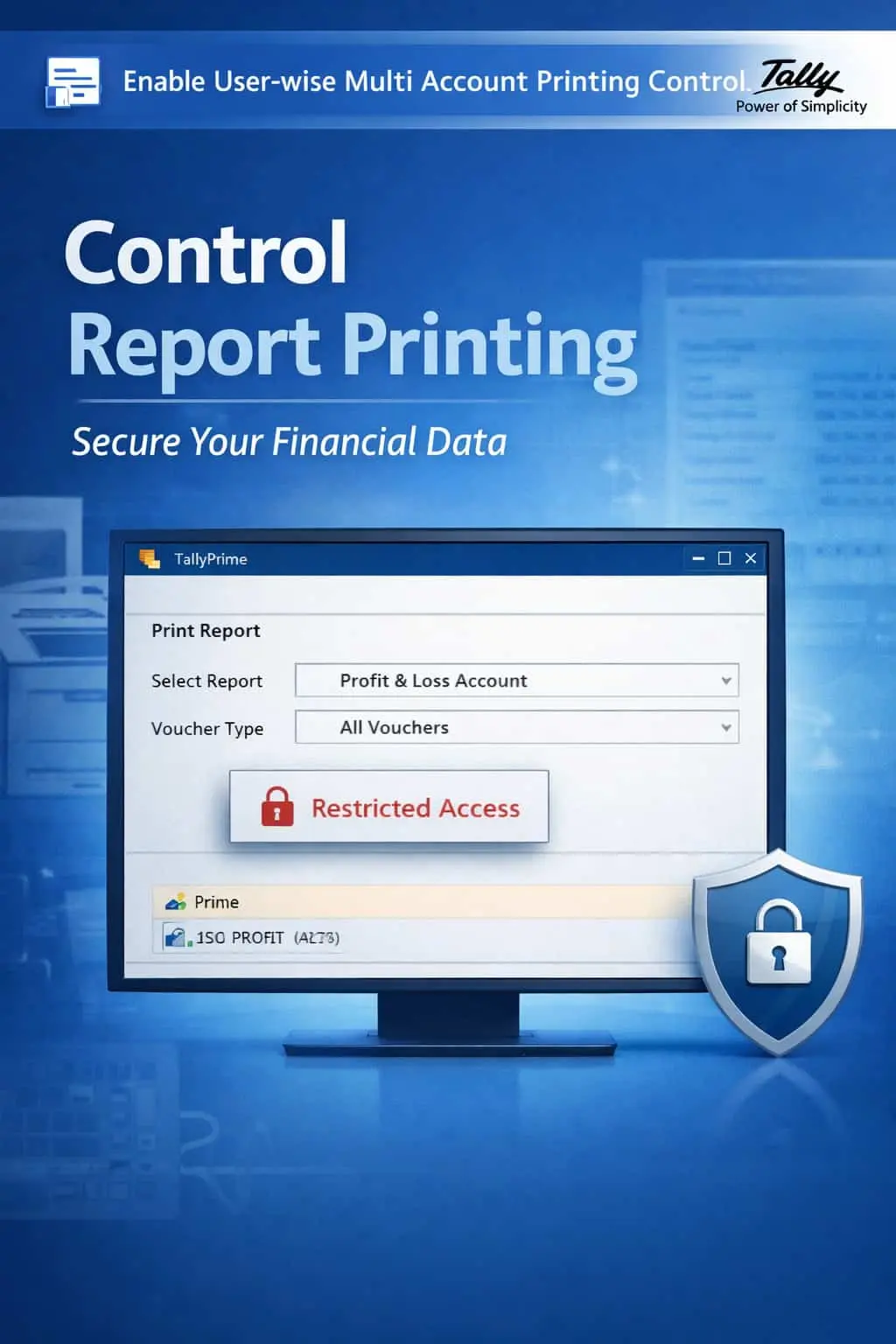

Restrict multi-account report printing user-wise in TallyPrime with Pragyantra’s add‑on. Protect financial data, prevent leakage, and control report access securely.
Financial reports are the most sensitive assets of any business. In TallyPrime, the 'Multi-Account Printing' feature is highly useful but equally risky in a multi-user environment. Without proper restrictions, unauthorized users can:
The Enable User-wise Multi Account Printing Control Add‑on by Pragyantra allows administrators to lock these bulk printing features, ensuring that sensitive data stays within authorized hands only.
This add‑on is a custom Tally module that functions as a "Security Gate" for bulk reporting. With this add‑on installed, Tally can:
Data security is not just about who can 'Edit' data; it's also about who can 'Take' data. If a disgruntled employee prints your entire ledger book before leaving, it can cause irreparable damage. The Pragyantra Printing Control Add‑on ensures strict user-wise permissions, making your financial information tamper-proof and leak-proof.
User-wise Printing Restrictions
Individually enable or disable the multi-account printing capability for each Tally user.
Bulk Report Blocking
Securely block unauthorized printing of Multiple Ledgers, Group-wise Reports, and Day Books.
Role-Based Access Control
Assign printing rights based on seniority—full access for Admins and zero bulk-printing for juniors.
Prevent Data Leakage
Ensures that confidential party lists and financial statements cannot be easily taken out of the office in printed form.
Lightweight & Instant
Advanced TDL architecture that enforces printing locks immediately without slowing down your Tally session.
This add‑on works with:
✔ TallyPrime
✔ Tally ERP 9
1. Can a restricted user still print a single invoice?
Yes. This add-on specifically targets Multi-Account Printing (bulk reports). Regular voucher printing like a single Sales Invoice or Receipt is not affected unless you choose to restrict that too.
2. Does this add-on also block 'Exporting' of reports?
Yes. Since Exporting and Printing often use the same reporting logic in Tally, this add-on can be configured to block the bulk export of ledger data as well.
3. Can I allow printing for 'Sundry Debtors' but block it for 'Bank Accounts'?
Absolutely. The add-on provides granular control, allowing you to define which groups or categories of accounts can be printed by which user.
4. Will the Administrator (Admin) be restricted?
No. The 'Admin' or 'Owner' profile always retains full rights to all printing and reporting features. Restrictions only apply to 'Standard' user roles.
Stop bulk data leakage and unauthorized report sharing. Take total control of your TallyPrime printing features with Pragyantra.
👉 Contact Pragyantra today to professionalize your TallyPrime security and secure your confidential reports.
Your email address will not be published. Required fields are marked *
Please login to write review!
Looks like there are no reviews yet.