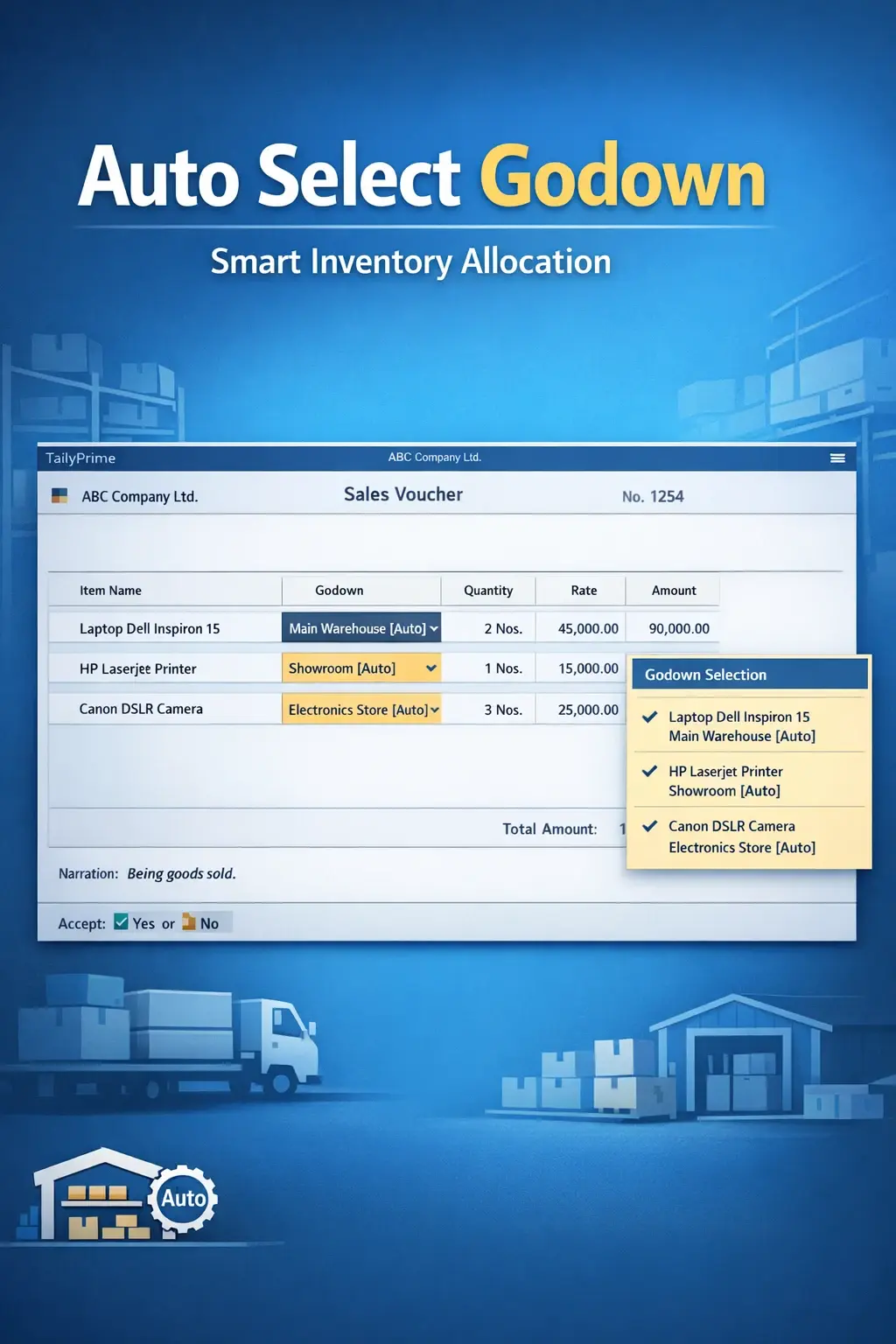
Enable Stock Items wise Auto Godown Selection
Automatically select godown based on stock items in TallyPrime with Pragyantra’s add‑on. Improve inventory accuracy, reduce errors, and speed up operations.
Elevate Your Business with Our Comprehensive Consulting Services.
Introducing Our New Business Consulting Solutions!
Revolutionize Your Business Strategy with Our Expertise.

In inventory-driven businesses, managing stock across multiple godowns (warehouses) is a common requirement. While entering vouchers in TallyPrime, users often need to manually select the correct godown for every single stock item. This repetitive manual process can lead to:
The Enable Stock Items wise Auto Godown Selection Add‑on by Pragyantra solves this problem by automatically assigning the correct godown based on the stock item, streamlining your entire inventory process.
This add‑on is a custom Tally module that links specific stock items with their predefined "Home Godowns". With this add‑on installed, Tally can:
Manual godown selection is a bottleneck in fast-paced billing and warehouse management. If an item belongs to 'Godown A' but is accidentally entered in 'Godown B', your stock reports will never match reality. The Pragyantra Auto Godown Selection Add‑on enables smart automation, ensuring that your inventory records remain 100% accurate without extra human effort.
Item-wise Godown Mapping
Set a default "Primary Godown" within the stock item master for both sales and purchases.
Automated Voucher Filling
Saves valuable seconds per line item by auto-filling the godown field in Sales, Purchase, and Stock Journals.
Universal Support
Works seamlessly across Sales Vouchers, Purchase Vouchers, Delivery Notes, and Receipt Notes.
Lightweight & Optimized
High-performance TDL code that handles thousands of items and multiple godowns without slowing down Tally.
Flexible Overrides
While it selects the godown automatically, authorized users can still change it manually for exceptional cases.
This add‑on works with:
✔ TallyPrime
✔ Tally ERP 9
1. Can I change the godown manually if the default one is out of stock?
Yes. The add-on provides a smart default, but the field remains editable. If you need to pick the item from a different godown, you can easily select it manually.
2. What happens if I don't assign a default godown to an item?
For items without a predefined godown, Tally will behave normally and prompt you to select the godown manually, ensuring no disruption in your workflow.
3. Can I assign the same Godown to multiple Stock Items?
Absolutely. You can map as many items as you want to a single godown. This is perfect for businesses that store specific categories in specific warehouses.
4. Does it work during Stock Journal transfers?
Yes. It can be configured to auto-select the 'Destination Godown' based on the item, making internal stock movements much faster and error-free.
Stop the manual struggle and eliminate stock mismatches. Speed up your inventory entries and ensure 100% accuracy with Pragyantra’s Auto Godown Selection Add-on.
👉 Contact Pragyantra today to simplify your multi-warehouse management and improve billing speed.
Your email address will not be published. Required fields are marked *
Please login to write review!
Looks like there are no reviews yet.



