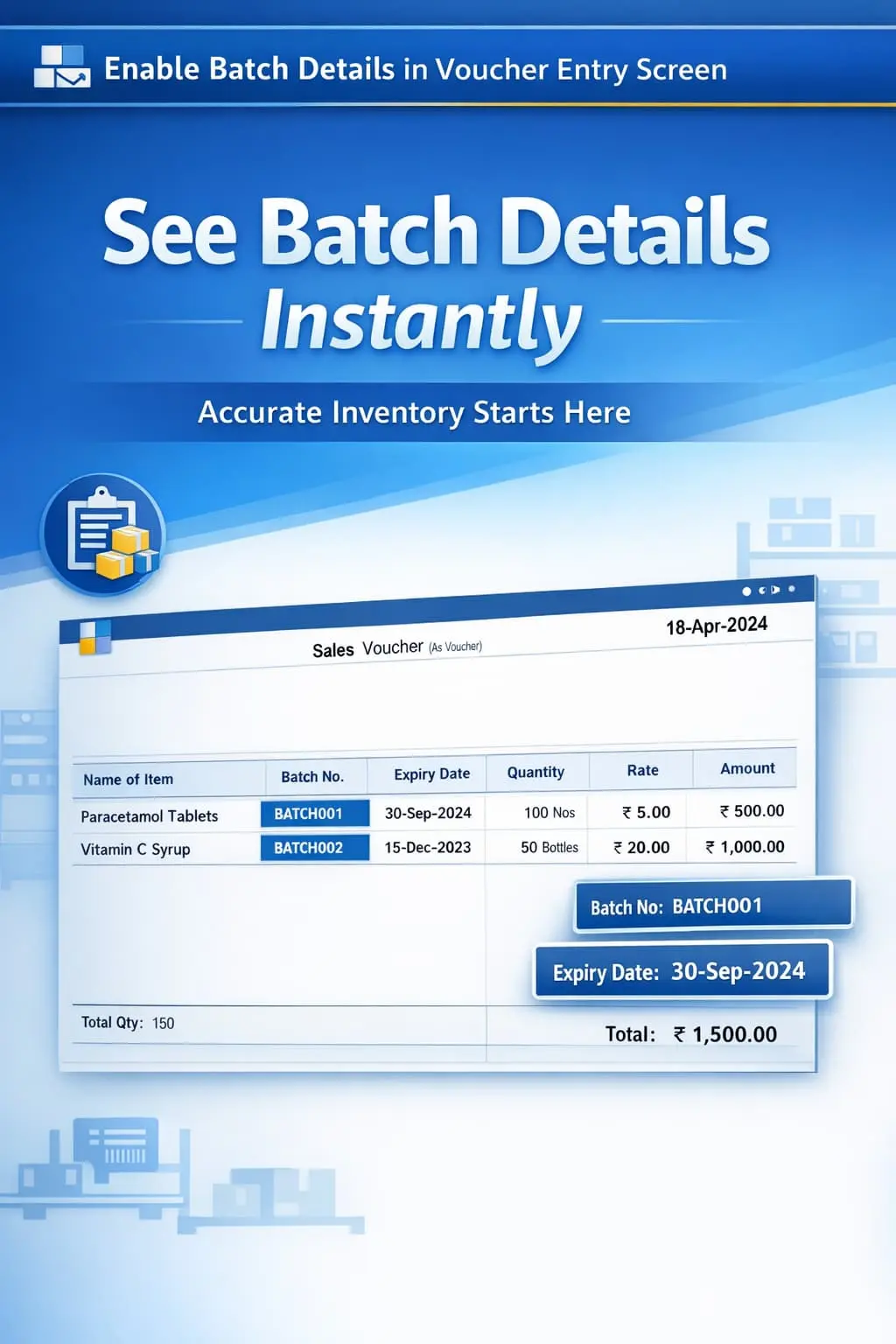
Enable Batch Details in Voucher Entry Screen
Display batch details like batch number, expiry, and quantity during voucher entry in TallyPrime with Pragyantra’s add‑on. Improve accuracy and inventory control.
Introducing Our New Business Consulting Solutions!
Elevate Your Business with Our Comprehensive Consulting Services.
Revolutionize Your Business Strategy with Our Expertise.

In businesses dealing with batch-wise inventory such as pharmaceuticals, FMCG, food products, and chemicals, managing precise batch details is critical. Missing a single expiry date can lead to legal issues or financial loss. In standard TallyPrime, batch details are often hidden behind multiple clicks, leading to:
The Enable Batch Details in Voucher Entry Screen Add‑on by Pragyantra solves this by displaying complete batch information directly on your entry screen, ensuring 100% accuracy and faster operations.
This add‑on is a custom Tally module that integrates a "Batch Dashboard" within your transaction screen. With this add‑on installed, Tally can:
Batch management is about more than just numbers; it's about product safety and shelf-life management (FEFO - First Expiry, First Out). The Pragyantra Batch Details Add‑on ensures that your operators have complete batch visibility at the point of entry, preventing costly mistakes and ensuring high standards of inventory discipline.
Comprehensive Batch Display
Instantly shows Batch Number, Manufacturing (MFG) date, and Expiry date for selected items.
Batch-wise Stock Status
Displays available quantities for each batch to help in intelligent stock rotation.
Works Across All Vouchers
Fully integrated with Sales Invoices, Purchase Entries, Delivery Notes, and Stock Journals.
Expired Stock Warning
Visually highlights or alerts the user if an expired batch is being selected, reducing compliance risks.
Lightweight & Fast
Optimized TDL architecture ensures that batch data loads instantly even with a huge number of batches.
This add‑on works with:
✔ TallyPrime
✔ Tally ERP 9
1. Does this add-on show the batch details for all stock items?
It works for all items where 'Maintain Batches' is enabled in the Stock Item Master. It brings those hidden details to the main entry screen.
2. Can I filter batches by Expiry Date?
Yes. Since the expiry date is visible on the entry screen, you can easily identify which batch needs to be sold first to maintain proper stock rotation.
3. Will this add-on slow down my voucher entry?
Not at all. The data is fetched in real-time using optimized TDL code, ensuring your Tally stays fast even with a large volume of data.
4. Does it work during Purchase entry for new batches?
Absolutely. During Purchase, it helps you verify if the MFG and Expiry dates you are entering are consistent and helps you see existing batches for the same item.
Don't let expired products reach your customers. Speed up your billing and gain full control over your batches with Pragyantra’s Batch Detail Add-on.
👉 Contact Pragyantra today to safeguard your inventory and improve your TallyPrime efficiency.
Your email address will not be published. Required fields are marked *
Please login to write review!
Looks like there are no reviews yet.



