Enable Contact Details in Outstanding for TallyPrime
View Customer Contact Information Directly in Outstanding Reports
Introduction
Tracking outstanding payments is a key part of financial management for any business. When accountants review outstanding reports in TallyPrime, they often need to contact customers for payment follow‑ups.
However, the default Outstanding Report in Tally usually displays financial information such as invoice numbers, dates, and pending amounts but does not show customer contact details like phone numbers or email addresses directly in the report.
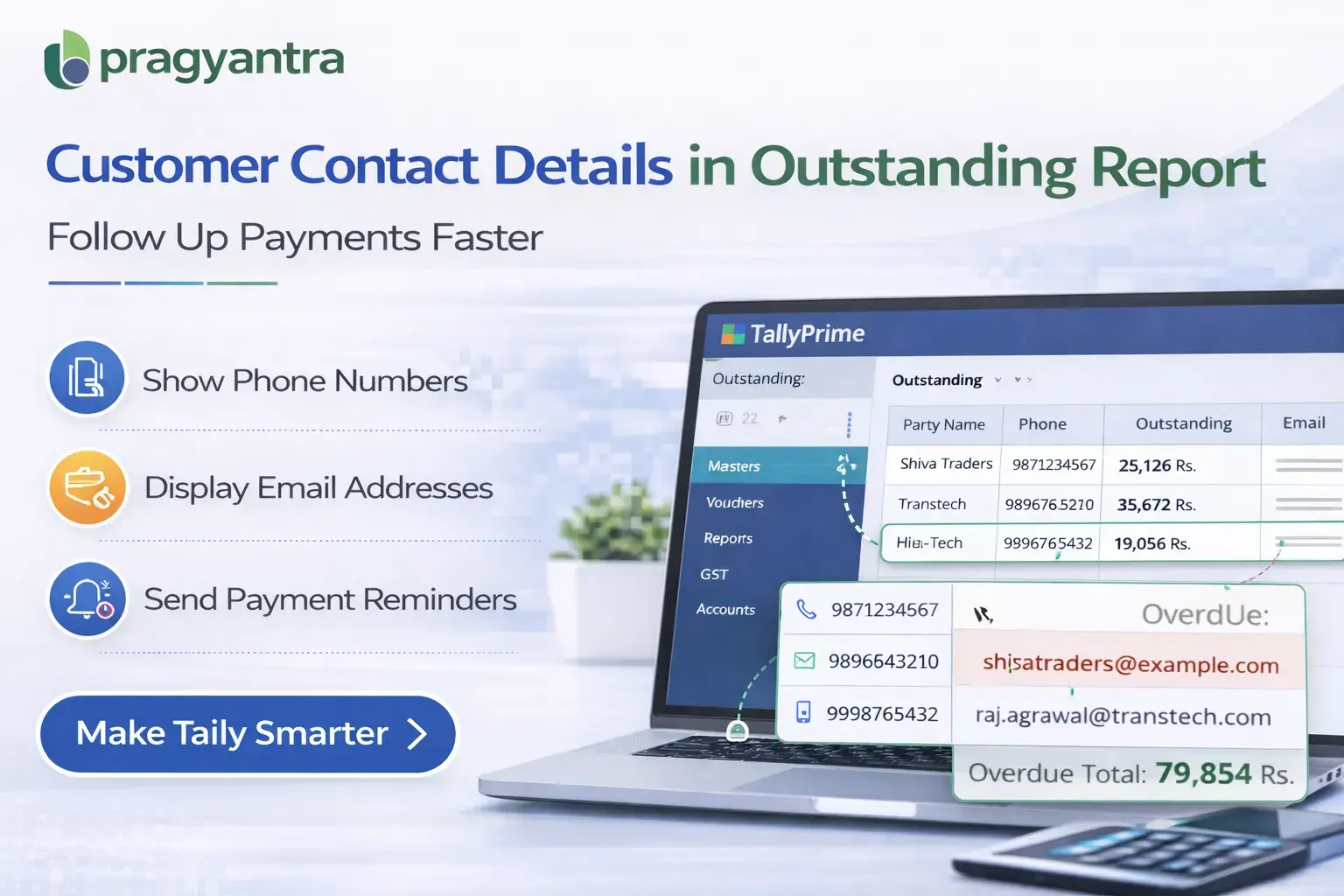
The Enable Contact Details in Outstanding Add‑on developed by Pragyantra solves this problem by displaying customer contact information directly within the outstanding report.
With this add‑on, businesses can easily access customer phone numbers and contact details while reviewing outstanding balances, making payment follow‑ups faster and more efficient.
What is “Enable Contact Details in Outstanding”?
The Enable Contact Details in Outstanding Add‑on is a custom Tally module that enhances the Outstanding Receivable Report by displaying customer contact information alongside outstanding balances.
Normally, the outstanding report shows:
- Customer Name
- Invoice Number
- Invoice Date
- Pending Amount
With this add‑on installed, the report can also display:
- Customer Contact Number
- Email ID (if available)
- Other contact details stored in the ledger
This helps accounting teams quickly reach out to customers regarding pending payments without searching for contact details separately.
Why Businesses Need This Add‑on
When businesses review outstanding reports to follow up on pending payments, they often need to contact customers immediately. Without integrated contact details in the report, accountants must manually search for customer information in ledger records or external contact lists.
This creates several inefficiencies such as:
- Time wasted searching for contact details
- Slower payment follow‑ups
- Delays in receivable collection
- Reduced productivity for accounting teams
The Pragyantra Contact Details in Outstanding Add‑on eliminates these challenges by displaying customer contact information directly in the outstanding report.
Key Features of the Add‑on
Display Customer Contact Details in Outstanding Report
The add‑on shows customer phone numbers and contact information alongside outstanding balances.
Faster Payment Follow‑Ups
Accountants can immediately contact customers while reviewing outstanding reports.
Improved Receivable Management
Businesses can track and follow up on outstanding payments more efficiently.
Lightweight and High Performance
The add‑on is developed using optimized TDL architecture, ensuring smooth performance without slowing down Tally.
Easy Installation
Pragyantra provides quick installation and configuration so businesses can start using the feature immediately.
Business Benefits
- Faster Customer Communication: Businesses can quickly call or contact customers for payment reminders.
- Improved Collection Efficiency: Outstanding follow‑ups become faster and more organized.
- Better Financial Visibility: Outstanding reports become more informative with contact details included.
- Increased Productivity: Accounting teams save time by avoiding manual searches for customer contact information.
Use Cases
- Trading Businesses: Where frequent payment follow‑ups are required.
- Distribution Companies: Where businesses manage multiple customers with credit terms.
- SMEs: Where accounting teams handle receivable collection manually.
- Finance Departments: Where outstanding reports are used for payment reminders.
Compatibility
This add‑on works with:
✔ TallyPrime
✔ Tally ERP 9
FAQ
What is the Contact Details in Outstanding Add-on?
It is a Tally customization that displays customer phone numbers and email IDs directly within your outstanding reports for quick access.
Do I need to open the ledger to find a customer's number?
No. With this add-on, the contact details are visible right on the outstanding screen, saving you from manual searches.
Is it compatible with TallyPrime?
Yes, it works perfectly with TallyPrime and Tally ERP 9.
Can it show email addresses too?
Yes, if the email ID is saved in the ledger master, it will be displayed in the report.
Speed Up Your Payment Collections
Stop wasting time searching for contact details. Call your customers directly from your Tally outstanding reports.
👉 Contact Pragyantra today to simplify your Tally workflow.