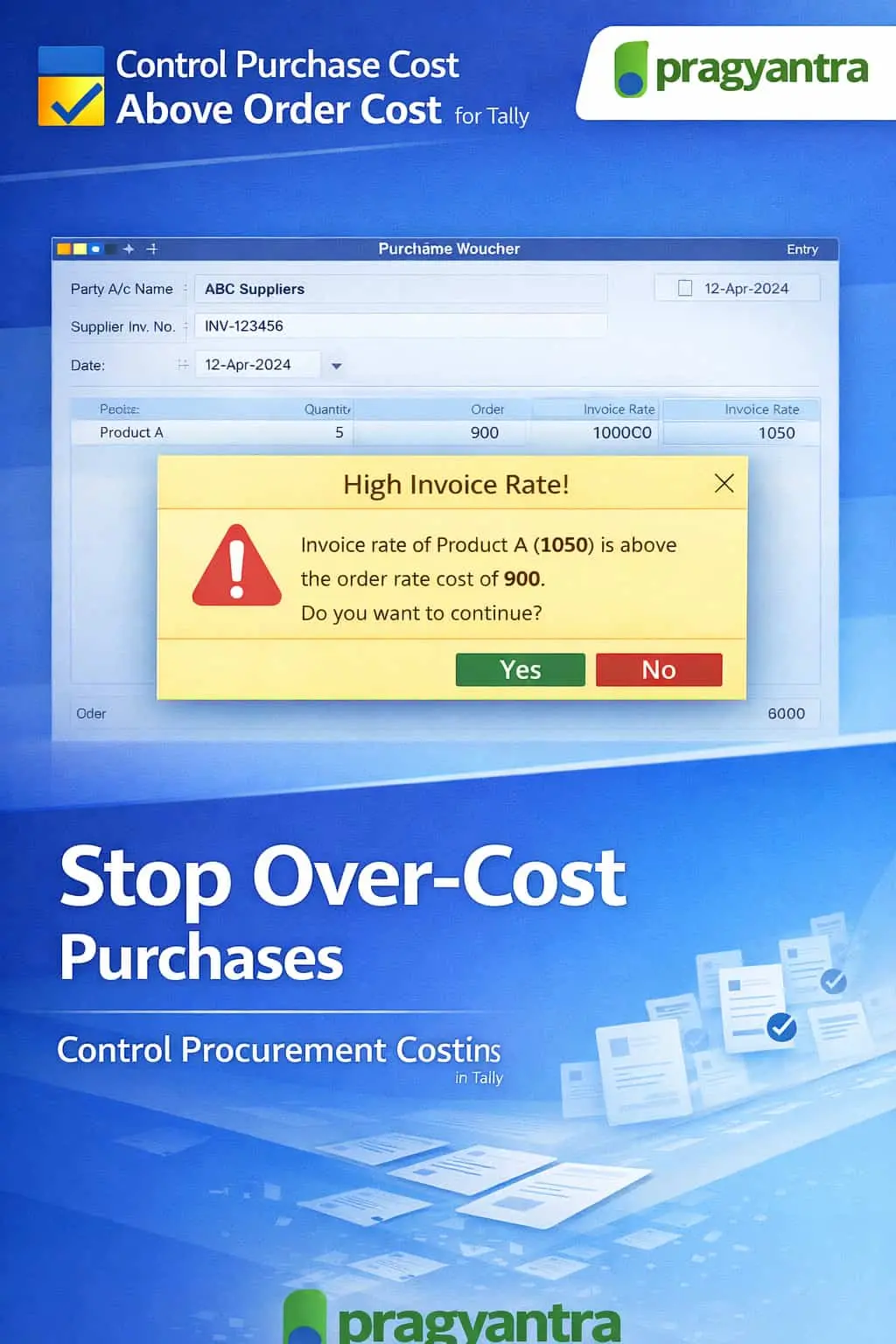
Control Purchases Cost if it’s above than Order Cost
Control purchase cost in TallyPrime by validating invoice price against order cost. Prevent overbilling, improve procurement control, and protect margins.
Introducing Our New Business Consulting Solutions!
Revolutionize Your Business Strategy with Our Expertise.
Elevate Your Business with Our Comprehensive Consulting Services.

In procurement processes, businesses usually create a Purchase Order (PO) with agreed prices before receiving supplier invoices. However, during purchase entry in TallyPrime, users may accidentally or intentionally enter a purchase cost higher than the original order cost. This can lead to:
The Control Purchase Cost if it’s Above Order Cost Add‑on by Pragyantra helps businesses validate purchase prices against the original order cost, ensuring strict cost discipline and preventing overbilling.
This add‑on is a custom Tally module that compares the purchase invoice price with the purchase order price during entry. With this add‑on installed, Tally can:
Over‑cost purchases can negatively impact profitability. Common challenges include suppliers charging higher than agreed rates or simple data entry errors. The Pragyantra Purchase Cost Control Add‑on helps enforce rate validation and procurement discipline, ensuring that supplier billing remains consistent with agreed purchase terms.
Order vs Invoice Price Validation
Automatically links the purchase invoice to the PO and identifies any rate hike instantly.
Real‑Time Alerts & Restriction
Displays clear warnings and provides a hard-block option to stop unauthorized cost increases.
Permission-Based Override
Maintains flexibility by allowing authorized personnel to approve exceptions due to market fluctuations.
Improved Procurement Accuracy
Ensures that your purchase register strictly follows predefined pricing agreements with vendors.
Lightweight & High Performance
Built using optimized TDL architecture to ensure price checks happen instantly without any lag.
This add‑on works with:
✔ TallyPrime
✔ Tally ERP 9
1. Will this add-on work if I partially link an invoice to a Purchase Order?
Yes. The add-on validates the rates for all items that are linked to a specific PO. If the rate in the purchase invoice is higher than the linked PO rate, the alert will trigger.
2. Can I set a tolerance percentage (e.g., 2% variation allowed)?
By default, it is a strict rate-to-rate match. However, it can be customized to allow a specific tolerance percentage if your industry faces frequent minor price fluctuations.
3. What happens if the purchase rate is lower than the order rate?
The add-on only restricts "Over-Cost" scenarios. If the purchase rate is lower than the order rate, Tally will allow the entry as it results in a cost saving for the business.
4. Does it work with multi-currency purchase orders?
Yes, the add-on is compatible with multi-currency transactions and validates the rates based on the currency specified in the Purchase Order.
Inaccurate vendor billing can lead to thousands in losses every month. Automate your price validation and ensure strict procurement discipline with Pragyantra.
👉 Contact Pragyantra today to safeguard your procurement budget and improve profit margins.
Your email address will not be published. Required fields are marked *
Please login to write review!
Looks like there are no reviews yet.



