Enable Cost Centre Details in Trial Balance for TallyPrime
View Cost Centre Wise Details Directly in Trial Balance Report
Introduction
For businesses that use Cost Centres in TallyPrime, analyzing financial data by department, project, or business unit is essential for better financial control. Cost centres allow organizations to track expenses and income separately for different divisions such as departments, branches, or projects.
However, the default Trial Balance report in Tally typically displays ledger balances without showing detailed cost centre information directly within the report.
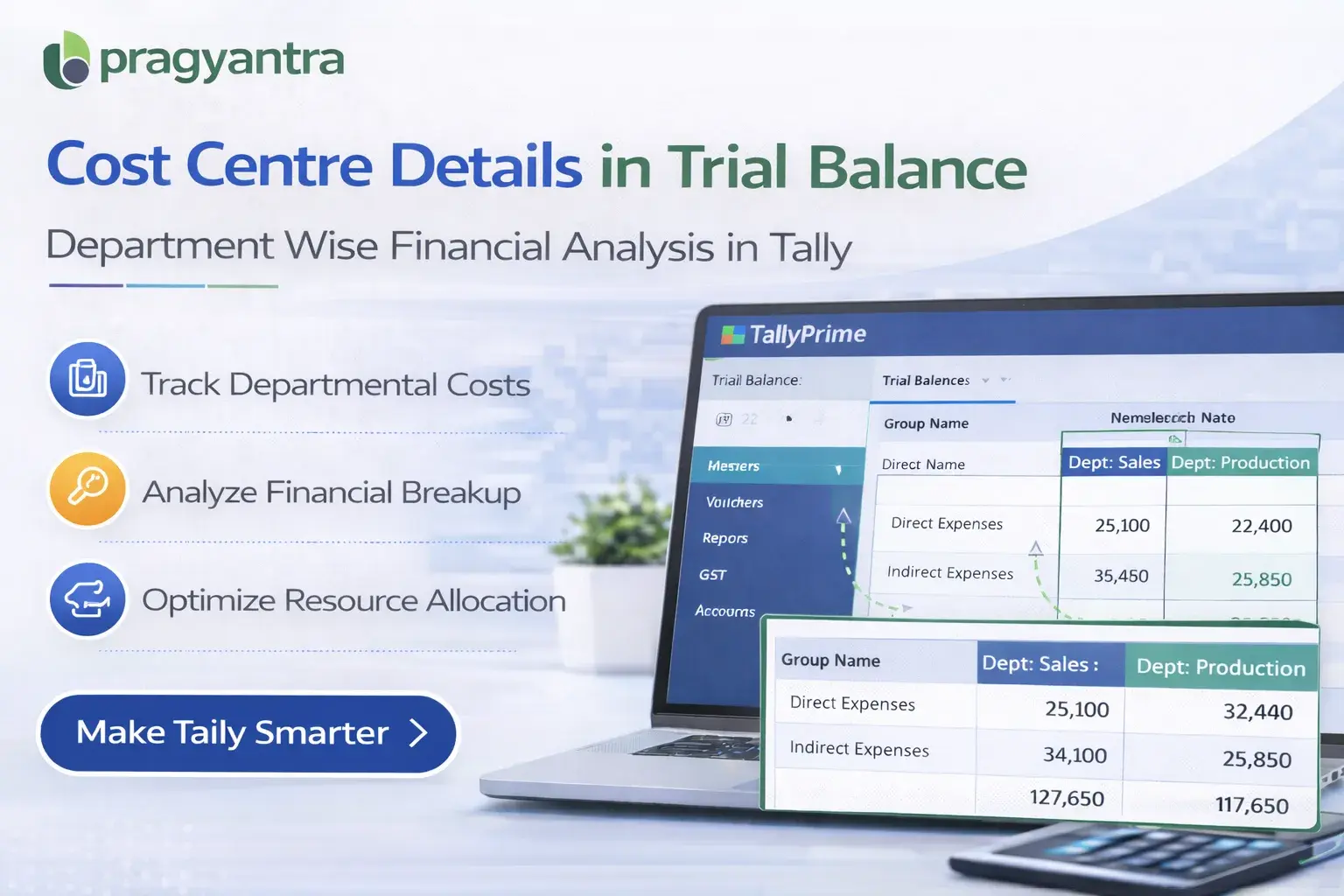
The Enable Cost Centre Details in Trial Balance Add‑on developed by Pragyantra enhances the Trial Balance report by displaying cost centre wise details alongside ledger balances.
With this add‑on, businesses can easily analyze financial data based on cost centres, helping them improve department-wise reporting, project accounting, and financial analysis.
What is “Enable Cost Centre Details in Trial Balance”?
The Enable Cost Centre Details in Trial Balance Add‑on is a custom Tally module that enhances the standard Trial Balance report by adding cost centre related information.
Normally, Trial Balance shows Ledger Names, Debit Balance, and Credit Balance, but it does not provide a clear cost centre-wise breakdown. With this add‑on installed, the report can display:
- Cost Centre Name
- Cost Centre Wise Amount
- Ledger Balance linked to specific cost centres
This allows accountants to quickly analyze how financial transactions are distributed across different cost centres.
Why Businesses Need This Add‑on
Many businesses use cost centres to monitor expenses and revenue across departments, branches, or projects. Without cost centre information in Trial Balance, accountants often need to open additional reports or cost centre statements to analyze the data.
This can create several challenges:
- Time‑consuming financial analysis
- Difficulty comparing department‑wise performance
- Limited visibility of cost centre balances
- Slower reporting and decision‑making
The Pragyantra Cost Centre Details Add‑on solves this problem by displaying cost centre information directly in the Trial Balance report.
Key Features of the Add‑on
Cost Centre Wise Trial Balance
The add‑on displays ledger balances categorized by cost centres within the Trial Balance report.
Better Department Wise Analysis
Businesses can analyze financial performance of individual departments or projects more effectively.
Improved Financial Reporting
Cost centre visibility helps accountants generate more detailed financial insights without extra effort.
Lightweight and High Performance
Built using optimized TDL architecture, ensuring smooth performance without slowing down Tally.
Easy Installation
Pragyantra provides quick installation and configuration so businesses can start using the feature immediately.
Business Benefits
- Better Cost Control: Monitor expenses and income across different departments.
- Improved Financial Transparency: Provides deeper financial insights into ledger-wise cost distribution.
- Faster Financial Analysis: Quickly analyze department‑wise performance from a single screen.
- Efficient Project Accounting: Track costs accurately for individual projects within the Trial Balance.
Use Cases
- Manufacturing Companies: Track production department expenses via cost centres.
- Service Organizations: Monitor project-wise profitability and costs.
- SMEs with Multiple Departments: Analyze financial performance division-wise.
- Accounting Firms: Provide detailed client reports with cost centre breakups.
Compatibility
This add‑on works with:
✔ TallyPrime
✔ Tally ERP 9
Frequently Asked Questions (FAQ)
1. Does this add-on show cost centre details for all ledgers?
Yes, it displays cost centre wise breakups for all ledgers where cost centres are enabled, directly within the Trial Balance report.
2. Can I view this report for a specific period?
Yes, the add-on follows the standard Tally period selection, allowing you to view cost centre details for any specific date range.
3. Is it compatible with TallyPrime?
Absolutely. It is fully compatible with TallyPrime (all releases) and Tally ERP 9.
4. Will it show project-wise expenses in the Trial Balance?
Yes, if you use cost centres to track projects, you will see a detailed project-wise financial breakup alongside your ledger balances.
Master Your Departmental & Project Accounting
Stop switching between reports. Get a detailed cost centre breakup directly in your Trial Balance with Pragyantra.
👉 Contact Pragyantra today for advanced Tally Customization & Financial Tools.