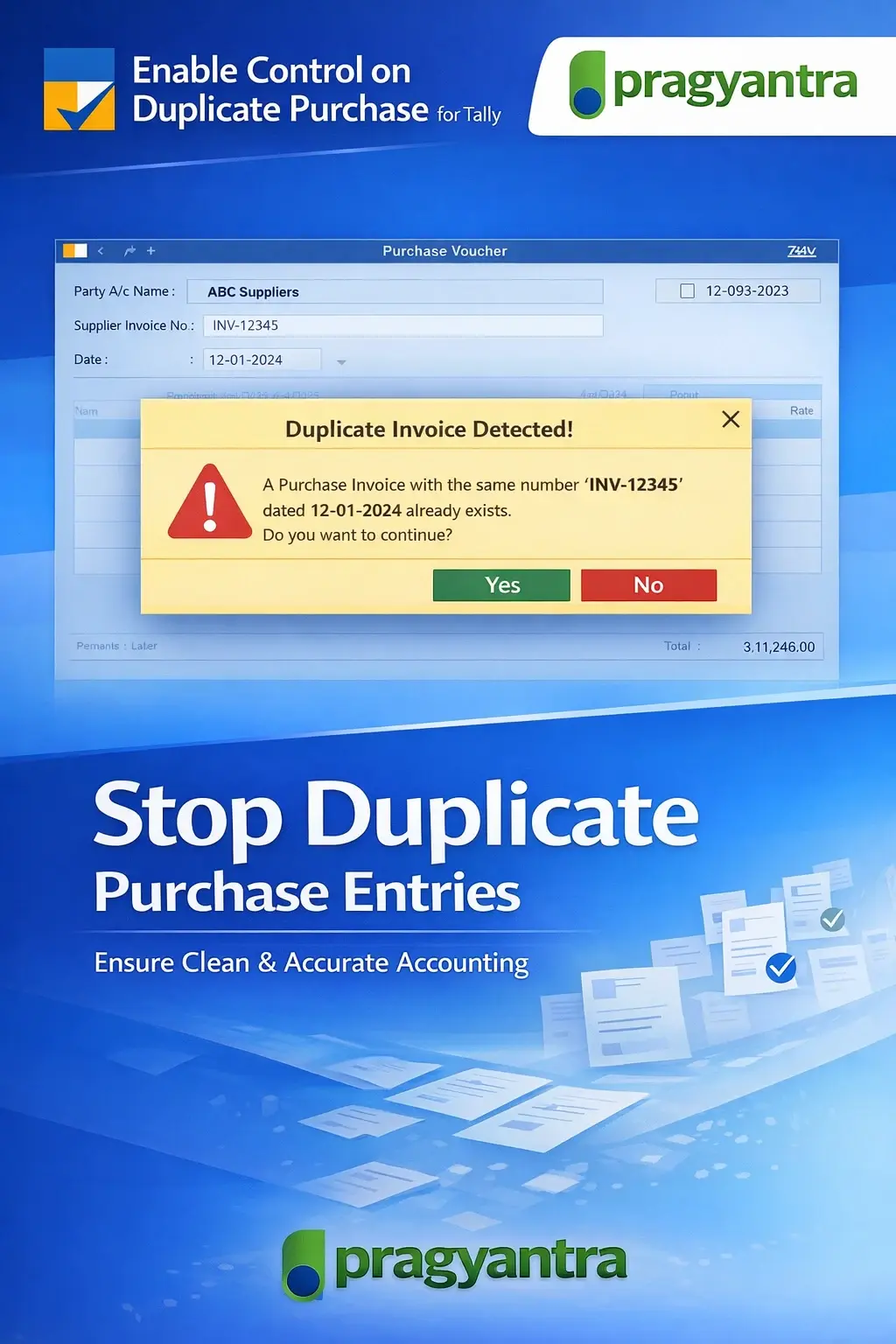
Enable Control on Duplicate Purchase
Prevent duplicate purchase entries in TallyPrime with Pragyantra’s add‑on. Detect duplicate invoices, avoid errors, and improve accounting accuracy.
Introducing Our New Business Consulting Solutions!
Revolutionize Your Business Strategy with Our Expertise.
Elevate Your Business with Our Comprehensive Consulting Services.

In many businesses, especially those dealing with high volumes of transactions, there is a common issue of duplicate purchase entries in Tally. Duplicate entries can occur due to multiple users entering the same purchase invoice, data entry errors, or repeated syncing issues. This lead to serious problems such as:
The Enable Control on Duplicate Purchase Add‑on by Pragyantra helps businesses detect, prevent, and control duplicate purchase entries in TallyPrime. With this add‑on, organizations can ensure clean accounting data and strong internal controls.
The Enable Control on Duplicate Purchase Add‑on is a custom Tally module that validates purchase entries to avoid duplicate invoices being recorded. With this add‑on installed, Tally can:
Duplicate purchase entries can cause major accounting and operational issues. Without a proper validation system, businesses often end up with overstated expenses and incorrect GST reporting. The Pragyantra Duplicate Purchase Control Add‑on solves these issues by enforcing strict real-time validation, ensuring that every purchase is unique and accurately recorded.
Duplicate Invoice Detection
Built-in logic to detect duplicate supplier invoice numbers as soon as they are entered.
Vendor + Invoice Validation
Double-checks the specific combination of Supplier Name + Invoice Number to prevent repetition across different vendors.
Real‑Time Alerts & Blocking
Shows clear warning messages and allows businesses to restrict duplicate entries completely.
Improved Data Integrity
Ensures your purchase register remains clean, reliable, and error‑free for audits.
Lightweight & High Performance
Optimized TDL architecture ensures that the extra validation does not slow down Tally's entry speed.
This add‑on works with:
✔ TallyPrime
✔ Tally ERP 9
1. Does this add-on check the invoice number for the same supplier only?
Yes, it smartly checks the combination of the Supplier Name and Invoice Number. It will alert you only if the same supplier invoice number is being repeated for that specific vendor.
2. Can I still save a duplicate entry if it's genuinely required?
The add-on can be configured to either 'Warn' the user or 'Block' the entry. If set to warn, you can proceed after the alert; if set to block, it will enforce strict discipline.
3. Will it detect duplicates if I am importing data from Excel?
Yes, the validation logic is designed to trigger during the entry process, helping you maintain a clean database even during bulk data handling.
4. Does it check for duplicate entries across different financial years?
The add-on primarily focuses on the current active data to prevent operational errors, ensuring that your current year's GST and payment records remain unique.
One duplicate entry can lead to thousands in overpayments and GST mismatches. Lock your Tally against human errors and ensure 100% data integrity with Pragyantra.
👉 Contact Pragyantra today to safeguard your business against accounting oversights.
Your email address will not be published. Required fields are marked *
Please login to write review!
Looks like there are no reviews yet.



