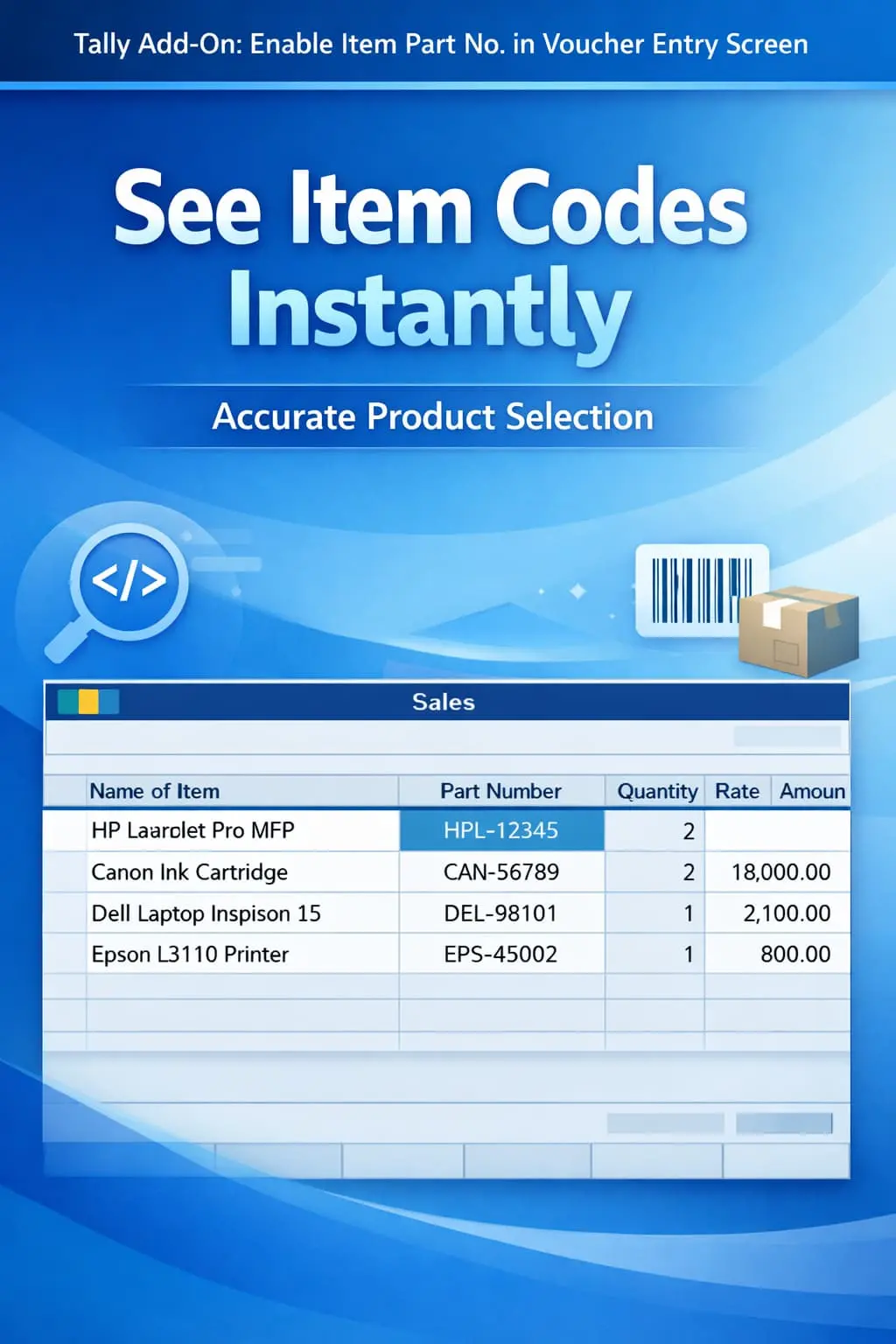
Enable Item Part No. in Voucher Entry Screen
Show item part numbers during voucher entry in TallyPrime with Pragyantra’s add‑on. Improve accuracy, reduce errors, and speed up inventory management.
Elevate Your Business with Our Comprehensive Consulting Services.
Introducing Our New Business Consulting Solutions!
Revolutionize Your Business Strategy with Our Expertise.

In technical industries like automobile, electronics, machinery, and hardware trading, stock items are primarily identified by their Part Numbers (Item Codes) rather than just names. In standard TallyPrime, these part numbers are often not visible on the main entry screen, which can lead to:
The Enable Item Part No. in Voucher Entry Screen Add‑on by Pragyantra displays item part numbers directly during voucher entry, ensuring every transaction is fast and error-free.
This add‑on is a custom Tally module that integrates part number visibility into your daily workflow. With this add‑on installed, Tally can:
For businesses with thousands of SKUs, names are not enough. If you sell spare parts, a "Filter" for one model might look exactly like a "Filter" for another, but their Part Numbers will be unique. The Pragyantra Part Number Add‑on provides clear visibility of item codes, making your billing process professional and technically sound.
Part Number Display in Vouchers
Adds a dedicated space or integrates the part number in the item selection pop-up and voucher row.
Universal Voucher Support
Works seamlessly across Sales Invoices, Purchase Entries, Delivery Notes, and Stock Journals.
Improved Search Accuracy
Allows the operator to verify the item code before finalizing the quantity and rate.
Perfect for Large Catalogues
Handles high-volume data with thousands of part numbers without any lag in Tally’s performance.
Lightweight & Optimized
Built on TDL architecture that enhances the UI while keeping Tally's core speed intact.
This add‑on works with:
✔ TallyPrime
✔ Tally ERP 9
1. Do I need to re-enter part numbers for all my items?
No. The add-on automatically picks the part numbers already entered in the 'Part No.' field of your Stock Item Master and displays them during entry.
2. Can I search for an item using only its Part Number?
Yes. This add-on enhances the search capability, allowing you to find the item by typing either its name or its part number in the voucher screen.
3. Will the Part Number also appear on my printed Tax Invoice?
This add-on focuses on the entry screen for better identification. However, Tally has a default option to print part numbers. If you need a customized print format, Pragyantra can set that up for you.
4. Does it work with Alias names as well?
Yes, it works alongside aliases. It specifically adds the Part Number field to the view so you have three ways to identify an item: Name, Alias, and Part No.
Eliminate selection errors and speed up your technical billing. Bring Item Part Numbers to your Tally screen and work with 100% confidence.
👉 Contact Pragyantra today to organize your technical inventory and improve billing accuracy.
Your email address will not be published. Required fields are marked *
Please login to write review!
Looks like there are no reviews yet.



