Enable Order No. and Date in Outstanding for TallyPrime
Track Sales Orders Easily in Outstanding Reports
Introduction
In many businesses, sales transactions are often linked with sales orders or purchase orders. While reviewing outstanding reports in Tally, accountants may need to identify which pending payment relates to which order number and order date.
However, the default Outstanding Report in TallyPrime does not always display detailed order information such as the Order Number and Order Date along with pending invoices.
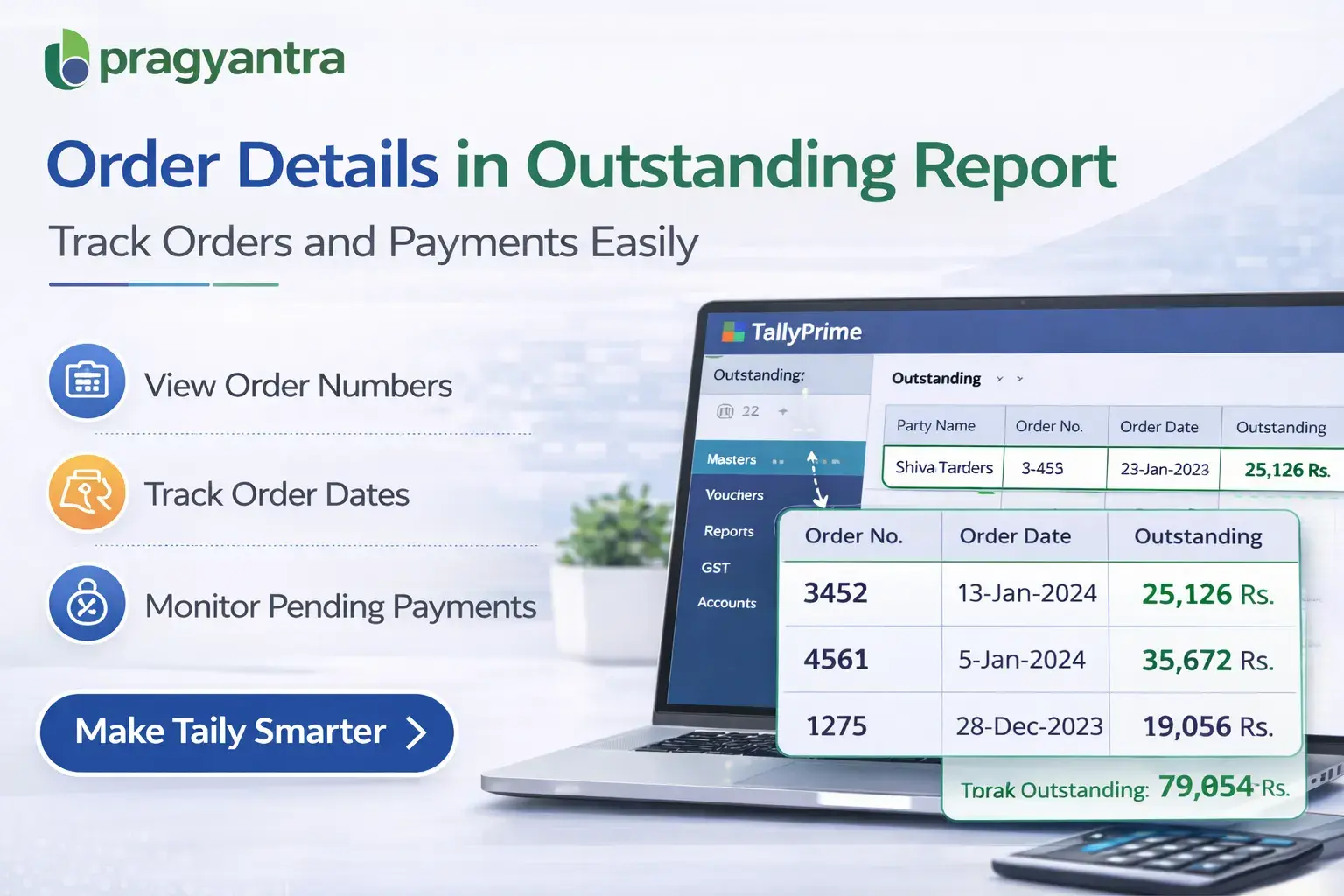
The Enable Order No. and Date in Outstanding Add‑on developed by Pragyantra solves this problem by displaying the order number and order date directly within outstanding reports.
With this add‑on, businesses can easily track pending payments linked to specific orders, improving financial visibility, order tracking, and receivable management.
What is “Enable Order No. and Date in Outstanding”?
The Enable Order No. and Date in Outstanding Add‑on is a custom Tally module that enhances the Outstanding Receivable Report by adding order-related details.
Normally, the outstanding report shows:
- Customer name
- Invoice number
- Invoice date
- Pending amount
But it does not always display order reference details clearly.
With this add‑on installed, the outstanding report also displays:
This helps businesses quickly identify which outstanding invoices are related to which orders.
Why Businesses Need This Add‑on
Many companies process orders before generating invoices. When customers place orders, businesses track them using sales order numbers.
During payment follow‑ups or financial reviews, accountants often need to connect outstanding invoices with the original order details.
Without order information in the outstanding report, users must manually open each voucher or sales order to verify details.
This leads to problems such as:
- Time‑consuming order verification
- Difficulty tracking order-based receivables
- Slower payment follow‑ups
- Limited financial visibility
The Pragyantra Order Details in Outstanding Add‑on eliminates these issues by displaying order numbers and order dates directly in the outstanding report.
Key Features of the Add‑on
Display Order Number in Outstanding Report
The add‑on shows the Sales Order Number directly alongside outstanding invoices. This helps businesses easily identify which order is linked to the pending payment.
Show Order Date Information
The report also displays the order date, providing better context for payment tracking and order management.
Improved Receivable Tracking
Accountants can track outstanding balances based on order references, improving payment follow‑ups.
Lightweight and High Performance
The add‑on is developed using optimized TDL architecture, ensuring smooth performance without slowing down Tally.
Easy Installation
Pragyantra provides simple installation and quick configuration so businesses can start using the feature immediately.
Business Benefits
- Faster Payment Follow‑Ups: Accountants can quickly identify which outstanding invoices belong to which orders.
- Better Order Tracking: Businesses can track pending payments linked to specific customer orders.
- Improved Financial Visibility: Outstanding reports become more informative by combining invoice and order details.
- Efficient Receivable Management: Businesses can manage customer dues more efficiently using order references.
Use Cases
- Distribution Businesses: Where sales orders are generated before invoices.
- Trading Companies: Where order tracking and payment follow‑ups are frequent.
- Manufacturing Companies: Where customer orders must be tracked until payment is received.
- Accounts Departments: Where outstanding reports are used for receivable management.
Compatibility
This add‑on works with:
✔ TallyPrime
✔ Tally ERP 9
FAQ
What is Enable Order No. and Date in Outstanding for Tally?
It is a Tally add‑on that displays the Sales Order Number and Order Date directly within the Outstanding Receivable reports.
Why is this feature useful?
It helps businesses quickly identify which outstanding invoices are linked to specific customer orders, making payment follow-ups easier.
Does this add‑on work with TallyPrime?
Yes. The add‑on is fully compatible with TallyPrime and Tally ERP 9.
Is this useful for multi-order tracking?
Absolutely. It is specifically designed for businesses that handle multiple orders and need clear visibility in their outstanding reports.
Simplify Your Order-Based Payment Tracking
Get better visibility of your receivables by linking order details directly in your outstanding reports.
👉 Contact Pragyantra today to install this add-on in your Tally system.