Enable Owner’s Dashboard Report for TallyPrime
Get a Complete Business Overview with Owner’s Dashboard in Tally
Introduction
Business owners often need a quick overview of their company’s financial performance without going through multiple reports in the accounting system. In TallyPrime, important financial information such as sales, purchases, outstanding balances, and cash positions are available in different reports.
However, reviewing these reports individually can take time and may not provide a single consolidated view of business performance.
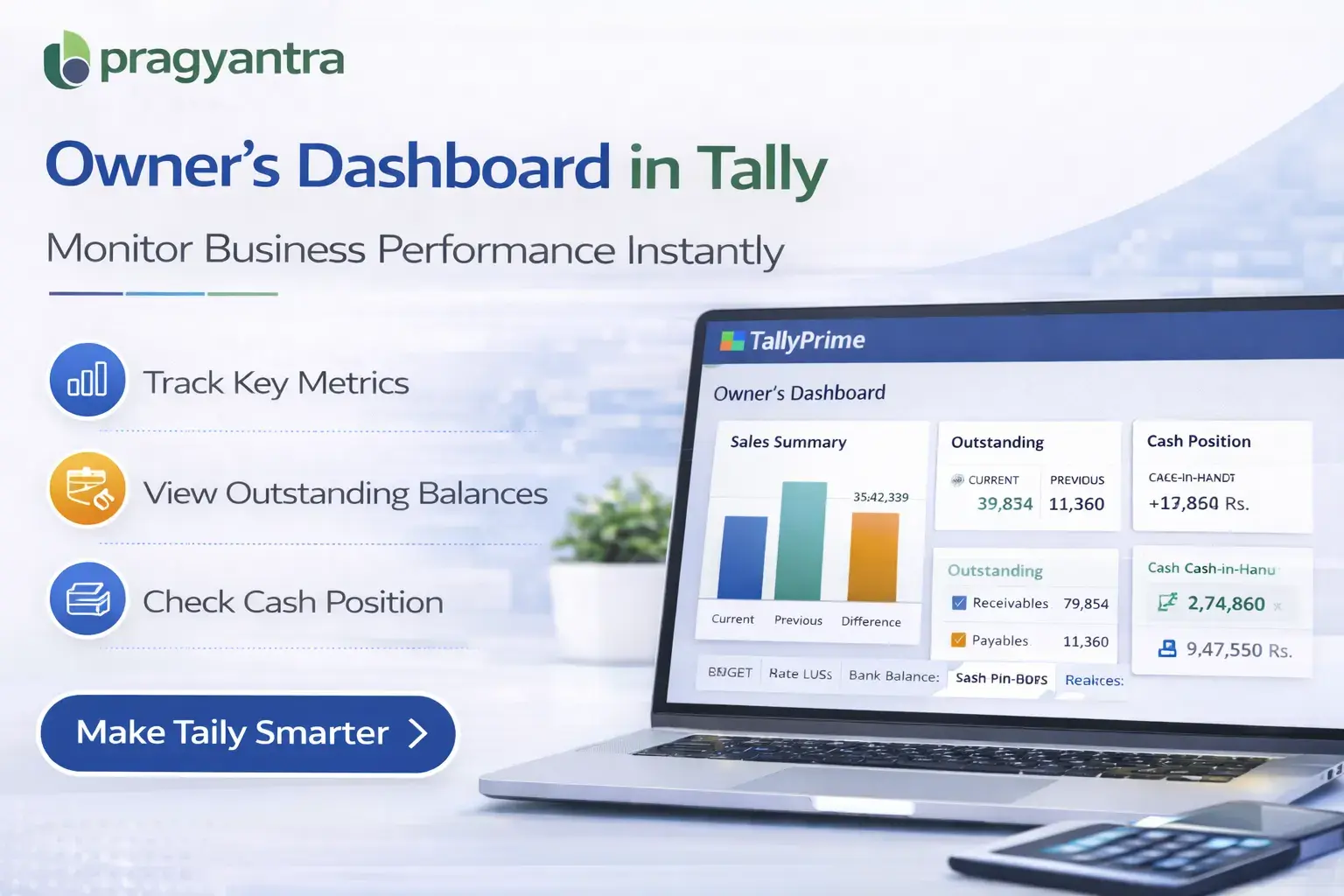
The Enable Owner’s Dashboard Report Add‑on developed by Pragyantra solves this problem by providing a centralized dashboard inside Tally that displays key financial and operational metrics in one place.
With this add‑on, business owners and management teams can quickly view important financial indicators such as sales summary, outstanding balances, receivables, payables, and account balances, enabling faster decision‑making and better financial monitoring.
What is “Enable Owner’s Dashboard Report”?
The Enable Owner’s Dashboard Report Add‑on is a custom Tally module that creates a dashboard-style report designed specifically for business owners and decision makers.
Instead of navigating through multiple accounting reports, users can view a consolidated dashboard displaying key business metrics. The dashboard may include information such as:
- Total Sales Summary
- Purchase Summary
- Outstanding Receivables
- Outstanding Payables
- Cash and Bank Balances
- Key Financial Indicators
This allows business owners to monitor company performance instantly from a single report screen.
Why Businesses Need This Add‑on
In many organizations, business owners do not have time to analyze detailed accounting reports every day. They often require a high‑level overview of financial performance to make quick business decisions.
Without a dashboard-style report in Tally, owners may face challenges such as:
- Difficulty accessing key financial data quickly
- Time spent navigating multiple reports
- Limited real‑time business insights
- Delayed decision‑making
The Pragyantra Owner’s Dashboard Add‑on addresses these challenges by providing a clear, structured overview of financial information within Tally.
Key Features of the Add‑on
Centralized Business Dashboard
The add‑on provides a single dashboard report where owners can view multiple financial metrics together.
Sales and Purchase Summary
Quickly analyze overall business activity through summarized sales and purchase information.
Outstanding Receivables and Payables
View pending customer payments and supplier dues directly from the dashboard.
Cash and Bank Balance Overview
Monitor current cash and bank balances for better financial control.
Lightweight and High Performance
The module is built using optimized TDL architecture, ensuring smooth performance without slowing down Tally.
Easy Installation and Configuration
Pragyantra provides quick installation and configuration so businesses can start using the dashboard immediately.
Business Benefits
- Faster Decision Making: Business owners can make quicker decisions with real‑time financial insights.
- Improved Financial Visibility: A dashboard view provides a clearer picture of the company’s financial position.
- Time Saving for Business Owners: Owners no longer need to open multiple reports to review business performance.
- Better Business Monitoring: Management teams can track important financial indicators from a single screen.
Use Cases
- Business Owners: Who need a quick overview of company performance.
- SMEs: Where owners actively monitor financial data.
- Accounting Firms: Where dashboards help clients understand their financial position.
- Finance Managers: Who need summarized financial information for reporting.
Compatibility
This add‑on works with:
✔ TallyPrime
✔ Tally ERP 9
Frequently Asked Questions (FAQ)
1. What information is visible in the Owner's Dashboard?
The dashboard provides a consolidated view of total sales, purchases, cash/bank balances, and outstanding receivables and payables in one single screen.
2. Can I access this dashboard from the Gateway of Tally?
Yes, once installed, the Owner's Dashboard is easily accessible directly from the main menu for quick navigation.
3. Is this add-on suitable for multi-company data?
Yes, you can view the dashboard for any company opened in Tally, providing real-time metrics for each business entity.
4. Does it work with the latest version of TallyPrime?
Absolutely. It is fully compatible with TallyPrime (all releases) and Tally ERP 9.
Run Your Business with Data, Not Guesses
Get a 360-degree view of your business performance instantly. Save time and make smarter decisions with Pragyantra.
👉 Contact Pragyantra today to activate your Owner's Dashboard in Tally.