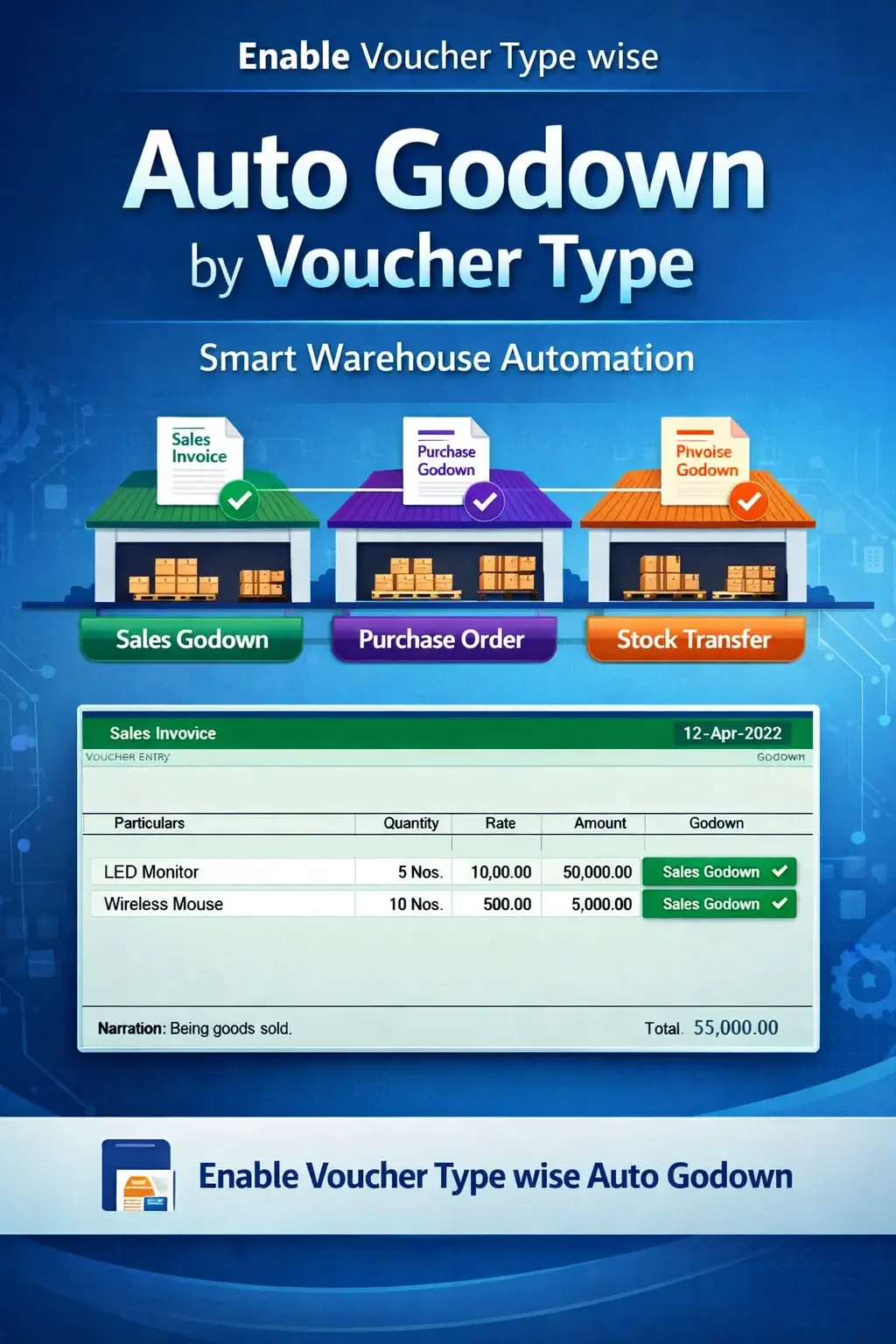
Enable Voucher Type wise Auto Godown
Automatically assign godown based on voucher type in TallyPrime with Pragyantra’s add‑on. Improve inventory accuracy, reduce errors, and automate warehouse allocation.
Elevate Your Business with Our Comprehensive Consulting Services.
Revolutionize Your Business Strategy with Our Expertise.
Introducing Our New Business Consulting Solutions!

In businesses handling multiple inventory transactions, different voucher types (such as Sales, Purchase, Stock Journal, Delivery Notes) are often physically linked to specific godowns (warehouses). However, in TallyPrime, users usually need to manually select the godown for every transaction, which leads to:
The Enable Voucher Type wise Auto Godown Add‑on by Pragyantra solves this by automatically mapping specific godowns to your voucher types, ensuring faster entry and 100% accurate warehouse tracking.
This add‑on is a custom Tally module that creates a logical link between your transaction types and your storage locations. With this add‑on installed, Tally can:
Manual selection is not just slow; it's risky. In a multi-user environment, if one operator selects the wrong warehouse, it messes up the entire Stock Summary. The Pragyantra Voucher-wise Godown Automation Add‑on enables workflow-based automation, making your inventory handling structured and error-free.
Voucher Type Mapping
Assign a unique default godown to Sales, Purchase, Credit Note, Delivery Note, etc.
Smart Auto-Fill
Automatically fills the godown field as soon as the stock item is entered in the voucher.
Support for Material Transfers
Perfect for Stock Journals where 'Source' and 'Destination' godowns can be predefined for specific transfer types.
Lightweight & Fast
Optimized TDL architecture ensures no delay in voucher loading or saving, even with heavy data.
Easy Setup
Simple configuration within the 'Alter Voucher Type' menu—no complex coding required by the user.
This add‑on works with:
✔ TallyPrime
✔ Tally ERP 9
1. Can I still change the godown manually during entry if needed?
Yes. The add-on sets a 'Smart Default' based on the voucher type. However, the field remains editable so that authorized users can switch godowns for exceptional cases.
2. Does this work for all Voucher Types?
Absolutely. You can configure this for Sales, Purchase, Receipt Note, Delivery Note, Stock Journal, and even physical stock vouchers.
3. Can I assign different godowns to different Sales Voucher types (e.g., Local Sales vs. Inter-State Sales)?
Yes. If you have created multiple voucher types under 'Sales', you can map a different default godown to each one of them.
4. Will it affect my previous year's data?
No. This is an entry-level automation tool. Your historical data remains completely safe and untouched.
Eliminate manual godown selection and ensure 100% accurate stock allocation. Speed up your inventory management with Pragyantra’s Voucher-wise Auto Godown Add-on.
👉 Contact Pragyantra today to simplify your Tally operations and achieve flawless inventory control.
Your email address will not be published. Required fields are marked *
Please login to write review!
Looks like there are no reviews yet.



